
ASKEY NCM2000B2-D299 5G Home Router User Guide


Indicators and Connectors
Package Contents
Quick Start Guide
Setting up your 5G Home Router
Rear Panel
WPS Button
Reset Button
⚫
⚫
Front Panel
5G
⚫
⚫
⚫
⚫
2 LAN Ports
⚫
⚫
⚫
⚫
WiFi
Phone Port
Phone
System
ON/OFF Switch
Power Connector
NCM2000B2-D299
Interface
Description
Ethernet Cable For
Connecting Devices
to 5G Gateway.
WPS Button
Reset Button
LAN Ports
This button allows your device to join the WiFi network without typing password.
Press the button with a paper clip for at least 5 seconds to reset to factory default.
Connectors for local networked devices.
Phone
Standard RJ11 connector for the telephone.
ON/OFF Switch
Power Connector
Press the switch to provide power to the 5G Gateway.
Connect the power adapter to the power connector.
NCM2000B2-D299
Power adapter
Ethernet cable


| General | Details |
|---|---|
| Name | ASKEY NCM2000B2-D299 5G Home Router User Guide |
| Make | ASKEY |
| Language | English |
| Filetype | PDF (Download) |
| File size | 0.21 MB |
 (1 votes, average: 5.00 out of 5)
 Loading...
If you have any questions regarding ASKEY NCM2000B2-D299 5G Home Router User Guide, please ask here and describe the problem in detail.

ASKEY RT5035W Google Fiber Wi-Fi 6E Router User Guide

ASKEY MAX2V1K Charter WiFi 6E MDU Router User Guide

Askey EAI2326 Enterprise Wi-Fi 6 Router User Guide

ASKEY EAO2522P-2 WiFi6 AP Outdoor 5G NR Router Installation Guide


ESUNSTAR AF792 Portable Router User Manual
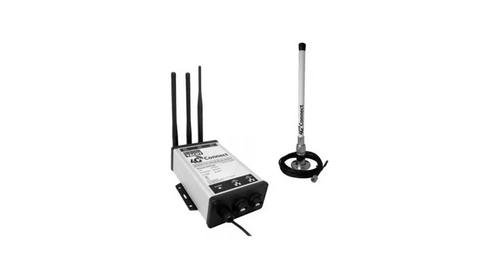
DIGITAL DEPP SEA 4GXtream Premium LTE Internet Access Router Instruction Manual

Taiko Audio Extreme Router User Guide

GLiNet MT6000 Wireless Router User Guide

TP-Link Archer BE900 Wi-Fi 7 Router User Manual

neptronic RPB11 BACnet Router Installation Guide

TP-Link OC200 4G Plus Gigabit VPN Router Installation Guide

ASUS TUF-AX4200 Dual Band WiFi 6 Gaming Router User Guide

MikroTik hAP ax³ Wireless Network Router User Manual

ASUS ROG STRIX GS-AX3000 Dual-Band Gaming Router User Guide