
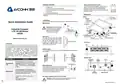
AVCOMM AP224 WLAN Compact LTE WLAN Router Installation Guide
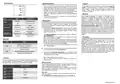


V+ V-
・Package Checklist
Wiring the Power Input (9~30V)
1)Insert the positive and negative wires into the V+
and V- contact on the terminal block connector.
2) Tighten screws when the wire is connected.
3)Connect the power wires to suitable DC Switching
type power supply.
•
•
•
•
•
1 x Product Unit
1 x 2-pin Removable Terminal Connector
2 x LTE Antenna, Black + 2 x Wi Fi Antenna, White (by model)
1 x DIN rail kit
1 x Quick Installation Guide
Optional Accessory (for detailed information please refer to the
・Appearance
Datasheet)
AP224
Ethernet Network
・4-port 10/100M RJ45
・1 WAN + 3 LAN, or 4
LAN
System LED
・1 x Power
・1 x System Status
・2 x Radio Status
LED (Ra/Rb)
・Installation
Quick Installation Guide
SIM Card Slot
Grounding Screw
SIM 2
Warning: Be careful when install
ANT 1
the SIM Card, wrong installation
procedure will cause damage.
Make sure the SIM Card is
facing the correct position.
Industrial Compact
LTE/ WLAN Router
AP224
SIM 1
Wall Mounting
Clip (Both Sides)
Integrated Power Connector
・1 x 2-pin terminal block for
9~30Vpower input
ANT 2
ANT 3
Wall mount
4 x SMA Antenna Socket
Two wall mounting plates are installed
at the left and right side of the switch.
Use the two hook holes at the corners
SIM Card
・2x SIM for redundancy
ANT 4
Wall Mount Clip
of each wall mounting plate or the
middle hole to hang the switch on the
wall them then screw tightly.
Top Panel
ANT 1
・Overview
1
4
3
2
The LTE, WLAN router AP224-WLAN+LTE and Wireless LAN
AP AP224-WLAN are designed for industrial and smart city
applications. The AP224 router supports LTE to WLAN
DIN Rail mount
For the DIN Rail mount, attach the DIN Rail Clip (DK-D2-2) to the two wall
mount plates.
redundancy and LTE/WLAN auto
offload to guarantee
continuous connections. To safeguard cybersecurity,
security features such as Firewall, OpenVPN, GRE tunnel
are supported. The embedded MQTT and RESTful API
enables instant public cloud integration such as AWS or
Azure.
Bottom Panel
Model Name
Description
Grounding
Screw
Reset
Button
ANT 4
ANT 3
Industrial Wireless IIoT Field Routing
Gateway,4FE, 802.11b/g/n WLAN, LTE-E,
2SIM( without antenna) 4-port 10/100M
,
RJ45 1 WLAN+3 LAN/4 LAN, Redundant
,
AP224-WLAN-
LTE
Grounding Screw
Grounding Screw
The grounding screw is located on the bottom side
of the router. For avoiding system damage by noise
or electric shock, establish a direct connection
between the ground screw and the grounding
surface prior to connecting devices.
2
SIM
×
Industrial Wireless IIoT Field Routing
Gateway,4FE, 802.11b/g/n WLAN(without
antenna) 4-port 10/100M RJ45 1 WLAN+3
AP224-WLAN
Power
Connector
,
LAN/4 LAN, Redundant 2 SIM
,
SIM Card slot
×
*LTE-AU/LTE-U/LTE-CN or other region by
request
*GPS support by request
*Also apply to AP224
No support negative power structure install
Warning: If power positive connects with device ground, it will
short the power system and damage the device..


| General | Details |
|---|---|
| Name | AVCOMM AP224 WLAN Compact LTE WLAN Router Installation Guide |
| Make | AVCOMM |
| Language | English |
| Filetype | PDF (Download) |
| File size | 0.12 MB |
 (1 votes, average: 5.00 out of 5)
 Loading...
If you have any questions regarding AVCOMM AP224 WLAN Compact LTE WLAN Router Installation Guide, please ask here and describe the problem in detail.


CISCO cBR Series Converged Broadband Router User Guide

CONNECTIZE G6 AC2100 Dual Band Gigabit WiFi Router Installation Guide

TELTONIKA RUT301 Router User Guide

TP-Link AC1900 Archer AC1900 MU-MIMO Wi-Fi Router User Guide

amber AC2600 WiFi Router User Guide

intwine connected ICG-150 Gateway 150 Cellular Router User Guide

LANCOM Systems 1780EW-4G+ High Performance Mobile VPN Router User Guide

GL iNet X3000NR 5G NR Wi-Fi 6 Router User Guide

DrayTek Vigor2865 Series VDSL2 Gigabit Ethernet WAN Router Owner’s Manual

SKYWORTH GN630V GPON ONT WiFi Router Installation Guide