
cisco RV340 Router User Guide
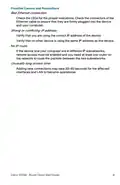



Using the Setup Wizard
4
The Setup Wizard and Device Manager are supported on Microsoft
Internet Explorer, Mozilla Firefox, Apple Safari, and Google Chrome.
To configure the device using the Setup Wizard, follow these steps:
STEP 1 Power on the PC that you connected to the LAN1 port in Step 3 of
the Connecting Equipment section. Your PC becomes a DHCP
client of the device and receives an IP address in the 192.168.1.xxx
range.
STEP 2 Launch a web browser.
STEP 3 In the address bar, enter the default IP address of the device,
https://192.168.1.1. A site security certificate message is
displayed. The Cisco RV340 uses a self-signed security
certificate. This message appears because the device is not
known to your computer.
STEP 4 Click Continue to this website to continue. The sign-in page
appears.
STEP 5 Enter the username and password. The default username is cisco.
The default password is cisco. Passwords are case-sensitive.
STEP 6 Click Log In. The Router Setup Wizard is launched.
STEP 7 Follow the on-screen instructions to set up your device. The Router
Setup Wizard should detect and configure your connection. If it is
unable to do so, it asks you for information about your Internet
connection. Contact your ISP for this information.
STEP 8 Change the password as instructed by the Router Setup Wizard or
follow the instructions in the Changing the Administrator Username
and Password section. Log in to the device with the new username
and password.
NOTE We recommend that you change the password. You are
required to change the password before enabling features such as
remote management.
The Device Manager Getting Started page appears. It displays the
most common configuration tasks.
STEP 9 Click one of the tasks listed in the navigation bar to complete the
configuration.
Cisco RV340 Router Quick Start Guide
7

| General | Details |
|---|---|
| Name | cisco RV340 Router User Guide |
| Make | Cisco |
| Language | English |
| Filetype | PDF (Download) |
| File size | 0.1 MB |
 (1 votes, average: 5.00 out of 5)
 Loading...
If you have any questions regarding cisco RV340 Router User Guide, please ask here and describe the problem in detail.

CISCO cBR Series Converged Broadband Router User Guide

Cisco Router RV345 / RV345P User Guide

Cisco RV160W Router User Guide

Cisco RV260W Router User Guide

Cisco RV260P Router User Guide

Cisco RV320 Small Gigabit Dual WAN VPN Router User Manual

CISCO RV320 Gigabit Dual WAN VPN Router User Guide

Cisco Router RV345/RV345P User Guide

Cisco RV160 Router User Guide


HUAWEI B636-336 4G LTE Portable Broadband Router User Guide

PROCEND M331 Cellular Router Installation Guide

ASUS BT8 Tri Band WiFi Router User Guide

MAXVIEW Roam 5G WiFi Router User Guide

D-Link AX3200 Router Owner’s Manual

inhand CR202 Portable 4G Router Installation Guide

NETGEAR R6300 WiFi Router Instruction Manual

NEXXT SOLUTIONS NBL301P NebulaN301 Wireless-N Router Installation Guide

MOFI NETWORK MOFI6500 4G LTE Router User Manual

TP-Link AX5400 Multi Gigabit Wi-Fi Router User Guide