
Home > DIGITAL YACHT > DIGITAL YACHT Littoral Link 4G Router Instruction Manual
DIGITAL YACHT Littoral Link 4G Router Instruction Manual




Once the Network Name and Password have been entered click the “SAVE & APPLY” button. The Littoral Link will apply
the new settings and reboot. Due to the network name change, your wireless device will be dis-connected, so wait for the
new wireless network name to appear in your Wi-Fi scan list (50-60 secs) and connect to it using the new password.
Those are all the settings you need to change and you can now proceed to the Normal Operation section.
5. Normal Operation
The Littoral Link will always create its own wireless network within 50-60 seconds of being powered up. A wireless device
should be able to scan for wireless networks, select the Littoral Link and connect using the wireless password. Assuming
you are within 4G coverage, any device connected to the Littoral Link will now be connected to the internet.
If you are not able to access the internet, please ensure the following…
1) Your SIM card is activated and registered with the mobile network operator
2) That your data allowance has not been used up
3) If you are in a foreign country, you have a suitable roaming service enabled
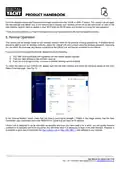
To check the status of your Littoral Link, please login into the web interface and check the following values on the main
Status Overview page - see Fig 15.
Figure 15
In the “Internal Modem” panel, check that you have a good signal strength (-75dBm in the image above), that the Data
Connection says Connected and in the “MOB1S1A1” panel that you have an IP address.
Littoral Link is designed to be as automatic as possible and once you have used it for a while, you will quickly become
confident in its operation and there should be very few times when it is necessary to login to the web interface. However, it
is probably a good idea to bookmark the http://Littoral Link or http://192.168.1.1 web address in your browser.
User Manual for Littoral Link V1.00

| General | Details |
|---|---|
| Name | DIGITAL YACHT Littoral Link 4G Router Instruction Manual |
| Make | DIGITAL YACHT |
| Language | English |
| Filetype | PDF (Download) |
| File size | 0.3 MB |
 (1 votes, average: 5.00 out of 5)
 Loading...
If you have any questions regarding DIGITAL YACHT Littoral Link 4G Router Instruction Manual, please ask here and describe the problem in detail.

Digital Yacht NeXuX Connect WiFi Router Installation Guide

DIGITAL YACHT 4GXtream NMEA 2000 3G or 4G Router Instruction Manual

DIGITAL YACHT 4GXtream NMEA 0183 3G or 4G Router Instruction Manual


ASUS RT-BE86U Wireless Router User Guide

YINUOLINK Y7 AC1200 Wi-Fi Nano Router Installation Guide

NETGEAR LBR20 ORBI LTE Router Instructions

TP-Link AX6600 Tri Band WiFi 6 Router Installation Guide

ASUS RT-AX57 Dual Band WiFi Router User Guide

TELTONIKA Networks RUT956 4G LTE Router User Guide

Westermo Merlin 4100 Series Cellular Router User Guide

LINKSYS FGW5500 5G WiFi 6 Router User Guide

VIMAR 01416 Automation IP Video Entry System Router User Manual

Heimgard Hub 4G LTE Mobile Broadband Router User Guide