
Home > EAE Technology > EAE Technology IPR200 KNX IP Router User Guide
EAE Technology IPR200 KNX IP Router User Guide
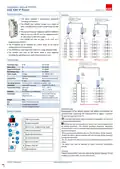


Installation Manual IPR200
EAE KNX IP Router
IPR200 R1.1
General Description
Functions
• The device supports 5 simultaneous KNXnet/IP
Tunneling connections.
• The IPR200 with compact design has a width of
only 1 module (18 mm) and is powered by the KNX
bus.
• The device forwards telegrams between different
KNX TP lines via LAN (IP) as a fast backbone and is
an alternative to KNX line coupler.
• The IPR200 can also be used in the ETS® as a
programming interface.
• The IP address can be obtained by a DHCP server or by manual
configuration (ETS) respectively.
• The IPR200 has a full-range filter table and a large telegram buffer.
• The buttons and LEDs on the device allow a local diagnosis
including the operating status and communication errors.
IPR200 as Area Coupler
IPR200 as Line Coupler
Technical Data
Protection Type
Safety Slass
IP 20
IEC 60 529
III
IEC 61140
Degree of Pollution
Overvoltage Class
Power Supply
2
IEC 60664
III
IEC 60664
Voltage
21...30V DC, SELV
< 15 mA
Current Consumption
KNX Line
Connections
Bus connection terminal
RJ45 socket
IP Line
Operating Elements Function button, programming button, LEDs
Installation
35mm DIN rail mount
EN 60 715 TH 35-75
Temperature Range Operation
Storage
-5° C + 45° C
-25° C + 70° C
Humidity
%5 to 93 % non-condensing
Dimensions
-H x W x D
Width W in mm
90 mm x W x 70 mm
18 mm (1 module)
Mounting depth 64 mm
Weight
Box
40 g
Plastic PA66 housing grey
CE
IPR200 Area and Line Coupler
in accordance with EMC
and low voltage directives.
Commissioning
Device Peripherals
Determination of the physical address and setting of parameters are
actualized with Engineering Tool Software (ETS4 or higher). “.knxprod”
file must be imported to the ETS.
A detailed information about parameter configuration can be found
in Product Manual of device.
1
2
3
4
5
6
7
8
9
KNX bus connector
Programming LED
Installation and commissioning of device may only be implemented
by trained electricians. The relevant standards, directives, regulations
and instructions must be observed when planning and implementing the
electrical installation.
Button func. programming mode
KNX LED (multicolor)
Mode LED (multicolor)
IP LED (multicolor)
-When connecting the device make sure that the device can be isolated!
-Protect the device against moisture, dirt and damage during transport,
storage and operation!
-Do not operate the device out of the specified technical data which is
stated.
Button „Pass GAs”
-The device may only be operated in closed enclosures (Distribution
boards)
Button „Pass IAs”
LAN Connector
Cleaning
If device becomes dirty, only a dry cloth can be used for cleaning. It is not
suitable to use wet cloths, caustics and solvents.
© EAE Technology


| General | Details |
|---|---|
| Name | EAE Technology IPR200 KNX IP Router User Guide |
| Make | EAE Technology |
| Language | English |
| Filetype | PDF (Download) |
| File size | 0.15 MB |
 (1 votes, average: 5.00 out of 5)
 Loading...
If you have any questions regarding EAE Technology IPR200 KNX IP Router User Guide, please ask here and describe the problem in detail.


NETGEAR PR60X Pro 10G Multi Gigabit Dual WAN Pro Router Installation Guide

TP-Link Archer AX53 Dual Band Wi-Fi 6 Router Installation Guide

Cudy WR300 Multi Mode WiFi Router Installation Guide

Cisco RV160 Router User Guide

DrayTek Vigor2927ac Dual WAN Security Router User Guide

Tenda N300 WiFi VDSL/ADSL Modem Router V300 Installation Guide

IMOU AX3000 Wi-Fi 6 Router User Guide

TP-Link Archer AX53 AX3000 Gigabit Wi-Fi 6 Router User Guide

TP-Link AX1800 Wireless Router User Manual

MERCUSYS MR62X Wireless Router Installation Guide