
Montersi ATE-G1CH 4G Router User Manual
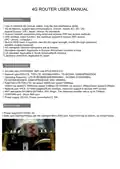
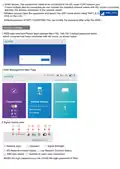
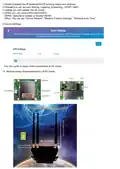


◊ Wired access: The equipments cable to be connected to the 4G router RJ45 network port;
If need multiple devices connected,we can connect the standard network switch with 4G routers connected,
and then the devices connected to the network switch.
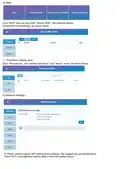
◊ Wireless access:Open the equipment and search the WIFI name which called “MIFI”,E.G:
Click on the Link.
Default password of WIFI:1234567890 (You can modify the password after enter the WEB)
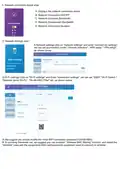
Function Settings
which computer has been connected with 4G router, as shown below:
2.Web Management Main Page:
3.Signel display area:
① Network type;
② Operater;
③ Signel Strength;
④
⑥
4G Network connect Status; ⑤ Lan Network Connect Status;
SIM card status; ⑦ Number of users have connected;
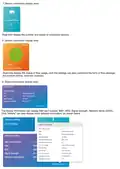
Modify the login password:you can monify the login password of Web.

| General | Details |
|---|---|
| Name | Montersi ATE-G1CH 4G Router User Manual |
| Make | Montersi |
| Language | English |
| Filetype | PDF (Download) |
| File size | 4.56 MB |
 (1 votes, average: 5.00 out of 5)
 Loading...
If you have any questions regarding Montersi ATE-G1CH 4G Router User Manual, please ask here and describe the problem in detail.


LINKSYS FGW5500 5G WiFi 6 Router User Guide

Cudy LT700 4G LTE CAT 6 Wi-Fi Router Installation Guide

SDMC NE1611B WiFi Cable Modem Router User Manual

VOX FTTB Mikrotik Router Installation Guide

Milesight UR32S CCTV Router Owner’s Manual

TP-Link Archer BE805 BE19000 Tri-Band Wi-Fi 7 Router User Manual

GRANDSTREAM GWN7062 Dual-band WiFi 6 Router Installation Guide

TELTONIKA RUT955 LTE Router User Guide

Cisco Router RV345/RV345P User Guide

NETGEAR RS600 Nighthawk Tri Band WiFi 7 Router Instruction Manual