×
- 1. Nf18mesh (Quick Start Guide → Fttn/b Connections)
- 2. Whats In The Box (Fttn/b Connections)
- 3. Safetyinformation (Please Read Before Use → Fttn/b Connections)
- 4. Location (Airflow → Environment → Fttn/b Connections)
- 5. Power Supply (Service → Small Children → Fttn/b Connections)
- 6. Rf Exposure (Product Handling → Fttn/b Connections)
- 7. Getting Started (Pre-configured? → Fttn/b Connections)
- 8. How To Connect (Fttn/b Connections)
- 9. Getting Started (Step 1 → Step 2 → Step 3 → Fttn/b Connections)
- 10. Step 4 (Final Steps → Technical Support)
- 11. How To Connect A Nf18mesh Modem That Is Not Pre-configured
- 12. Fttn/b Connections
- 13. Logging In To The Web Interface (Complete A Factory Reset Of The Modem → Open Web Browser → At The Login Screen → If Youre Unable To Login, Perform A Factory Reset Of The Modem)
- 14. First-time Setup Wizard (Upon First Login → Recommend Using The Wizard To Configure Your Internet Connection → Yes, Start The Setup Wizard → Fttn/b Connections)
- 15. Using The First-time Setup Wizard (Internet Services → Connection Type → Enter The Details Required For Your Specific Connection Type → Fttn/b Connections)
- 16. First-time Setup Wizard (Configure Wireless Networks → Network Name → Security Key Type → Wifi Password → Click The Next > Button)
- 17. Setup Wizard (Configuration → To Configure A Telephone)
- 18. First-time Setup Wizard (Gateway Security → Configure A New Username And Password → Usernames And Passwords Are Case Sensitive → Click The Next > Button)
- 19. First-time Setup Wizard (Specify The Timezone → Click The Next > Button)
- 20. First-time Setup Wizard (Summary → Wizard Displays A Summary Of The Entered Information → Check That The Details Are Correct → Click The Finish > Button → Click The < Back Button To Go Back To The Relevant Screen → Gateway Returns You To The Summary Page)
×
Netcomm NF18MESH Upgraded WiFi Router User Guide
| General | Details |
|---|---|
| Name | Netcomm NF18MESH Upgraded WiFi Router User Guide |
| Make | NetComm |
| Language | English |
| Filetype | PDF (Download) |
| File size | 0.79 MB |

NetComm CF40 Wi-Fi 6 Router User Guide

NetComm NTC-500 5G IoT Router Instructions


Cudy AC1200 4G LTE Wi-Fi Router Instruction Manual

TP-Link AX5400 Multi Gigabit Wi-Fi 6 Router Installation Guide

inhand CR202 Portable 4G Router Installation Guide

CastleNet EBM562 Mesh WiFi Router Installation Guide

ASUS GT-AX6000 Dual Band Gaming Router User Guide

intelbras GX 1001 LT 5G WiFi 6 Router Installation Guide

TOTOLINK LR350 4G LTE Router Installation Guide

LINKSYS 750MR7500 Hydra Pro 6E Mesh Router User Guide

xiaomi RB02 AC1200 Gigabit Router User Manual
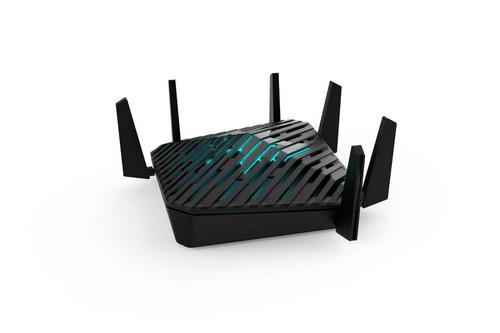
acer WA-36W12FU-AKAA 6E Predator Connect W6 Wi-Fi Router User Manual
Table of Contents
- 1. Nf18mesh - Quick Start Guide →
- 2. Whats In The Box - Fttn/b Connections →
- 3. Safetyinformation - Please Read Before Use →
- 4. Location - Airflow →
- 5. Power Supply - Service →
- 6. Rf Exposure - Product Handling →
- 7. Getting Started - Pre-configured? →
- 8. How To Connect - Fttn/b Connections →
- 9. Getting Started - Step 1 →
- 10. Step 4 - Final Steps →
- 11. How To Connect A Nf18mesh Modem That Is Not Pre-configured →
- 12. Fttn/b Connections →
- 13. Logging In To The Web Interface - Complete A Factory Reset O... →
- 14. First-time Setup Wizard - Upon First Login →
- 15. Using The First-time Setup Wizard - Internet Services →
- 16. First-time Setup Wizard - Configure Wireless Networks →
- 17. Setup Wizard - Configuration →
- 18. First-time Setup Wizard - Gateway Security →
- 19. First-time Setup Wizard - Specify The Timezone →
- 20. First-time Setup Wizard - Summary →