
PREDATOR W6X Connect W6x Wi-Fi 6 Router Owner’s Manual




















Making Warranty Claims for your Acer Battery
Acer Computer Australia and New Zealand
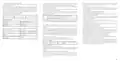
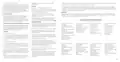
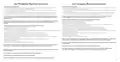
General Product Warranty Card
As part of Acer's validation and/or verification process, we reserve the right to undertake further assessment of the
device, or ask the user to undertake simple and reasonable troubleshooting measures to test their battery. We may
also ask the user to use our battery testing tool and send us the results.
LIMITED PRODUCT WARRANTY
when calling Acer’s contact centre or when raising an online service request via Acer’s online helpdesk:
STATEMENT
FOR ALL ACER BRANDED CONSUMER AND COMMERCIAL DEVICES SOLD
•
•
•
A very clear and detailed description outlining the problem and/or concern with the battery
The SNID number and serial number of the Acer notebook or tablet device
Please also advise on whether the Acer Battery Test tool has been run to check the condition of the battery, and
inform us of the results.
THIS WARRANTY STATEMENT IS NOT APPLICABLE TO ACER BRANDED SERVERS
OR OTHER ENTERPRISE STORAGE
This limited hardware warranty is in addition to any rights that you may have under the Australian
Customers in Australia
All batteries, either removable batteries or those contained within an Acer mobile/portable device, carry a one year
limited hardware warranty regardless of the length of the system base warranty. In addition to the one year limited
hardware warranty on all batteries, some customers may have purchased a separate warranty uplift for their
Technical Support: 1300 365 100
7:00am to 9:00pm Monday to Friday AEST
9:00am to 6:00pm Saturday and Sunday AEST
In the instance whereby a separate battery warranty uplift has been purchased, in addition to the system base
warranty, Acer will apply a reasonable depletion factor of up to 20% per year for three years, after which the battery
will be considered to have served its intended lifespan.
Service and Repair Enquiries: 1300 365 100
7:00am to 9:00pm Monday to Friday AEST
*Applicable local call and mobile charges apply.
ACER MOBILE DEVICE BATTERY CHARGE
CAPACITY
Customers in Zealand
Technical Support: 0800 223 769
7:00am to 9:00pm Monday to Friday AEST
9:00am to 6:00pm Saturday and Sunday AEST
Service and Repair Enquiries: 0800 223 769
7:00am to 9:00pm Monday to Friday AEST
*Applicable local call and mobile charges apply.
NEW
BATTERY
YEAR 1
YEAR 2
YEAR 3
YEAR 4
25

| General | Details |
|---|---|
| Name | PREDATOR W6X Connect W6x Wi-Fi 6 Router Owner’s Manual |
| Make | Predator |
| Language | English |
| Filetype | PDF (Download) |
| File size | 0.98 MB |
 (1 votes, average: 5.00 out of 5)
 Loading...
If you have any questions regarding PREDATOR W6X Connect W6x Wi-Fi 6 Router Owner’s Manual, please ask here and describe the problem in detail.


TP-Link BE220_V1 Dual Band Wi-Fi 7 Router Installation Guide

D-Link M30 Wi-Fi 6 Mesh Router User Guide

D-Link G530 5G NR AX3000 Wi-Fi 6 Router User Guide

Synology RT6600AX Tri-Band Mesh 11ax Router Installation Guide

Ridgid R860443 18-VOLT CORDLESS COMPACT ROUTER User Guide

ZTE MF920U 4G LTE Wireless Router User Guide

DrayTek Vigor2865 Router User Guide

Digital Yacht NeXuX Connect WiFi Router Installation Guide

FLEX FX4221 24V Trim Router Instruction Manual

WIND telecom Surf-i TD-LTE 4G Wireless Router User Manual