
Red Fox 2 CNC Router Installation Guide


Left side
Right side
You must fully insert the bridge until there is no space, as in the following images:
10. Look for the plastic bag with four M8 screws - 65mm long, which is included in
the accessories cardboard box.
11. Insert the M8 screws into the holes located at the Y carriages, looking for a
thread inside them, at the end. We will begin to thread them only by hand,
without force.
12. Finally, finish tightening them with the long side of the #6 Allen key, using only
your hand. Please don’t exert much force when tightening, just enough so
that it does not move. This is important.
Page 5 of 8

| General | Details |
|---|---|
| Name | Red Fox 2 CNC Router Installation Guide |
| Make | Red Fox |
| Language | English |
| Filetype | PDF (Download) |
| File size | 0.26 MB |
 (1 votes, average: 5.00 out of 5)
 Loading...
If you have any questions regarding Red Fox 2 CNC Router Installation Guide, please ask here and describe the problem in detail.


Smawave SRG821 Ruggedized Router User Guide

HERCULES HE042 Compact Trim Router Owner’s Manual

ASUS RT-AX59U Dual Band WiFi 6 AiMesh Router User Guide

TP-Link Archer AXE75 Gigabit Tri Band Wi-Fi 6E Router Installation Guide

Cudy LT400 Outdoor 4G Wi-Fi Outdoor Router Installation Guide
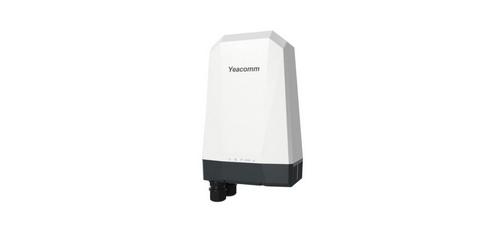
Yeacomm NR610 Outdoor 5g 4g Modem Odu Dual Sim Router Owner’s Manual

Cudy WR3000E Gigabit Mesh Wi-Fi 6 Router Installation Guide

TP-Link XGB430v Pro BE7200 Dual-Band Wi-Fi 7 XGS-PON Router Owner’s Manual

KEENETIC Hero KN-1012 Mesh Wi-Fi 6 Multi-Gigabit Router User Guide

TP-Link ER706W4G Gigabit VPN Router Installation Guide