
Home > SPARK TECHNOLOGY > SPARK TECHNOLOGY RM40 Wifi Router User Manual
SPARK TECHNOLOGY RM40 Wifi Router User Manual

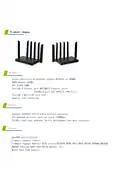

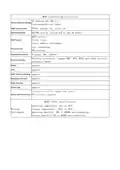

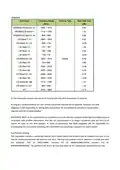


MR40∣Software Specifications
IP address:192.168.1.1
Factory default settings
User/password:root/admin
WAN access mode
Operating Mode
PPPoE, dynamic IP, static IP
ROUTER (can be customized to add AP mode);
DHCP servers.
Client lists.
DHCP server
Static address assignment.
Port forwarding.
DMZ hosting.
Virtual Server
Supportable system
Security Settings
Original SDK, openwrt
Wireless encryption, support WEP, WPA, WPA2 and other security
encryption modes
DDNS
Support
Support
Support
Support
Support
Support
VPN
WEB Theme Switching
Bandwidth Control
Static Routing
System log
Configuration file import and export
Other useful functions
Web software upgrade
…
MR40∣Other specifications
Operating temperature: 0℃ to 40℃.
Storage temperature: -40℃ to 70℃.
Working
Environment
Operating humidity: 10% to 90%RH non-condensing.
Storage humidity: 5% to 90%RH non-condensing.

| General | Details |
|---|---|
| Name | SPARK TECHNOLOGY RM40 Wifi Router User Manual |
| Make | SPARK TECHNOLOGY |
| Language | English |
| Filetype | PDF (Download) |
| File size | 0.31 MB |
 (1 votes, average: 5.00 out of 5)
 Loading...
If you have any questions regarding SPARK TECHNOLOGY RM40 Wifi Router User Manual, please ask here and describe the problem in detail.


FESTOOL OF 1400 EB Router User Manual

Tenda RX12 Pro Wi-Fi 6 6E Router Installation Guide

Adtran 834-5 SDG PlumeOS Dual-Band Wi-Fi 5 Plume Enabled Ethernet Router User Manual

GL iNet X3000NR 5G NR Wi-Fi 6 Router User Guide

Juniper NETWORKS SSR1300 Router User Guide

Xiaomi AX3000T Wireless Router User Manual
mobile beacon FX 2000 5G Router User Guide

inseego FW2000e Wavemaker 5G Outdoor CPE Router Owner’s Manual

MOFI5500 AdvancedHigh Performance Router User Manual

Cudy WR1200 Dual Band Wi-Fi Router Installation Guide