
WALLYS DR5018 Router Board User Manual





Wallys | User Manual | DR5018
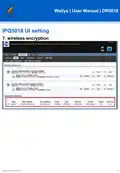
IPQ5018 UI setting
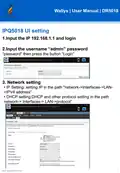
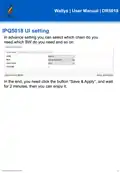
1.Input the IP 192.168.1.1 and login
2.Input the username “admin” password
“password” then press the button “Login”
3. Network setting
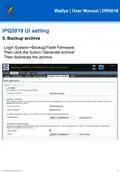
• IP Setting: setting IP in the path "network->Interfaces->LAN-
>IPV4 address"
• DHCP setting:DHCP and other protocol setting in the path
network-> Interfaces-> LAN->protocol”
1

| General | Details |
|---|---|
| Name | WALLYS DR5018 Router Board User Manual |
| Make | WALLYS |
| Language | English |
| Filetype | PDF (Download) |
| File size | 0.6 MB |
 (1 votes, average: 5.00 out of 5)
 Loading...
If you have any questions regarding WALLYS DR5018 Router Board User Manual, please ask here and describe the problem in detail.

WALLYS DR6018-S High Power Radio AP Router User Manual

Cudy GP1200 AC1200 Pon Wi-Fi Router Installation Guide

Milesight UF51 5G CPE Router User Guide

ELPRO 641M-X Iot Connectivity 4g-Lte Router User Manual

TP-Link Archer AX3000 Gigabit Wi-Fi Router Installation Guide

cradlepoint E100 Enterprise Router Endpoints User Guide

Cudy WR3000 AX3000 Gigabit Wi-Fi 6 Mesh Router Installation Guide

KuWFi CF5 4G LTE CPE Router User Manual

ASUS ZenWiFi BD4 Be3600 Dual Band Wi-Fi Router User Guide

TP-Link Tri-Band Wi-Fi 6E Router User Guide

TP-Link VR300 Archer Modem Router User Guide