
Acer W6 Predator Connect W6x Dual Band Wi-Fi 6 Router User Manual


14. Regulatory Information
14.1
Important Safety Precaution
Your Predator Connect W6x Wi-Fi 6 Router device is manufactured to comply with European
safety standards. This section outlines the safety precautions associated with using the
device. Please read the safety and operation instructions before using your device and other
accessories. Keep these instructions safe for future reference.
14.2
Condition of Use
The device is not water-resistant. Please protect the device from
water or moisture and do not touch the device with wet hands.
Otherwise short-circuit and malfunction of the product or electric
shock may occur.
Keep the device and accessories in a cool, well- ventilated area and away
from direct sunlight. Do not place the device in a container with poor heat
dissipation. Do not enclose or cover your device with clothes, towels, or
other objects.
Put your device in places beyond the reach of children. Do not allow
children to use the wireless device without guidance.
Do not use your device at places for medical treatment (in an operating
room, intensive care unit, or coronary care unit, etc.) where wireless
device use is prohibited.
To reduce the risk of accidents, do not use your device while driving.
RF signals may affect the electronic systems of motor vehicles. For more
information, consult the vehicle manufacturer.
EE recommends using the charger supplied with your device. Use of
another type of charger may result in malfunction and/or danger.
14.3
14.4
Cleaning and Maintenance
Do not attempt to dry your device with an external heat source, such as
a microwave oven or hair dryer.
Use a clean, soft, and dry cloth to clean the device and accessories.
Disposal Instructions
Do not throw this electronic device into the trash when discarding. To
minimize pollution and ensure utmost protection of the global environment,
please recycle. For more information on the Waste from Electrical and
29

Electronics Equipment (WEEE) regulations, visit
www.acer-group.com/public/Sustainability
14.5
14.6
Ethernet Cable Line Safety
Disconnect all Ethernet cable lines from the equipment when not in use
and/or before servicing.
To avoid the remote risk of electric shock from lightning, do not
connect the Ethernet cable line to this equipment during lightning or
thunderstorms.
Medical Devices
Operation of any radio transmitting equipment, including wireless phones, may
interfere with the functionality of inadequately protected medical devices.
Consult a physician or the manufacturer of the medical device to determine if
they are adequately shielded from external RF energy or if you have any
questions. Switch off your device in health care facilities when any regulations
posted in these areas instruct you to do so. Hospitals or health care facilities
may be using equipment that could be sensitive to external RF transmissions.
Pacemakers. Pacemaker manufacturers recommend that a minimum
separation of 15.3 centimeters (6 inches) be maintained between wireless
devices and a pacemaker to avoid potential interference with the pacemaker.
These recommendations are consistent with the independent research by and
recommendations of Wireless Technology Research. Persons with
pacemakers should do the following:
Always keep the device more than 15.3 centimeters (6 inches) from the
pacemaker
Not carry the device near you pacemaker when the device is switched on.
If you suspect interference, switch off your device, and move it.
Hearing aids. Some digital wireless devices may interfere with some hearing
aids. If interference occurs, consult your service provider.
14.7
Vehicles
RF signals may affect improperly installed or inadequately shielded electronic
systems in motor vehicles such as electronic fuel injection systems, electronic
antiskid (anti-lock) braking systems, electronic speed control systems, and air
bag systems. For more information, check with the manufacturer, or its
representative, of your vehicle or any equipment that has been added. Only
qualified personnel should service the device, or install the device in a vehicle.
Faulty installation or service may be dangerous and may invalidate any
warranty that may apply to the device. Check regularly that all wireless
30

| General | Details |
|---|---|
| Name | Acer W6 Predator Connect W6x Dual Band Wi-Fi 6 Router User Manual |
| Make | Acer |
| Language | English |
| Filetype | PDF (Download) |
| File size | 0.73 MB |
 (1 votes, average: 5.00 out of 5)
 Loading...
If you have any questions regarding Acer W6 Predator Connect W6x Dual Band Wi-Fi 6 Router User Manual, please ask here and describe the problem in detail.

acer WA-36W12FU-AKAA 6E Predator Connect W6 Wi-Fi Router User Manual

acer W6M W-Fi 6E Mesh Router User Manual

acer W6M Vero Wi-Fi Router User Manual

acer 952483 WAVE 7 Wi-Fi Mesh Router User Guide

Acer 954318 Wave 7 Wi-Fi Mesh Router User Manual

acer W6X PREDATOR Connect Wi-Fi 6 Router Instructions


Tenda 4G185 4G/3G Portable Mobile Hotspot Router User Guide

Tenda AC5 Wi-Fi 5 Router Installation Guide

Tenda 4G09V1.0 Wifi Router User Manual

MikroTik C52iG-5HaxD2HaxD-TC Wireless Router User Guide

LINKSYS E2500 Dual Band Router User Guide

CASTLENET EBM522U Mesh WiFi Router Installation Guide

HERCULES HE042 Compact Trim Router Owner’s Manual

TP-Link G36 Gigabit VPN Router Installation Guide

HNK AX3000 Dual Band Wi-Fi 6 Router User Guide
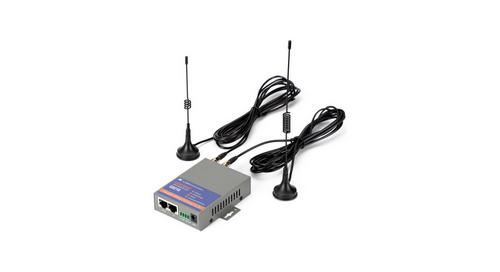
keennew QX210-NW2 4G LTE WiFi Router Owner’s Manual