
ADVANTECH ICR-2701 Engineering Portal Cellular Router User Guide





Start Guide
First Use
Before applying power to the router, connect all the components you need for your appli-
cations.
Do not run the router without an antenna connected to the main antenna ANT connec-
tor. The energy from the transmission is effectively reflected by the open end and can
damage the equipment.
1. Antenna
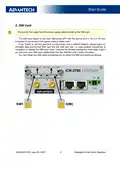
Use SMA connectors to connect the cellular antennas to the router; see the figure be-
low. First, connect the main antenna to the ANT connector. Next, connect the second diversity
antenna to the DIV connector to improve the quality and reliability of a wireless link.
QSG-0014-EN, June 23, 2022
3
Released in the Czech Republic

| General | Details |
|---|---|
| Name | ADVANTECH ICR-2701 Engineering Portal Cellular Router User Guide |
| Make | Advantech |
| Language | English |
| Filetype | PDF (Download) |
| File size | 0.18 MB |
 (1 votes, average: 5.00 out of 5)
 Loading...
If you have any questions regarding ADVANTECH ICR-2701 Engineering Portal Cellular Router User Guide, please ask here and describe the problem in detail.

ADVANTECH ICR-3200 Cellular Router Instruction Manual

ADVANTECH ICR-2531 LTE Router User Manual

advantech ICR-3831 RAILWAY 4G LTE ROUTER & GATEWAY User Guide

ADVANTECH SL302 SmartStart LTE Router User Manual

ADVANTECH ICR-2431 LTE Router User Manual

ADVANTECH ICR-2041 LTE Router User Manual


LANCOM VPN 1793VAW Router Installation Guide

UBIQUITI UniFi Dream Router Instruction Manual

HiKOKI M12VE Variable Speed Router Instruction Manual

neptronic RPB11 BACnet Router Installation Guide

Cudy LT500-OUTDOOR Outdoor 4G Cat 4 AC1200 Wi-Fi Router Installation Guide

TP-Link TL-WR845N Wireless N Router Installation Guide

TP-Link BE11000 Tri Band Wi-Fi 7 Gaming Router User Guide

ASUS RT-AX57GO Dual Band WiFi 6 Router User Guide

ASUS DSL-N66U Dual Band Wi-Fi ADSL VDSL Modem Router User Manual

airlive XPON ONU Wifi6 MESH Router User Manual