
ALFA HaLow-R WiFi 4 IoT Router User Guide


How to Setup AP Mode
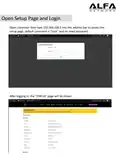
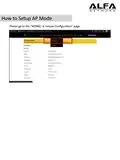
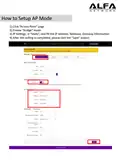
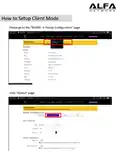
1).Click “Access Point” page
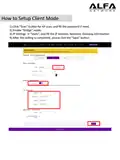
2).Enable “Bridge” mode
3).IP Setngs → “Statc”, and fill the IP Address, Netmask, Gateway informaton.
4).Aſter the setng is completed, please click the "Save" buton.

| General | Details |
|---|---|
| Name | ALFA HaLow-R WiFi 4 IoT Router User Guide |
| Make | ALFA |
| Language | English |
| Filetype | PDF (Download) |
| File size | 0.48 MB |
 (1 votes, average: 5.00 out of 5)
 Loading...
If you have any questions regarding ALFA HaLow-R WiFi 4 IoT Router User Guide, please ask here and describe the problem in detail.


DrayTek VigorLTE 200 Series LTE Router User Guide

ZYXEL NR5103EV2 5G NR Router User Guide

Linksys WRT300N Wireless-N Broadband Router User Guide

LINKSYS EA7500 AC1900 Max Stream Wifi Router User Guide

Cudy WR1200 Dual Band Smart Wi-Fi Router Installation Guide

Cisco Router RV345/RV345P User Guide

TP-Link X10-4G Deco Router Installation Guide

TP-Link Archer AX23 Wi-Fi 6 Router Installation Guide

tp-Link BE6500 Dual Band Wi-Fi 7 Router Installation Guide

D-Link BE7200 Wi-Fi 7 Router User Manual