
ARISTA 7220R Series Enterprise WAN Router Instruction Manual




Chapter 4
Status Indicators
This section describes the front-panel LED status indicators.
Table 6: LED Status Indicators
LED Name
LED State
LED Status
System Status LED
Off
No power or in the midst of a power cycle.
The system is powering up.
Blinking green
(default)
Green
The system is operating in a normal
initialization sequence.
Flashing Blue
Amber
The indicator function is active.
The system is malfunctioning. The system is
overheating or temperature sensors have been
recorded passing the software-defined critical
threshold.
The router will automatically execute a reboot/
power cycle.
Cloud Connect Status Off (default)
LED
Green
The system is not connected to CloudVision.
The system is connected to CloudVision.
Problem connecting to CloudVision.
All fan vents are operating normally.
Single fan vent is malfunctioning.
Amber
Fan Status LED
Green
Amber
Off
Power Supply Status
LED
The power supply unit is not available.
The power supply unit is functional.
The power supply unit has a fault.
Green
Amber
14

| General | Details |
|---|---|
| Name | ARISTA 7220R Series Enterprise WAN Router Instruction Manual |
| Make | ARISTA |
| Language | English |
| Filetype | PDF (Download) |
| File size | 0.55 MB |
 (1 votes, average: 5.00 out of 5)
 Loading...
If you have any questions regarding ARISTA 7220R Series Enterprise WAN Router Instruction Manual, please ask here and describe the problem in detail.

ARISTA AWE-5510 Wifi Router User Guide


Cudy WR3600E BE3600 Gigabit WiFi 7 Router Installation Guide

Tenda 4G09V1.0 Wifi Router User Manual

ASUS ZenWiFi Pro ET12 AXE11000 Tri Band Router User Guide
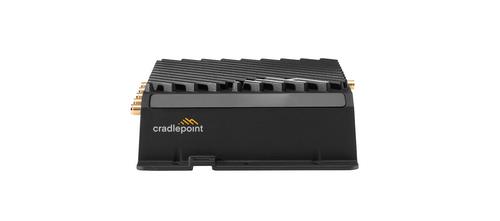
cradlepoint R920 Series Ruggedized Router User Guide

SNRMD2 Wi-Fi Router User Manual

FLEX FX4221 24V Trim Router Instruction Manual

TP-Link BE3600 Wi-Fi 7 Portable Router User Guide

Spectrum 20240729 WiFi 6E Router User Guide

snap one Araknis 220 Router User Guide

WALLYS DR6018-S High Power Radio AP Router User Manual