
Asiatelco ATEL 5G CPE Accurate Router User Manual


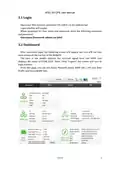


ATEL 5G CPE User Manual
➢ WPS Status- The real-time information of WPS processing while the wireless
client tries to communicate with WiFi each other.
➢ Frequency- On this page, Supported 2.4GHz or 5GHz.
3.4.2.4 Wireless Clients
From the “Wireless Clients” page, you can see the detail information of the
connected wireless devices, such as IP address, MAC address, MCS, RSSI and so
on. You can also kick the selected users by clicking the “Kick” button, then the
connection between the wireless clients and the router will be disconnect
immediately.
The users that you kicked will be shown on the kicked wireless stations, you
can restore them if you need.
3.4.3 VPN
A virtual private network (VPN) is a point-to-point connection across a private
or public network (Internet).
VPN Passthrough allows the VPN traffic to pass through the router. Thereby
we can establish VPN connections to remote network. For example, VPNs allow
you to securely access your company's intranet at home. There are three main
kinds of the VPN tunneling protocol, PPTP, IPSec,L2TP and GRE.
11/01/22
13

| General | Details |
|---|---|
| Name | Asiatelco ATEL 5G CPE Accurate Router User Manual |
| Make | Asiatelco |
| Language | English |
| Filetype | PDF (Download) |
| File size | 0.78 MB |
 (1 votes, average: 5.00 out of 5)
 Loading...
If you have any questions regarding Asiatelco ATEL 5G CPE Accurate Router User Manual, please ask here and describe the problem in detail.


DRAPER PT1202VSF 1200W 230V Variable Speed Router Instruction Manual

TP-Link VR300 Archer Modem Router User Guide

Juniper NETWORKS SSR1300 Router User Guide
REYEE AX3000 Home Wi-Fi Router Instruction Manual

devolo Giga Bridge Connecting ONT and Router Installation Guide

TELTONIKA Networks RUT955 Router Installation Guide

QiXiang Technology QX210 Cellular Router Owner’s Manual

CME H2MIDI PRO Compact USB Host MIDI Interface Plus Router User Manual

ZYXEL NR2301 5G NR Portable Router User Guide

Tenda 4G06V1.0 4G LTE and VoLTE Router User Guide