
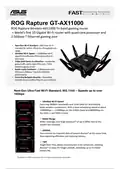
ASUS GT-AX11000 Tri Band Gaming Router Instruction Manual



Triple-level Game Accelerator
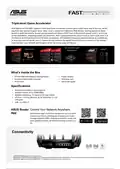
ROG Rapture GT-AX11000 supports Triple-level Game Accelerator to boost game traffic every step of the way, all the
way from your devices to game server sides. Level 1, GameFirst V optimizes ROG devices. Gaming packets on these
devices is given top priority, so your gaming packets are always at the head of the internet queue! Level 2, by turning
on the GameBoost, all gaming packets are prioritized. With a physical Boost Key button built-in, users could select 1 of
the features at their preference and for their convenience: DFS (Dynamic Frequency Selection) Bands on, GameBoost,
or Aura Sync and LED on/off. Level 3, Gamers Private Network (by wtfast® ensures that you connect via the shortest
route between your network and the game server, for lowest ping and latency.
GT-AX11000 with
GameBoost
GameFirst V
wtfast®
What's Inside the Box
•
•
•
GT-AX11000 ROG Rapture Gaming Router
8 external detachable antennas
RJ-45 cable
•
•
•
Power adapter
Warranty card
Quick start guide
Specifications
•
•
•
•
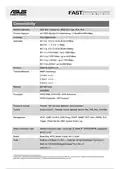
Wireless Type: 802.11 ax/ac/n/g/a/b
Wireless Speed: Up to 11000 Mbps
Wireless Frequency: Tri-band (2.4 & Dual 5 GHz)
I/O Port: 1 x 2.5G LAN Port, 1x 1G WAN Port, 4 x 1G
LAN ports
•
USB : 2 x USB 3.0
ASUS Router Control Your Network Anywhere.
App
ASUS Router App is built from the ground-up to be both
intuitive and robust, allowing you to setup your router,
manage network traffic, diagnose connection issues and
even update firmware, all without needing to boot up a
PC.
Connectivity
© 2016 ASUSTeK Computer Inc. All rights reserved.
Specifications, content and product availability are all subject to change without notice and may differ from country to country. Actual performance may vary depending on

| General | Details |
|---|---|
| Name | ASUS GT-AX11000 Tri Band Gaming Router Instruction Manual |
| Make | Asus |
| Language | English |
| Filetype | PDF (Download) |
| File size | 0.26 MB |
 (1 votes, average: 5.00 out of 5)
 Loading...
If you have any questions regarding ASUS GT-AX11000 Tri Band Gaming Router Instruction Manual, please ask here and describe the problem in detail.

ASUS RT-AC86U AC2900 WiFi Gaming Router User Guide

ASUS AC1750 WiFi Dual Band Wireless Internet Router User Guide

ASUS TUF-AX5400 Dual Band WiFi 6 Router User Guide

ASUS ET12 ZenWiFi Pro AXE11000 Tri Band Router User Guide

ASUS RT-AX82U V2 AX5400 Dual Band WiFi Router User Guide

ASUS TUF-AX4200 Dual Band WiFi Router User Guide

ASUS GT-AX6000 Dual Band WiFi 6 Extendable Gaming Router User Guide

ASUS RT-N10U 150 mbps Wireless Router Instructions

ASUS RT-BE96U Tri Band WiFi Router User Guide

ASUS RT-BE88U Dual Band WiFi Router User Guide


D-Link DIR-822 AC1200 Wave 2 WiFi Router Instruction Manual

DrayTek Vigor2135 Gigabit Broadband Router User Guide

HNK AX3000 Dual Band Wi-Fi 6 Router User Guide

CONTEMPORARY CONTROLS BASRTSX-B Multi Network Router Installation Guide

Infinite Clouds 110 Wireless Router User Manual

Urocomm UROZETTA 2 4G LTE Mobile Router User Manual

TCL HH130VM Home Station Router User Guide

STARLINK LJ439RBIV3M5 Mini Router Installation Guide

Connect Tech Inc Xtreme 10G Managed Ethernet Switch Router User Guide

Red Fox 2 CNC Router Installation Guide