
Danone CPF101 4G Router User Manual


2
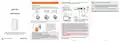
Power indicator, turn on the power (long light)
Plug power adapter if you do not want a wired connection,
the cable is not necessary to be connected
POWER
Insert SIM card and Connection method
Insert SIM card
4G mobile data network indicator, The light will be on after inserted
4G SIM with normally supplied network be recognized. Inserted SIM
card in arrears or no 4G signal, it's off
1
Connected devices
4G
Power
supply
socket
According to the interface identification on the device, insert the
SIM card, pay attention to the metal electric shock and the missing
direction of the card.
Wireless Connection
The wireless name and
password can be obtained on
the label on the back of the
device.
DATA
Data status indicator light, network connection success (flashing)
SIM
LAN2
LAN1
WAN
RESET
DC
CPF101
SIM
Micro SIM
Nano SIM
If the indicator is abnormal, please check whether the card is correct.
15 x 25 (mm)
12 x 15 (mm)
8.8 x 12.3 (mm)
User Manual
Connect
WAN Port
Cable Connection
Connect
LAN Port
As shown in pic, Plug power adapter
to start the router. Initialization may
take time, please be patient.
Micro SIM / Nano SlM card needs to be restored by card sleeve to SIM to insert;
otherwise it will not be ejected inside the card.
WAN port: support automatic IP (DHCP) and PPPOE broadband dial-up, the
default is to automatically obtain IP for Internet access, if you need to use
broadband dial-up, you can log in WEB Management-dial-up mode to set
according to the prompts. After PPPOE set, the device can only be used as a
normal router, not 4G router. If you want to use 4G SIM to access the Internet,
please set dialing method to 4G and wired DHCP or directly restore factory.
As shown in the pic, the
SIM missing corner face
inside, the metal chip
faces down, inserts the
slot, you can hear clatter
and fasten it.
Special function: This device supports 4G and WAN port automatic switching
function (need to enable "Internet backup" -"Wire WAN priority " in the WEB
management)
Thanks for choosing our product, please read this instruction
manual carefully before using, use the steps to operate this product.
Keep it in safe place for future use after reading.
Please insert sim card and connect correctly
1: Insert SIM card on router
Note: In the default configuration, if WAN port is connected to fiber
network cable (DHCP) and SIM is inserted at the same time, network data
is supplied by SIM card.
2: Power on power adapter and connect to router
3: Suggest using cell phone for configure settings, no need cable. If
you want to use computer for configuration you need connect router
lan port to computer, make sure connection is correct, computer use
dynamic IP obtaining.
After connecting the device, please check whether the router
indicator is normal.
Model:CPF101
Input:12V
1A
1
2
3


| General | Details |
|---|---|
| Name | Danone CPF101 4G Router User Manual |
| Make | Danone |
| Language | English |
| Filetype | PDF (Download) |
| File size | 0.18 MB |
 (1 votes, average: 5.00 out of 5)
 Loading...
If you have any questions regarding Danone CPF101 4G Router User Manual, please ask here and describe the problem in detail.


netgate 8200 Secure Router User Manual

ASUS RTBE7900 BE3600 Dual-band Wi-Fi Router User Guide

ASUS BE6500 Dual Band Wi-Fi 7 Router User Guide

westermo Merlin 4700 Series Cellular Router User Guide

cradlepoint S5A037A Enterprise Branch Router User Manual

Kangwei ZLT W304VA PRO WIFI6 Wireless Dual Band Router User Manual

PoEWit R10 Preconfiguration Enterprise Class Router User Manual

SIERRA WIRELESS AirLink LX40 Enterprise LTE Router User Guide

DrayTek Vigor2766 G.Fast Security Router Installation Guide

MIKROTIK RB1100AHx4 Powerful Router User Manual