
Danone CPF101 4G Router User Manual
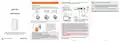


can't the device read the SIM card?
Answers to common questions
SIM card hot plug is not supported by equipment, and the insertion
and removal actions should be carried out under power failure.
Please disconnect the power of the router and then plug in the
power.
FAQ 1: Forgot username and password how to do? (How to reset the
router?).
If you forget the username and password, or you can't do the
backstage in the setup process, when the router is energized, press
router's RESET key for 5-8 seconds and release, router make factory
default.
FAQ 2: Enter 192.168.188.1 in the browser's address bar, can’t open
management page?
1: If the computer is set up, open the IE browser, click the tool - click
the Internet option, click the connection - click the LAN settings to
ensure that the proxy server does not tick.
2: If the computer is set up, please check the computer's wireless
network configuration or local network configuration to ensure that the
computer "automatically gets the IP address", "automatically gets the
DNS server address", restarts the router, disconnects the router
power, and then plug in the power supply later.
Matters needing attention
1: please do not cause this product to be subjected to strong
impact or vibration, so as not to damage the product, resulting in
failure of this product.
2: do not disassemble or refit this product without authorization
3: If you cannot login to the router management interface after
completing the above operations, it is recommended that you reset
the router and reset method see FAQ1.
3: please do not place this product and its accessories in high or
low temperature areas; otherwise it may cause the product to be
malfunctioning and unable to run normally.
FAQ 3: The router signal lights up, has data transmission, but the
Internet is slow.
1: Please move the router to other locations, such as near the
4: please do not keep this product near the source of heat or
naked fire, such as electric heater, microwave oven, oven, water
heater, candle or other places where high temperature may occur.
5: in the storage, transportation and operation environment,
please pay attention to waterproofing.
6: use device rated power adapter
7: placed the device on a flat surface
window, to ensure better reception of 4G signals.
2: Repower the router to reboot the router
8: microwave oven, Bluetooth equipment, fridge and so on will
seriously interfere with the wireless signal. Please try to place it in
a spacious and accessible area and keep it away from the above
equipment.
FAQ 4: When the router changes the card during its operation, why
4
5
6
7

| General | Details |
|---|---|
| Name | Danone CPF101 4G Router User Manual |
| Make | Danone |
| Language | English |
| Filetype | PDF (Download) |
| File size | 0.18 MB |
 (1 votes, average: 5.00 out of 5)
 Loading...
If you have any questions regarding Danone CPF101 4G Router User Manual, please ask here and describe the problem in detail.


LINOVISION IOT-R32W Rugged and Versatile Cellular Router Instructions

DrayTek Vigor2927 Dual WAN Security Router User Guide

TP-Link VR2100v Wireless Mu Mimo VDSL ADSL Modem Router Instruction Manual

PROSCEND M330 Series Cellular Router Installation Guide

amber AC2600 WiFi Router User Guide

eero 7 Dual Band Mesh Wi-Fi 7 Router User Guide

eero Pro 6 Mesh Wi-Fi Router User Guide

alhua DH-AX18 Wireless Router User Manual

NORDIC M1R-DH2-12 Corded Router User Manual

HIRSCHMANN NB1810 NetModule Router User Manual