
GL iNet GL-B2200 Tri-Band Wireless Gigabit Router User Manual

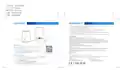


包材名称:B2200保修卡
尺寸:130*130mm
圆角:四个角 (5mm)
印刷:双面彩色印刷
材质:200g铜版纸
SUPPORT
WARRANTY
We provide one year limited warranty for routers and 3-month limited warranty for accessories. Extra warranty may apply
according to the local law in which the product purchase took place.
Highly recommend using the included 5V/3A power adapter.
Any damage to the router caused by not following the instructions will render this warranty null and void.
Any damage to the router caused by modifying the PCBA, components or case will render this warranty null and void.
Issues caused by the use of third-party firmware may not get official support from us.
Any damage to the router caused by inappropriate use, e.g. inappropriate voltage input, high temperature, dropping in the water or
on the ground will render this warranty null and void.
Pictures on the instructions are only for reference. We reserve the right to change or modify these materials without further notice.
FCC ID: 2AFIW-B2200
1. This device complies with Part 15 of the FCC Rules. Operation is subject to the following two conditions:
(1) This device may not cause harmful interference, and
(2) This device must accept any interference received, including interference that may cause undesired operation.
2. Changes or modifications not expressly approved by the party responsible for compliance could void the user’s authority to operate the equipment.
3. Note: This equipment has been tested and found to comply with the limits for a Class B digital device, pursuant to part 15 of the FCC Rules. These limits are
designed to provide reasonable protection against harmful interference in a residential installation. This equipment generates uses and can radiate radio frequency
energy and, if not installed and used in accordance with the instructions, may cause harmful interference to radio communications. However, there is no guarantee that
interference will not occur in a particular installation. If this equipment does cause harmful interference to radio or television reception, which can be determined by
turning the equipment off and on, the user is encouraged to try to correct the interference by one or more of the following measures:
- Reorient or relocate the receiving antenna.
LED Lights
Power Port (Type-C)
LAN Port
WAN Port
Reset Button
WPS Button
- Increase the separation between the equipment and receiver.
- Connect the equipment into an outlet on a circuit different from that to which the receiver is connected.
- Consult the dealer or an experienced radio/TV technician for help important announcement.
Repair / Reset
If you cannot access the web-based setup page or cannot connect to the router,
FCC Radiation Exposure Statement
you can press the Reset button:
This equipment complies with FCC radiation exposure limits set forth for an uncontrolled environment. This equipment should be installed and operated with minimum
distance 20cm between the radiator and your body. This transmitter must not be co-located or operating in conjunction with any other antenna or transmitter.
The Equipment named above is confirmed to comply with the requirements setout in the European Council Directive on the Approximation of the
Laws of the Member States relating to RED (2014/53/EU). The equipment passed the test which was performed according to the following European standards:
Press and hold for 3 seconds, and then release to repair your network.
EN 301 489-1 V2.2.3; EN 301 489-17 V3.2.3
EN 300 328 V2.2.2; EN 301 893 V2.1.1
EN62368-1:2014+A11:2017
Press and hold for 10 seconds, and then release to reset the router to
factory settings. All user data will be cleared.
EN62311:2018
The Product comply with Directive 2011/65/EU and its amendment directive 2015/863/EU (Rohs2.0)
Technical Supports
The device is restricted to indoor use when operated in the European Community using frequency in 5150MHz~5250MHz to reduce the potential for interference.
restriction info:Restriction in BE, BG, CZ, DK, DE, EE, IE, EL, ES, FR, HR, IT, CY, LV, LT, LU, HU, MT, NL, AT, PL, PT, RO, SI, SK, FI, SE, UK.
For more detailed and updated instructions, pleas
e visit our website docs.gl-inet.com
Hong Kong Office
Shenzhen Office
For further questions, you can get help from the following wa
ys:
GL Technologies (Hong Kong) Limited
Shenzhen Guanglianzhitong Tech Co., Ltd.
Unit 203, 2/F, Building 19W, 19 Science Park West Avenue,
Hong Kong Science Park, Pak Shek Kok, N.T., Hong Kong
Room 305 - 306, Skyworth Digital Building, Shiyan Street,
Baoan District, Shenzhen, China, 518000 ( +86-0755-86606126 )
-
-
-
-
Email to support@gl-inet.com
Message us on our Facebook: facebook.com/gl.ine
Post questions in our forum: forum.gl-inet.com
t.wifi/
Ask professionals in other forums e.g. OpenW
rt, LEDE or other professional websites
ver. 20200807

| General | Details |
|---|---|
| Name | GL iNet GL-B2200 Tri-Band Wireless Gigabit Router User Manual |
| Make | GL iNet |
| Language | English |
| Filetype | PDF (Download) |
| File size | 0.25 MB |
 (1 votes, average: 5.00 out of 5)
 Loading...

GL iNet GL-X3000NR 5G NR WiFi 6 Router User Guide

GL iNet GL-B3000 Marble AX3000 Wireless Router User Guide

GL iNet XE2000 Dual SIM Wi-Fi 6 Router User Guide

GL iNet GL-A1300 AC1300 Gigabit Wireless Router User Guide

GL iNet GL-XE300 Puli 4G LTE Wireless Router User Manual

GL iNet AX1800 Slate AX Wireless Router User Manual

GL iNet GL-MT1300 AC1300 Wireless Travel Router User Manual

GL iNet GL-MT3000 Beryl AX AX3000 Wifi 6 Router User Manual

GL iNet XE3000 MBPS M519 Portable Router User Manual

GL iNet GL-XE300 4G LTE Mobile Router User Guide


TP-Link BE220_V1 Dual Band Wi-Fi 7 Router Installation Guide

NEXXT NCM-C1200 Bolt AC 1200 Router User Guide

mikrotik RB750UPr2 hEX PoE Lite is a Router User Guide

CastleNet EBM562 Mesh WiFi Router Installation Guide

ZYXEL 1WSM20 Multy M1 Router Instructions

YINUOLINK Y7 AC1200 Wi-Fi Nano Router Installation Guide
TAIKO AUDIO 92592129 Extreme Router User Manual

ARRIS M6 Wireless Router User Manual

Infinite Clouds 110 Wireless Router User Manual

TCL HH512LV Linkhub 5G WLAN Router User Guide