
HERCULES HE042 Compact Trim Router Owner’s Manual


14. Do not leave the tool unattended when it is plugged
into an electrical outlet. Turn off the tool, and
unplug it from its electrical outlet before leaving.
7. Use the power tool, accessories and tool bits
etc. in accordance with these instructions,
taking into account the working conditions
and the work to be performed. Use of the
power tool for operations different from those
intended could result in a hazardous situation.
15. This product is not a toy.
Keep it out of reach of children.
16. People with pacemakers should consult their
physician(s) before use. Electromagnetic fields in
close proximity to heart pacemaker could cause
pacemaker interference or pacemaker failure.
In addition, people with pacemakers should:
• Avoid operating alone.
8. Keep handles and grasping surfaces dry, clean
and free from oil and grease. Slippery handles
and grasping surfaces do not allow for safe handling
and control of the tool in unexpected situations.
Service
• Do not use with Power Switch locked on.
• Properly maintain and inspect to avoid
electrical shock.
1. Have your power tool serviced by a
qualified repair person using only identical
replacement parts. This will ensure that the
safety of the power tool is maintained.
• Properly ground power cord.
Ground Fault Circuit Interrupter (GFCI)
should also be implemented – it prevents
sustained electrical shock.
2. Maintain labels and nameplates on the tool.
These carry important safety information.
If unreadable or missing, contact
17. The warnings, precautions, and instructions
discussed in this instruction manual cannot
cover all possible conditions and situations
that may occur. It must be understood by the
operator that common sense and caution are
factors which cannot be built into this product,
but must be supplied by the operator.
Harbor Freight Tools for a replacement.
Safety instructions for routers
1. Hold the power tool by insulated gripping
surfaces only, because the cutter may contact
its own cord. Cutting a “live” wire may make
exposed metal parts of the power tool “live” and
could give the operator an electric shock.
Power tool use and care
1. Do not force the power tool. Use the correct
power tool for your application. The correct
power tool will do the job better and safer
at the rate for which it was designed.
2. Use clamps or another practical way to secure
and support the workpiece to a stable platform.
Holding the work by your hand or against the body
leaves it unstable and may lead to loss of control.
2. Do not use the power tool if the switch
does not turn it on and off. Any power
tool that cannot be controlled with the switch
is dangerous and must be repaired.
3. Let bit cool before touching, changing
or adjusting it. Bits heat up dramatically
while in use, and can burn you.
4. Verify that the work surface has no
hidden utility lines before cutting.
3. Disconnect the plug from the power source and/
or remove the battery pack, if detachable, from
the power tool before making any adjustments,
changing accessories, or storing power
Vibration Safety
This tool vibrates during use.
tools. Such preventive safety measures reduce
the risk of starting the power tool accidentally.
Repeated or long-term exposure to vibration may
cause temporary or permanent physical injury,
particularly to the hands, arms and shoulders.
To reduce the risk of vibration-related injury:
4. Store idle power tools out of the reach of
children and do not allow persons unfamiliar
with the power tool or these instructions
to operate the power tool. Power tools are
dangerous in the hands of untrained users.
1. Anyone using vibrating tools regularly or for an
extended period should first be examined by a
doctor and then have regular medical check-ups to
ensure medical problems are not being caused or
worsened from use. Pregnant women or people who
have impaired blood circulation to the hand, past
hand injuries, nervous system disorders, diabetes,
or Raynaud’s Disease should not use this tool.
If you feel any symptoms related to vibration (such
as tingling, numbness, and white or blue fingers),
seek medical advice as soon as possible.
5. Maintain power tools and accessories.
Check for misalignment or binding of moving
parts, breakage of parts and any other
condition that may affect the power tool’s
operation. If damaged, have the power tool
repaired before use. Many accidents are
caused by poorly maintained power tools.
6. Keep cutting tools sharp and clean. Properly
maintained cutting tools with sharp cutting edges
are less likely to bind and are easier to control.
2. Do not smoke during use. Nicotine reduces
the blood supply to the hands and fingers,
increasing the risk of vibration-related injury.
3. Wear suitable gloves to reduce the
vibration effects on the user.
Item 59436
For technical questions, please call 1-888-866-5797.
Page 3

| General | Details |
|---|---|
| Name | HERCULES HE042 Compact Trim Router Owner’s Manual |
| Make | Hercules |
| Language | English |
| Filetype | PDF (Download) |
| File size | MB |
 (1 votes, average: 5.00 out of 5)
 Loading...
If you have any questions regarding HERCULES HE042 Compact Trim Router Owner’s Manual, please ask here and describe the problem in detail.

HERCULES HCB043 20V Brushless Compact Router Owner’s Manual

HERCULES HE041 Variable Speed Fixed Base Router with Plunge Base Kit Owner’s Manual


Superbox S3PRO Router User Guide

TANGERINE NetComm CF40 Wi-Fi 6 Router User Guide

TELTONIKA RUTX12 Dual Cat 6 Cellular Router Owner’s Manual

QUARK-ELEC QK-R041 Wireless 4G LTE Router User Guide

HFCL Weave Home Mesh Router User Guide

casa systems NTC-500 AurusXT 5G IoT Router Instructions
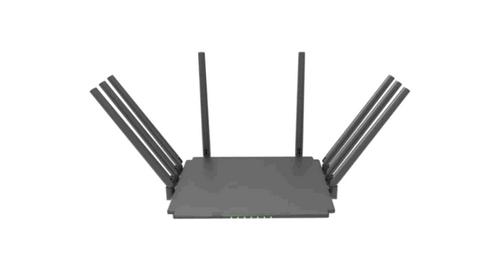
Guangdong Xintengda Communication Technology WR300N-XXX WiFi Router Instruction Manual

cimetrics B3075 BACnet-IP to BACnet-IP Router User Guide

Singtel XGSPON Optical Network Router Installation Guide

JuniPer ACX7024 Cloud Metro Router User Guide