
×
- 1. Air:link 3000dg User Manual
- 2. Connect Air:link Router To Broadband Modem (Set Up Wireless Connection Between Router And Pc/mac)
- 3. Hva Er Dual Band? (Fordelen Med Dual Band Ruter → Oversikt Over Tilgjengelige Trådløse Nettverk → Ghz Trådløst Nettverk → 4ghz Trådløst Nettverk → Dersom Kun Ett Av Ruterens Trådløse Nettverk Vises)
- 4. Innhold I Esken (Trådløs Nettverk Og Sikkerhet)
- 5. Baksiden På Din Trådløse Air:link Ruter (Radiobryter For Å Skru Av/på → Reset/wps-knapp For Å Sette → Internet/wan-kontakt (blå) For Tilkobling Med → Kontakt For Tilkobling Til Strømadapter → Power On/off → Lan-kontakter (gul) For Tilkobling)
- 6. Oppsett Av Din Trådløse Ruter (Koble Den Ene Enden Av Nettverkskabelen → Sett Den Andre Enden I Kontakten Merket Internet/wan → Koble Strømadapteret Til Strømuttaket → Koble Strømkabelen Til Strømuttaket På Bredbåndsmodemet)
- 7. Koble Til Trådløst Nettverk Med Ms Windows 7 (Klikk På Ikonet For Trådløst Nettverk → Oversikt Over Tilgjengelige Trådløse Nettverk → Sikkerhetsnøkkel → Flere Trådløse Airlink Rutere → Avhengig Av Konfigurasjon)
- 8. Angi At Nettverket Tilhører Hjemme (Trykk Lukk For Å Bekrefte At Nettverksinnstillingene Er Fullført → Du Er Nå Tilkoblet Det Trådløse Nettverket → Om Du Klikker På Ikonet For Trådløs Tilkobling Vil Du Få Se Status På Tilkoblingen → I De Allerfleste Tilfeller Vil Du Nå Ha Kontakt Til Internett → Dersom Du Ikke Får Kontakt Til Internett Se Side 14 For Hjelp Og Tips)
- 9. Koble Til Trådløst Nettverk Med Ms Windows Vista (Høyre-klikk På Ikonet For Trådløst Nettverk → Oversikt Over Tilgjengelige Trådløse Nettverk → Koble Til Nettverket (ssid) → Sikkerhetsnøkkel Eller Passfrase → Flere Trådløse Airlink Rutere)
- 10. Bekrefte Tilkobling Til Trådløst Nettverk (Lagre Nettverket For Automatisk Tilkobling → Angi Nettverk Som Hjemme → Bekrefte Fullføring Av Nettverksinnstillinger → Tilkobling Til Internett → Hjelp Og Tips For Tilkoblingsproblemer)
- 11. Koble Til Trådløst Nettverk Med Ms Windows Xp (Trådløse Nettverk Oppdaget → Vis Tilgjengelig Trådløse Nettverk → Oversikt Over Tilgjengelige Trådløse Nettverk → Koble Til → Flere Trådløse Airlink Rutere)
- 12. Det Trådløse Nettverket Er Beskyttet Med Wpa2-kryptering Og Du Må Derfor Sette Inn Nettverksnøkkelen Som Du Finner På Klistremerker På Den T…
- 13. Koble Til Trådløst Nettverk Med Apple Mac Osx (Slå På Trådløst Nettverk På Din Mac (airport) → Klikk På Nettverket (ssid) → Det Trådløse Nettverket Er Beskyttet Med Wpa2-kryptering → Du Er Nå Tilkoblet Det Trådløse Nettverket → Dersom Du Ikke Får Kontakt Til Internett Se Side 14 For Hjelp Og Tips)
- 14. Easy Setup (Endre Nettverksnavn → Resette Til Fabrikkinnstillinger → Sikre Trådløs Internettilgang)
- 15. Vad Är Dual Band ? (Översikt Över Tillgängliga Trådlösa Nätverk → Ghz Trådlöst Nätverk: → 4 Ghz Trådlöst Nätverk: → Rekommendation För Användning Av 5 Ghz-nätverket)
- 16. Förpackningens Innehåll (Trådlöst Nätverk Och Säkerhet → Installation Av Den Trådlösa Routern → Anslutning Till Bredbandsmodemet → Konfiguration Av Routern → Kapacitet Och Signalstyrka)
- 17. Reset/wps-knapp (Radiobrytare → Internet/wan-kontakt → Power On/off → Lan-kontakter → Kontakt För Anslutning → Trådlös Anslutning 2.4 / 5 Ghz)
- 18. Installation Av Din Trådlösa Router (Anslut Den Ena Änden Av Nätverkskabeln Till Kontakten Som Är Märkt Lan På Bredbandsmodemets Baksida. → Anslut Den Andra Änden Till Kontakten Som Är Märkt Internet/wan På Baksidan Av Den Trådlösa Routern. → Anslut Strömadaptern Till Strömuttaget På Den Trådlösa Routern Och Den Andra Änden Till Stickkontakten I Väggen. → Anslut Strömkabeln Till Strömuttaget På Bredbandsmodemet Och Den Andra Änden Till Stickkontakten I Väggen.)
- 19. Ansluta Till Ett Trådlöst Nätverk Med Ms Windows 7 (Aktivera Trådlöst Nätverk → Klicka På Ikonen För Trådlöst Nätverk → Anslut Till Nätverket → Ange Säkerhetsnyckeln → Kontrollera Nätverksnamn → Beroende På Konfiguration)
- 20. Anslutning Till Det Trådlösa Nätverket (Bekräfta Nätverksinställningar → Status För Anslutningen → Anslutning Till Internet → Hjälp Och Tips)
- 21. Ansluta Till Ett Trådlöst Nätverk Med Ms Windows Vista (Aktivera Trådlöst Nätverk → Anslut Till Nätverk → Tillgängliga Trådlösa Nätverk → Säkerhetsnyckel Eller Lösenord → Kontrollera Nätverksnamn)
- 22. Bekräfta Att Pc:n Ska Spara Nätverket (Ange Att Nätverket Tillhör Hemmet → Bekräfta Att Nätverksinställningarna Har Slutförts → Anslutning Till Det Trådlösa Nätverket → Kontakt Med Internet)
- 23. Ansluta Till Ett Trådlöst Nätverk (Aktivera Trådlöst Nätverk → Visa Tillgängliga Trådlösa Nätverk → Välj Nätverk Med Namn(ssid) → Anslut Till Nätverket → Kontrollera Nätverksnummer)
- 24. Det Trådlösa Nätverket Är Skyddat Med Wpa2-kryptering Och Därför Måste Du Ange Nätverkets Nyckeln Som Du Hittar På Klistermärken På Den Tråd…
- 25. Aktivera Funktionen För Trådlöst Nätverk På Din Mac (airport) (Tillgängliga Trådlösa Nätverk I Ditt Område Visas → Det Trådlösa Nätverket Är Skyddat Med Wpa2-kryptering → Du Är Nu Ansluten Till Det Trådlösa Nätverket → Kontrollera Då Att Du Väljer Det Nät Som Har Samma Nummer Som Det Du Hittar På Ovan-/undersidan Av Routern)
- 26. Jag Kan Inte Ansluta Till Internet (Routerns Inloggningsbild Visas Inte → Internet Har Slutat Att Fungera. Vad Ska Jag Göra? → Hur Ändrar Jag Nätverksnamnet För Mitt Trådlösa Nätverk? → Hur Återställer Jag Min Air:link-router Till Fabriksinställningarna? → Hur Skyddar Jag Min Trådlösa Internetanslutning?)
- 27. Hvad Er Dual Band ? (Fordelen Ved En Dual Band-router Er, At Man Får Optimal Hastighed Og Rækkevidde Med 5 Ghz-udstyr, Men Stadig Kan Bruge 2,4 Ghz-udstyr. → Oversigt Over Tilgængelige Trådløse Netværk)
- 28. Kassensindhold (Trådløstnetværkog Sikkerhed → Installation Af Trådløs Router → Konfiguration Af Router → Kontrol Af Dele I Kassen → Adgangskode Til Netværk → Kapacitet Og Signalstyrke)
- 29. Reset/wps-knap (Radioknap → Internet/wan-kontakt → Power On/off → Lan-kontakter → Strøm Til)
- 30. Opsætning Af Den Trådløse Router (Slut Strømadapteren Til Strømudtaget På Den Trådløse Router → Sæt Strømkablet I Strømudtaget På Bredbåndsmodemmet → Sæt Den Ene Ende Af Netværkskablet I Kontakten Mærket Lan → Sæt Den Anden Enden I Kontakten Mærket Internet/wan → Hvis Du Ønsker Det, Kan Du Tilslutte Et Netværkskabel Mellem Lan1-4-udgangene → Strømadapter Modem)
- 31. Tilslutning Til Trådløst Netværk Med Ms Windows 7 (Aktivering Af Trådløst Netværk → Valg Af Trådløst Netværk → Indtastning Af Sikkerhedsnøgle → Oprettelse Af Forbindelse Automatisk → Valg Af Korrekt Netværk → Visning Af Konfigurationsbilleder)
- 32. Angiv, At Netværket Tilhører Hjemmet (Klik På Luk For At Bekræfte → Du Er Nu Tilsluttet Det Trådløse Netværk → Hvis Du Klikker På Ikonet For Trådløs Tilslutning → I De Allerfleste Tilfælde Vil Du Nu Have Oprettet Forbindelse Til Internettet → Se Side 38 For At Få Hjælp Og Tips)
- 33. Tilslutning Til Trådløst Netværk Med Ms Windows Vista (Aktivering Af Trådløst Netværk → Opret Forbindelse Til Et Netværk → Sikkerhedsnøgle Eller Adgangskode → Tilslut → Flere Trådløse Airlink-routere)
- 34. Bekræft Netværksforbindelse (Angiv Netværkstype → Fuldfør Netværksindstillinger → Tilslutning Til Trådløst Netværk → Oprettelse Af Internetforbindelse → Fejlfinding Ved Internetproblemer)
- 35. Tilslutning Til Trådløst Netværk Med Ms Windows Xp (Aktivering Af Trådløst Netværk → Valg Af Netværk → Tilslutning Til Netværk → Identifikation Af Unikt Nummer → Håndtering Af Flere Trådløse Netværk)
- 36. Det Trådløse Netværk Er Beskyttet Med Wpa2-kryptering, Og Du Skal Derfor Angive Den Sikkerhedsnøgle, Du Finder På Klistermærker På Den Trådl…
- 37. Tilslutning Til Trådløst Netværk Med Apple Mac Osx (Aktiver Trådløst Netværk På Din Mac (airport) → Klik På Ikonet Airport I Menulinjen → Det Trådløse Netværk Er Beskyttet Med Wpa2-kryptering → Du Er Nu Tilsluttet Det Trådløse Netværk → Sørg For, At Du Vælger Det Net, Der Har Samme Nummer Som Det, Du Finder På Over-/undersiden Af Din Router → Se Side 38 For At Få Hjælp Og Tips, Hvis Du Ikke Kan Oprette Forbindelse Til Internettet)
- 38. Hvis Du Ikke Har Forbindelse Til Internettet, Skal Du Følge Nedenstående Trin: (Internettet Virker Ikke Længere Hvad Gør Jeg? → Hvordan Ændrer Jeg Netværksnavn For Mit Trådløse Netværk? → Hvordan Nulstiller Jeg Min Air:link-router Til Fabriksindstillingerne? → Hvordan Sikrer Jeg Min Trådløse Internetadgang?)
- 39. Mikä On Kaksoiskaista? (Al3000dg Kaksikaistainen Reititin. → Kahden Käytössä Olevan Langattoman Verkon Esittely: → Ghz Langaton Verkko: → 4ghz Langaton Verkko: → Suosittelemme Käytettäväksi 5ghz Verkkoa, Mikäli Käytössä Oleva Verkkokortti Tukee Sitä.)
- 40. Laatikon Sisältö (Langaton Verkko Ja Turvallisuus → Asennuksen Tarkistus → Langattoman Reitittimen Kytkeminen → Salasanan Asettaminen → Verkkoliikenteen Rajoitukset → Reitittimen Turva-avain)
- 41. Radiokatkaisin (Reset/wps-painike → Internet/wan-liitäntä → Power On/off → Lan-liitännät → Liitäntä → Langattoman Air:link -reitittimesi Etuosa)
- 42. Langattoman Reitittimesi Asennus (Kytke Verkkokaapelin Toinen Pää Laajakaistamodeemin Takapuolella Olevaan Lan-liitäntään. → Kytke Kaapelin Toinen Pää Langattoman Reitittimen Takapuolella Olevaan Internet/wan-liitäntään. → Kytke Virtaliitin Langattoman Reitittimen Virtapistokkeeseen Ja Toinen Pää Seinässä Olevaan Sähkörasiaan. → Kytke Virtakaapeli Laajakaistamodeemin Virtapistokkeeseen Ja Toinen Pää Seinässä Olevaan Sähkörasiaan.)
- 43. Langattomaan Verkkoon Kytkeminen / Ms Windows 7 (Langattoman Verkon Kuvaketta Napsauttaminen → Verkon Valitseminen Ja Yhteyden Muodostaminen → Turva-avain Ja Wpa2-salaus → Verkkojen Valinta Naapurustossa)
- 44. Ilmoita, Että Kyseessä On Kotiverkko (Paina Sulje Vahvistaaksesi, Että Verkkoasetukset On Suoritettu Loppuun → Olet Nyt Yhteydessä Langattomaan Verkkoon → Jos Napsautat Langattoman Verkon Kuvaketta, Näet Yhteyden Tilan → Useimmissa Tapauksissa Sinulla On Nyt Yhteys Internetiin → Jos Et Saa Yhteyttä Internetiin, Katso Sivu 50 Apua Ja Vihjeitä)
- 45. Langattomaan Verkkoon Kytkeminen / Ms Windows Vista (Muodosta Yhteys Verkkoon → Turva-avain Tai Passfrase)
- 46. Vahvista Verkon Tallentaminen (Ilmoita Verkon Kuuluminen Kotiin → Vahvista Verkkoasetusten Suorittaminen → Yhdistäminen Langattomaan Verkkoon → Internet-yhteyden Tarkistaminen)
- 47. Langattomaan Verkkoon Kytkeminen / Ms Windows Xp (Ohjeet Selittävät Kytkennän Air:link -reitittimeen Windows Xp:n Langattoman Verkon Työkaluilla. → Mikäli Naapuristossasi On Useampia Air:link -reitittimiä, Voit Huomata, Että Käytettävissä Olevien Langattomien Verkkojen Listalle Tulee Näkyviin Useita Verkkonimiä.)
- 48. Verkkoavain (Vahvista Verkkoavain → Muodosta Yhteys → Yhdistetty → Langattoman Verkon Kuvake → Apua Ja Vihjeitä)
- 49. Langattomaan Verkkoon Kytkeminen (Kytke Päälle Mac:in Langaton Verkko (airport) → Napsauta Valikkopalkilla Olevaa Airport-kuvaketta → Langaton Verkko On Suojattu Wpa2-salauksella → Mikäli Naapuristossasi On Useampia Air:link -reitittimiä → Useimmissa Tapauksissa Sinulla On Nyt Yhteys Internetiin)
- 50. En Saa Yhteyttä Internetiin (Reitittimen Sisäänkirjautumiskuva Ei Tule Näkyviin → Internet On Lakannut Toimimasta, Mitä Teen? → Kuinka Muutan Langattoman Verkkoni Verkkonimen? → Kuinka Palautan Air:link -reitittimeni Tehdasasetukset? → Kuinka Suojaan Langattoman Internet-yhteyteni?)
- 51. What Is Dual Band ? (Overview Of Available Wireless Networks → Ghz Wireless Network: → 4ghz Wireless Network: → We Recommend To Use The 5ghz Network, If Your Network Card Supports It.)
- 52. Box Contents (Wireless Networks And Security)
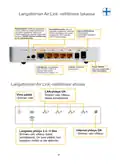
- 53. Reset/wps (Radio Switch → Internet/wan Port → Power On/off → Lan Ports → Socket → Wireless Connection 2.4 / 5 Ghz)
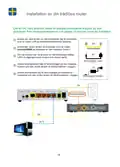
- 54. Setting Up Your Wireless Router (Connect One End Of The Network Cable To The Port Marked Lan On The Back Of The Modem. → Connect The Other End To The Port Marked Internet/wan On The Back Of The Wireless Router. → If Required, Connect A Network Cable Between Lan1-4 Ports On The Router And Pc. → Connect Power Adapter To The Power Socket On The Wireless Router And The Other End To Mains Electricity. → Connect Power Adapter To Power Socket On Broadband Modem And The Other End To Mains Electricity.)
- 55. Connect To Wireless Network With Ms Windows 7 (Activate Wireless Network → Select The Network Called (ssid) → Enter The Security Key → Connect Automatically → Verify Your Unique Number → Configuration Illustrations)
- 56. Confirm Selection Of The Correct Network For Your Home (Click Close To Confirm Setup Is Complete → You Are Now Connected To The Wireless Network → Click On The Icon To See Connection Status → In Most Instances, You Will Now Be Connected To The Internet → If You Are Not Connected, See Page 62 For Help And Tips)
- 57. Connect To Wireless Network With Ms Windows Vista (Activate Wireless Network → Available Wireless Networks → Network Security Key → Connect Button)
- 58. Confirming Network Connection (Selecting Home Network → Completing Setup → Verifying Internet Connection)
- 59. Connect To Wireless Network With Ms Windows Xp (Activate Wireless Network → Show Available Wireless Networks → Select Network → Click Connect Button → Verify Unique Number → Ensure Correct Network Selection)
- 60. Wireless Network Protection (Entering Network Security Key → Confirming Network Key → Connection Time → Connection Status → Troubleshooting Connection Issues)
- 61. Connect To Wireless Network With Apple Mac Osx (Activate The Wireless Network On Your Mac (airport) → Click The Airport Icon On The Menu Bar → The Wireless Network Is Protected By Wpa2 Encryption → Enter The Key In The Box Marked: Password → Ensure That You Select The Network With The Same Number As That On The Top/base Of Your Router → If You Are Not Connected, See Page 62 For Help And Tips)
- 62. Open Your Web Browser And Enter Http://192.168.0.1 In The Address Field (The Router Login Screen Does Not Appear → Internet Closed Down. What Do I Do? → How Do I Change Network Name To My Wireless Network? → How Do I Reset My Air:link Router To Default Settings? → How Can I Protect My Wireless Internet Access? → User Support)
×
JENSEN Air:Link 3000DG Dual Band Router User Manual








Windows 7®
Connect to wireless network with MS Windows 7®
This guide explains how to connect an Air:Link router based on the Windows 7 tool for
wireless networks. In some instances, a different tool is used to that shown below. If this is
the case, contact your PC or equipment vendor's Support for help with connection.
If you have a laptop PC, activate wireless network. The switch may be located differently
depending on manufacturer. Consult your PC user guide if in doubt about how to activate
wireless network.
1
2
Click on the wireless network icon bottom right on the task bar.
You will see a list of the available wireless networks in your area. AL3000DG are transmitting
two wireless networks (see page 51). Click on the network called (SSID) AirLink1A3C56 .
The number will consist of a combination of numbers and letters, and will vary from user to
user. See top/base of your wireless router to verify your unique number.
Check that the "Connect automatically" box is ticked and click the Connect-button.
3
The wireless network is protected by WPA2 encryption. You must enter the security
key on the sticker attached to the router. Enter the security key in the box
marked: Security key and click OK.
2
1
!
If there are several wireless AirLink routers
in the area, you may find that there are
several similar options on the list of wireless
networks available. Ensure that you select
the network with the same number as that
on the top/base of your router.
3
Depending on configuration, one of the illustrations below will appear.
55

| General | Details |
|---|---|
| Name | JENSEN Air:Link 3000DG Dual Band Router User Manual |
| Make | Jensen |
| Language | English |
| Filetype | PDF (Download) |
| File size | 0.47 MB |
 (1 votes, average: 5.00 out of 5)
 Loading...
If you have any questions regarding JENSEN Air:Link 3000DG Dual Band Router User Manual, please ask here and describe the problem in detail.


SKYBOXE 5G Fixed Wireless Access Router User Guide

ASUS GT-AX6000 Dual Band WiFi 6 Extendable Gaming Router User Guide

TCL HH132V1 Tim Modem Router User Manual

SEI ROBOTICS SEI540 ATV STB + Wireless Router User Manual

AKYPACH A2 Wood Router Tool Compact Trim Router Instruction Manual

Askey EAI2326 Enterprise Wi-Fi 6 Router User Guide

TP-Link BE220_V1 Dual Band Wi-Fi 7 Router Installation Guide

TP-Link AX53 Smart Internet Router User Guide

ASUS GT-BE98 Quad Band Gaming Router User Guide

NORDIC M1R-DH2-12 Corded Router User Manual
Table of Contents
- 1. Air:link 3000dg User Manual →
- 2. Connect Air:link Router To Broadband Modem - Set Up Wireless... →
- 3. Hva Er Dual Band? - Fordelen Med Dual Band Ruter →
- 4. Innhold I Esken - Trådløs Nettverk Og Sikkerhet →
- 5. Baksiden På Din Trådløse Air:link Ruter - Radiobryter For Å ... →
- 6. Oppsett Av Din Trådløse Ruter - Koble Den Ene Enden Av Nettv... →
- 7. Koble Til Trådløst Nettverk Med Ms Windows 7 - Klikk På Ikon... →
- 8. Angi At Nettverket Tilhører Hjemme - Trykk Lukk For Å Bekref... →
- 9. Koble Til Trådløst Nettverk Med Ms Windows Vista - Høyre-kli... →
- 10. Bekrefte Tilkobling Til Trådløst Nettverk - Lagre Nettverket... →
- 11. Koble Til Trådløst Nettverk Med Ms Windows Xp - Trådløse Net... →
- 12. Det Trådløse Nettverket Er Beskyttet Med Wpa2-kryptering Og ... →
- 13. Koble Til Trådløst Nettverk Med Apple Mac Osx - Slå På Trådl... →
- 14. Easy Setup - Endre Nettverksnavn →
- 15. Vad Är Dual Band ? - Översikt Över Tillgängliga Trådlösa Nät... →
- 16. Förpackningens Innehåll - Trådlöst Nätverk Och Säkerhet →
- 17. Reset/wps-knapp - Radiobrytare →
- 18. Installation Av Din Trådlösa Router - Anslut Den Ena Änden A... →
- 19. Ansluta Till Ett Trådlöst Nätverk Med Ms Windows 7 - Aktiver... →
- 20. Anslutning Till Det Trådlösa Nätverket - Bekräfta Nätverksin... →
- 21. Ansluta Till Ett Trådlöst Nätverk Med Ms Windows Vista - Akt... →
- 22. Bekräfta Att Pc:n Ska Spara Nätverket - Ange Att Nätverket T... →
- 23. Ansluta Till Ett Trådlöst Nätverk - Aktivera Trådlöst Nätver... →
- 24. Det Trådlösa Nätverket Är Skyddat Med Wpa2-kryptering Och Dä... →
- 25. Aktivera Funktionen För Trådlöst Nätverk På Din Mac (airport... →
- 26. Jag Kan Inte Ansluta Till Internet - Routerns Inloggningsbil... →
- 27. Hvad Er Dual Band ? - Fordelen Ved En Dual Band-router Er, A... →
- 28. Kassensindhold - Trådløstnetværkog Sikkerhed →
- 29. Reset/wps-knap - Radioknap →
- 30. Opsætning Af Den Trådløse Router - Slut Strømadapteren Til S... →
- 31. Tilslutning Til Trådløst Netværk Med Ms Windows 7 - Aktiveri... →
- 32. Angiv, At Netværket Tilhører Hjemmet - Klik På Luk For At Be... →
- 33. Tilslutning Til Trådløst Netværk Med Ms Windows Vista - Akti... →
- 34. Bekræft Netværksforbindelse - Angiv Netværkstype →
- 35. Tilslutning Til Trådløst Netværk Med Ms Windows Xp - Aktiver... →
- 36. Det Trådløse Netværk Er Beskyttet Med Wpa2-kryptering, Og Du... →
- 37. Tilslutning Til Trådløst Netværk Med Apple Mac Osx - Aktiver... →
- 38. Hvis Du Ikke Har Forbindelse Til Internettet, Skal Du Følge ... →
- 39. Mikä On Kaksoiskaista? - Al3000dg Kaksikaistainen Reititin. →
- 40. Laatikon Sisältö - Langaton Verkko Ja Turvallisuus →
- 41. Radiokatkaisin - Reset/wps-painike →
- 42. Langattoman Reitittimesi Asennus - Kytke Verkkokaapelin Toin... →
- 43. Langattomaan Verkkoon Kytkeminen / Ms Windows 7 - Langattoma... →
- 44. Ilmoita, Että Kyseessä On Kotiverkko - Paina Sulje Vahvistaa... →
- 45. Langattomaan Verkkoon Kytkeminen / Ms Windows Vista - Muodos... →
- 46. Vahvista Verkon Tallentaminen - Ilmoita Verkon Kuuluminen Ko... →
- 47. Langattomaan Verkkoon Kytkeminen / Ms Windows Xp - Ohjeet Se... →
- 48. Verkkoavain - Vahvista Verkkoavain →
- 49. Langattomaan Verkkoon Kytkeminen - Kytke Päälle Mac:in Langa... →
- 50. En Saa Yhteyttä Internetiin - Reitittimen Sisäänkirjautumisk... →
- 51. What Is Dual Band ? - Overview Of Available Wireless Network... →
- 52. Box Contents - Wireless Networks And Security →
- 53. Reset/wps - Radio Switch →
- 54. Setting Up Your Wireless Router - Connect One End Of The Net... →
- 55. Connect To Wireless Network With Ms Windows 7 - Activate Wir... →
- 56. Confirm Selection Of The Correct Network For Your Home - Cli... →
- 57. Connect To Wireless Network With Ms Windows Vista - Activate... →
- 58. Confirming Network Connection - Selecting Home Network →
- 59. Connect To Wireless Network With Ms Windows Xp - Activate Wi... →
- 60. Wireless Network Protection - Entering Network Security Key →
- 61. Connect To Wireless Network With Apple Mac Osx - Activate Th... →
- 62. Open Your Web Browser And Enter Http://192.168.0.1 In The Ad... →