
×
- 1. Air:link 3000dg User Manual
- 2. Connect Air:link Router To Broadband Modem (Set Up Wireless Connection Between Router And Pc/mac)
- 3. Hva Er Dual Band? (Fordelen Med Dual Band Ruter → Oversikt Over Tilgjengelige Trådløse Nettverk → Ghz Trådløst Nettverk → 4ghz Trådløst Nettverk → Dersom Kun Ett Av Ruterens Trådløse Nettverk Vises)
- 4. Innhold I Esken (Trådløs Nettverk Og Sikkerhet)
- 5. Baksiden På Din Trådløse Air:link Ruter (Radiobryter For Å Skru Av/på → Reset/wps-knapp For Å Sette → Internet/wan-kontakt (blå) For Tilkobling Med → Kontakt For Tilkobling Til Strømadapter → Power On/off → Lan-kontakter (gul) For Tilkobling)
- 6. Oppsett Av Din Trådløse Ruter (Koble Den Ene Enden Av Nettverkskabelen → Sett Den Andre Enden I Kontakten Merket Internet/wan → Koble Strømadapteret Til Strømuttaket → Koble Strømkabelen Til Strømuttaket På Bredbåndsmodemet)
- 7. Koble Til Trådløst Nettverk Med Ms Windows 7 (Klikk På Ikonet For Trådløst Nettverk → Oversikt Over Tilgjengelige Trådløse Nettverk → Sikkerhetsnøkkel → Flere Trådløse Airlink Rutere → Avhengig Av Konfigurasjon)
- 8. Angi At Nettverket Tilhører Hjemme (Trykk Lukk For Å Bekrefte At Nettverksinnstillingene Er Fullført → Du Er Nå Tilkoblet Det Trådløse Nettverket → Om Du Klikker På Ikonet For Trådløs Tilkobling Vil Du Få Se Status På Tilkoblingen → I De Allerfleste Tilfeller Vil Du Nå Ha Kontakt Til Internett → Dersom Du Ikke Får Kontakt Til Internett Se Side 14 For Hjelp Og Tips)
- 9. Koble Til Trådløst Nettverk Med Ms Windows Vista (Høyre-klikk På Ikonet For Trådløst Nettverk → Oversikt Over Tilgjengelige Trådløse Nettverk → Koble Til Nettverket (ssid) → Sikkerhetsnøkkel Eller Passfrase → Flere Trådløse Airlink Rutere)
- 10. Bekrefte Tilkobling Til Trådløst Nettverk (Lagre Nettverket For Automatisk Tilkobling → Angi Nettverk Som Hjemme → Bekrefte Fullføring Av Nettverksinnstillinger → Tilkobling Til Internett → Hjelp Og Tips For Tilkoblingsproblemer)
- 11. Koble Til Trådløst Nettverk Med Ms Windows Xp (Trådløse Nettverk Oppdaget → Vis Tilgjengelig Trådløse Nettverk → Oversikt Over Tilgjengelige Trådløse Nettverk → Koble Til → Flere Trådløse Airlink Rutere)
- 12. Det Trådløse Nettverket Er Beskyttet Med Wpa2-kryptering Og Du Må Derfor Sette Inn Nettverksnøkkelen Som Du Finner På Klistremerker På Den T…
- 13. Koble Til Trådløst Nettverk Med Apple Mac Osx (Slå På Trådløst Nettverk På Din Mac (airport) → Klikk På Nettverket (ssid) → Det Trådløse Nettverket Er Beskyttet Med Wpa2-kryptering → Du Er Nå Tilkoblet Det Trådløse Nettverket → Dersom Du Ikke Får Kontakt Til Internett Se Side 14 For Hjelp Og Tips)
- 14. Easy Setup (Endre Nettverksnavn → Resette Til Fabrikkinnstillinger → Sikre Trådløs Internettilgang)
- 15. Vad Är Dual Band ? (Översikt Över Tillgängliga Trådlösa Nätverk → Ghz Trådlöst Nätverk: → 4 Ghz Trådlöst Nätverk: → Rekommendation För Användning Av 5 Ghz-nätverket)
- 16. Förpackningens Innehåll (Trådlöst Nätverk Och Säkerhet → Installation Av Den Trådlösa Routern → Anslutning Till Bredbandsmodemet → Konfiguration Av Routern → Kapacitet Och Signalstyrka)
- 17. Reset/wps-knapp (Radiobrytare → Internet/wan-kontakt → Power On/off → Lan-kontakter → Kontakt För Anslutning → Trådlös Anslutning 2.4 / 5 Ghz)
- 18. Installation Av Din Trådlösa Router (Anslut Den Ena Änden Av Nätverkskabeln Till Kontakten Som Är Märkt Lan På Bredbandsmodemets Baksida. → Anslut Den Andra Änden Till Kontakten Som Är Märkt Internet/wan På Baksidan Av Den Trådlösa Routern. → Anslut Strömadaptern Till Strömuttaget På Den Trådlösa Routern Och Den Andra Änden Till Stickkontakten I Väggen. → Anslut Strömkabeln Till Strömuttaget På Bredbandsmodemet Och Den Andra Änden Till Stickkontakten I Väggen.)
- 19. Ansluta Till Ett Trådlöst Nätverk Med Ms Windows 7 (Aktivera Trådlöst Nätverk → Klicka På Ikonen För Trådlöst Nätverk → Anslut Till Nätverket → Ange Säkerhetsnyckeln → Kontrollera Nätverksnamn → Beroende På Konfiguration)
- 20. Anslutning Till Det Trådlösa Nätverket (Bekräfta Nätverksinställningar → Status För Anslutningen → Anslutning Till Internet → Hjälp Och Tips)
- 21. Ansluta Till Ett Trådlöst Nätverk Med Ms Windows Vista (Aktivera Trådlöst Nätverk → Anslut Till Nätverk → Tillgängliga Trådlösa Nätverk → Säkerhetsnyckel Eller Lösenord → Kontrollera Nätverksnamn)
- 22. Bekräfta Att Pc:n Ska Spara Nätverket (Ange Att Nätverket Tillhör Hemmet → Bekräfta Att Nätverksinställningarna Har Slutförts → Anslutning Till Det Trådlösa Nätverket → Kontakt Med Internet)
- 23. Ansluta Till Ett Trådlöst Nätverk (Aktivera Trådlöst Nätverk → Visa Tillgängliga Trådlösa Nätverk → Välj Nätverk Med Namn(ssid) → Anslut Till Nätverket → Kontrollera Nätverksnummer)
- 24. Det Trådlösa Nätverket Är Skyddat Med Wpa2-kryptering Och Därför Måste Du Ange Nätverkets Nyckeln Som Du Hittar På Klistermärken På Den Tråd…
- 25. Aktivera Funktionen För Trådlöst Nätverk På Din Mac (airport) (Tillgängliga Trådlösa Nätverk I Ditt Område Visas → Det Trådlösa Nätverket Är Skyddat Med Wpa2-kryptering → Du Är Nu Ansluten Till Det Trådlösa Nätverket → Kontrollera Då Att Du Väljer Det Nät Som Har Samma Nummer Som Det Du Hittar På Ovan-/undersidan Av Routern)
- 26. Jag Kan Inte Ansluta Till Internet (Routerns Inloggningsbild Visas Inte → Internet Har Slutat Att Fungera. Vad Ska Jag Göra? → Hur Ändrar Jag Nätverksnamnet För Mitt Trådlösa Nätverk? → Hur Återställer Jag Min Air:link-router Till Fabriksinställningarna? → Hur Skyddar Jag Min Trådlösa Internetanslutning?)
- 27. Hvad Er Dual Band ? (Fordelen Ved En Dual Band-router Er, At Man Får Optimal Hastighed Og Rækkevidde Med 5 Ghz-udstyr, Men Stadig Kan Bruge 2,4 Ghz-udstyr. → Oversigt Over Tilgængelige Trådløse Netværk)
- 28. Kassensindhold (Trådløstnetværkog Sikkerhed → Installation Af Trådløs Router → Konfiguration Af Router → Kontrol Af Dele I Kassen → Adgangskode Til Netværk → Kapacitet Og Signalstyrke)
- 29. Reset/wps-knap (Radioknap → Internet/wan-kontakt → Power On/off → Lan-kontakter → Strøm Til)
- 30. Opsætning Af Den Trådløse Router (Slut Strømadapteren Til Strømudtaget På Den Trådløse Router → Sæt Strømkablet I Strømudtaget På Bredbåndsmodemmet → Sæt Den Ene Ende Af Netværkskablet I Kontakten Mærket Lan → Sæt Den Anden Enden I Kontakten Mærket Internet/wan → Hvis Du Ønsker Det, Kan Du Tilslutte Et Netværkskabel Mellem Lan1-4-udgangene → Strømadapter Modem)
- 31. Tilslutning Til Trådløst Netværk Med Ms Windows 7 (Aktivering Af Trådløst Netværk → Valg Af Trådløst Netværk → Indtastning Af Sikkerhedsnøgle → Oprettelse Af Forbindelse Automatisk → Valg Af Korrekt Netværk → Visning Af Konfigurationsbilleder)
- 32. Angiv, At Netværket Tilhører Hjemmet (Klik På Luk For At Bekræfte → Du Er Nu Tilsluttet Det Trådløse Netværk → Hvis Du Klikker På Ikonet For Trådløs Tilslutning → I De Allerfleste Tilfælde Vil Du Nu Have Oprettet Forbindelse Til Internettet → Se Side 38 For At Få Hjælp Og Tips)
- 33. Tilslutning Til Trådløst Netværk Med Ms Windows Vista (Aktivering Af Trådløst Netværk → Opret Forbindelse Til Et Netværk → Sikkerhedsnøgle Eller Adgangskode → Tilslut → Flere Trådløse Airlink-routere)
- 34. Bekræft Netværksforbindelse (Angiv Netværkstype → Fuldfør Netværksindstillinger → Tilslutning Til Trådløst Netværk → Oprettelse Af Internetforbindelse → Fejlfinding Ved Internetproblemer)
- 35. Tilslutning Til Trådløst Netværk Med Ms Windows Xp (Aktivering Af Trådløst Netværk → Valg Af Netværk → Tilslutning Til Netværk → Identifikation Af Unikt Nummer → Håndtering Af Flere Trådløse Netværk)
- 36. Det Trådløse Netværk Er Beskyttet Med Wpa2-kryptering, Og Du Skal Derfor Angive Den Sikkerhedsnøgle, Du Finder På Klistermærker På Den Trådl…
- 37. Tilslutning Til Trådløst Netværk Med Apple Mac Osx (Aktiver Trådløst Netværk På Din Mac (airport) → Klik På Ikonet Airport I Menulinjen → Det Trådløse Netværk Er Beskyttet Med Wpa2-kryptering → Du Er Nu Tilsluttet Det Trådløse Netværk → Sørg For, At Du Vælger Det Net, Der Har Samme Nummer Som Det, Du Finder På Over-/undersiden Af Din Router → Se Side 38 For At Få Hjælp Og Tips, Hvis Du Ikke Kan Oprette Forbindelse Til Internettet)
- 38. Hvis Du Ikke Har Forbindelse Til Internettet, Skal Du Følge Nedenstående Trin: (Internettet Virker Ikke Længere Hvad Gør Jeg? → Hvordan Ændrer Jeg Netværksnavn For Mit Trådløse Netværk? → Hvordan Nulstiller Jeg Min Air:link-router Til Fabriksindstillingerne? → Hvordan Sikrer Jeg Min Trådløse Internetadgang?)
- 39. Mikä On Kaksoiskaista? (Al3000dg Kaksikaistainen Reititin. → Kahden Käytössä Olevan Langattoman Verkon Esittely: → Ghz Langaton Verkko: → 4ghz Langaton Verkko: → Suosittelemme Käytettäväksi 5ghz Verkkoa, Mikäli Käytössä Oleva Verkkokortti Tukee Sitä.)
- 40. Laatikon Sisältö (Langaton Verkko Ja Turvallisuus → Asennuksen Tarkistus → Langattoman Reitittimen Kytkeminen → Salasanan Asettaminen → Verkkoliikenteen Rajoitukset → Reitittimen Turva-avain)
- 41. Radiokatkaisin (Reset/wps-painike → Internet/wan-liitäntä → Power On/off → Lan-liitännät → Liitäntä → Langattoman Air:link -reitittimesi Etuosa)
- 42. Langattoman Reitittimesi Asennus (Kytke Verkkokaapelin Toinen Pää Laajakaistamodeemin Takapuolella Olevaan Lan-liitäntään. → Kytke Kaapelin Toinen Pää Langattoman Reitittimen Takapuolella Olevaan Internet/wan-liitäntään. → Kytke Virtaliitin Langattoman Reitittimen Virtapistokkeeseen Ja Toinen Pää Seinässä Olevaan Sähkörasiaan. → Kytke Virtakaapeli Laajakaistamodeemin Virtapistokkeeseen Ja Toinen Pää Seinässä Olevaan Sähkörasiaan.)
- 43. Langattomaan Verkkoon Kytkeminen / Ms Windows 7 (Langattoman Verkon Kuvaketta Napsauttaminen → Verkon Valitseminen Ja Yhteyden Muodostaminen → Turva-avain Ja Wpa2-salaus → Verkkojen Valinta Naapurustossa)
- 44. Ilmoita, Että Kyseessä On Kotiverkko (Paina Sulje Vahvistaaksesi, Että Verkkoasetukset On Suoritettu Loppuun → Olet Nyt Yhteydessä Langattomaan Verkkoon → Jos Napsautat Langattoman Verkon Kuvaketta, Näet Yhteyden Tilan → Useimmissa Tapauksissa Sinulla On Nyt Yhteys Internetiin → Jos Et Saa Yhteyttä Internetiin, Katso Sivu 50 Apua Ja Vihjeitä)
- 45. Langattomaan Verkkoon Kytkeminen / Ms Windows Vista (Muodosta Yhteys Verkkoon → Turva-avain Tai Passfrase)
- 46. Vahvista Verkon Tallentaminen (Ilmoita Verkon Kuuluminen Kotiin → Vahvista Verkkoasetusten Suorittaminen → Yhdistäminen Langattomaan Verkkoon → Internet-yhteyden Tarkistaminen)
- 47. Langattomaan Verkkoon Kytkeminen / Ms Windows Xp (Ohjeet Selittävät Kytkennän Air:link -reitittimeen Windows Xp:n Langattoman Verkon Työkaluilla. → Mikäli Naapuristossasi On Useampia Air:link -reitittimiä, Voit Huomata, Että Käytettävissä Olevien Langattomien Verkkojen Listalle Tulee Näkyviin Useita Verkkonimiä.)
- 48. Verkkoavain (Vahvista Verkkoavain → Muodosta Yhteys → Yhdistetty → Langattoman Verkon Kuvake → Apua Ja Vihjeitä)
- 49. Langattomaan Verkkoon Kytkeminen (Kytke Päälle Mac:in Langaton Verkko (airport) → Napsauta Valikkopalkilla Olevaa Airport-kuvaketta → Langaton Verkko On Suojattu Wpa2-salauksella → Mikäli Naapuristossasi On Useampia Air:link -reitittimiä → Useimmissa Tapauksissa Sinulla On Nyt Yhteys Internetiin)
- 50. En Saa Yhteyttä Internetiin (Reitittimen Sisäänkirjautumiskuva Ei Tule Näkyviin → Internet On Lakannut Toimimasta, Mitä Teen? → Kuinka Muutan Langattoman Verkkoni Verkkonimen? → Kuinka Palautan Air:link -reitittimeni Tehdasasetukset? → Kuinka Suojaan Langattoman Internet-yhteyteni?)
- 51. What Is Dual Band ? (Overview Of Available Wireless Networks → Ghz Wireless Network: → 4ghz Wireless Network: → We Recommend To Use The 5ghz Network, If Your Network Card Supports It.)
- 52. Box Contents (Wireless Networks And Security)
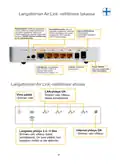
- 53. Reset/wps (Radio Switch → Internet/wan Port → Power On/off → Lan Ports → Socket → Wireless Connection 2.4 / 5 Ghz)
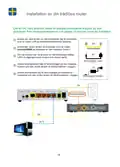
- 54. Setting Up Your Wireless Router (Connect One End Of The Network Cable To The Port Marked Lan On The Back Of The Modem. → Connect The Other End To The Port Marked Internet/wan On The Back Of The Wireless Router. → If Required, Connect A Network Cable Between Lan1-4 Ports On The Router And Pc. → Connect Power Adapter To The Power Socket On The Wireless Router And The Other End To Mains Electricity. → Connect Power Adapter To Power Socket On Broadband Modem And The Other End To Mains Electricity.)
- 55. Connect To Wireless Network With Ms Windows 7 (Activate Wireless Network → Select The Network Called (ssid) → Enter The Security Key → Connect Automatically → Verify Your Unique Number → Configuration Illustrations)
- 56. Confirm Selection Of The Correct Network For Your Home (Click Close To Confirm Setup Is Complete → You Are Now Connected To The Wireless Network → Click On The Icon To See Connection Status → In Most Instances, You Will Now Be Connected To The Internet → If You Are Not Connected, See Page 62 For Help And Tips)
- 57. Connect To Wireless Network With Ms Windows Vista (Activate Wireless Network → Available Wireless Networks → Network Security Key → Connect Button)
- 58. Confirming Network Connection (Selecting Home Network → Completing Setup → Verifying Internet Connection)
- 59. Connect To Wireless Network With Ms Windows Xp (Activate Wireless Network → Show Available Wireless Networks → Select Network → Click Connect Button → Verify Unique Number → Ensure Correct Network Selection)
- 60. Wireless Network Protection (Entering Network Security Key → Confirming Network Key → Connection Time → Connection Status → Troubleshooting Connection Issues)
- 61. Connect To Wireless Network With Apple Mac Osx (Activate The Wireless Network On Your Mac (airport) → Click The Airport Icon On The Menu Bar → The Wireless Network Is Protected By Wpa2 Encryption → Enter The Key In The Box Marked: Password → Ensure That You Select The Network With The Same Number As That On The Top/base Of Your Router → If You Are Not Connected, See Page 62 For Help And Tips)
- 62. Open Your Web Browser And Enter Http://192.168.0.1 In The Address Field (The Router Login Screen Does Not Appear → Internet Closed Down. What Do I Do? → How Do I Change Network Name To My Wireless Network? → How Do I Reset My Air:link Router To Default Settings? → How Can I Protect My Wireless Internet Access? → User Support)
×
JENSEN Air:Link 3000DG Dual Band Router User Manual








3
The wireless network is protected by WPA2 encryption. You must enter the network security
key on the sticker attached to the router. Enter the security key
in the box marked: Network key.
Enter the key again in the box marked: Confirm network key. Click Connect.
4
It can take 20 – 30 seconds before your connection is ready. When the network is ready,
you will see the message: Connected.The wireless network icon in the bottom right corner
of the task bar will flash with a blue screen (A)
.
3
4
(A)
In most instances, you will now be connected to the internet.
If you are not connected, see page 62 for help and tips.
60

| General | Details |
|---|---|
| Name | JENSEN Air:Link 3000DG Dual Band Router User Manual |
| Make | Jensen |
| Language | English |
| Filetype | PDF (Download) |
| File size | 0.47 MB |
 (1 votes, average: 5.00 out of 5)
 Loading...
If you have any questions regarding JENSEN Air:Link 3000DG Dual Band Router User Manual, please ask here and describe the problem in detail.


DrayTek Vigor2927 Dual-WAN VPN Firewall Router User Manual

eero Max 7 Mesh Wifi Router Owner’s Manual

Ronix 7112 Electric Router User Guide

Cudy WR1200 AC1200 Wi-Fi Router Installation Guide

ESUNSTAR AF792 Portable Router User Manual

D-Link EXO AX AX1800 Wi-Fi Router User Guide

TRUEFIT BAC-5051A E Airflow Measurement System Router User Guide

TP-Link Archer BE9700 Tri-Band Wi-Fi 7 Router Owner’s Manual

EE HH10E 4G Hub 2 WiFi Router User Guide

cimetrics B3075 BACnet-IP to BACnet-IP Router User Guide
Table of Contents
- 1. Air:link 3000dg User Manual →
- 2. Connect Air:link Router To Broadband Modem - Set Up Wireless... →
- 3. Hva Er Dual Band? - Fordelen Med Dual Band Ruter →
- 4. Innhold I Esken - Trådløs Nettverk Og Sikkerhet →
- 5. Baksiden På Din Trådløse Air:link Ruter - Radiobryter For Å ... →
- 6. Oppsett Av Din Trådløse Ruter - Koble Den Ene Enden Av Nettv... →
- 7. Koble Til Trådløst Nettverk Med Ms Windows 7 - Klikk På Ikon... →
- 8. Angi At Nettverket Tilhører Hjemme - Trykk Lukk For Å Bekref... →
- 9. Koble Til Trådløst Nettverk Med Ms Windows Vista - Høyre-kli... →
- 10. Bekrefte Tilkobling Til Trådløst Nettverk - Lagre Nettverket... →
- 11. Koble Til Trådløst Nettverk Med Ms Windows Xp - Trådløse Net... →
- 12. Det Trådløse Nettverket Er Beskyttet Med Wpa2-kryptering Og ... →
- 13. Koble Til Trådløst Nettverk Med Apple Mac Osx - Slå På Trådl... →
- 14. Easy Setup - Endre Nettverksnavn →
- 15. Vad Är Dual Band ? - Översikt Över Tillgängliga Trådlösa Nät... →
- 16. Förpackningens Innehåll - Trådlöst Nätverk Och Säkerhet →
- 17. Reset/wps-knapp - Radiobrytare →
- 18. Installation Av Din Trådlösa Router - Anslut Den Ena Änden A... →
- 19. Ansluta Till Ett Trådlöst Nätverk Med Ms Windows 7 - Aktiver... →
- 20. Anslutning Till Det Trådlösa Nätverket - Bekräfta Nätverksin... →
- 21. Ansluta Till Ett Trådlöst Nätverk Med Ms Windows Vista - Akt... →
- 22. Bekräfta Att Pc:n Ska Spara Nätverket - Ange Att Nätverket T... →
- 23. Ansluta Till Ett Trådlöst Nätverk - Aktivera Trådlöst Nätver... →
- 24. Det Trådlösa Nätverket Är Skyddat Med Wpa2-kryptering Och Dä... →
- 25. Aktivera Funktionen För Trådlöst Nätverk På Din Mac (airport... →
- 26. Jag Kan Inte Ansluta Till Internet - Routerns Inloggningsbil... →
- 27. Hvad Er Dual Band ? - Fordelen Ved En Dual Band-router Er, A... →
- 28. Kassensindhold - Trådløstnetværkog Sikkerhed →
- 29. Reset/wps-knap - Radioknap →
- 30. Opsætning Af Den Trådløse Router - Slut Strømadapteren Til S... →
- 31. Tilslutning Til Trådløst Netværk Med Ms Windows 7 - Aktiveri... →
- 32. Angiv, At Netværket Tilhører Hjemmet - Klik På Luk For At Be... →
- 33. Tilslutning Til Trådløst Netværk Med Ms Windows Vista - Akti... →
- 34. Bekræft Netværksforbindelse - Angiv Netværkstype →
- 35. Tilslutning Til Trådløst Netværk Med Ms Windows Xp - Aktiver... →
- 36. Det Trådløse Netværk Er Beskyttet Med Wpa2-kryptering, Og Du... →
- 37. Tilslutning Til Trådløst Netværk Med Apple Mac Osx - Aktiver... →
- 38. Hvis Du Ikke Har Forbindelse Til Internettet, Skal Du Følge ... →
- 39. Mikä On Kaksoiskaista? - Al3000dg Kaksikaistainen Reititin. →
- 40. Laatikon Sisältö - Langaton Verkko Ja Turvallisuus →
- 41. Radiokatkaisin - Reset/wps-painike →
- 42. Langattoman Reitittimesi Asennus - Kytke Verkkokaapelin Toin... →
- 43. Langattomaan Verkkoon Kytkeminen / Ms Windows 7 - Langattoma... →
- 44. Ilmoita, Että Kyseessä On Kotiverkko - Paina Sulje Vahvistaa... →
- 45. Langattomaan Verkkoon Kytkeminen / Ms Windows Vista - Muodos... →
- 46. Vahvista Verkon Tallentaminen - Ilmoita Verkon Kuuluminen Ko... →
- 47. Langattomaan Verkkoon Kytkeminen / Ms Windows Xp - Ohjeet Se... →
- 48. Verkkoavain - Vahvista Verkkoavain →
- 49. Langattomaan Verkkoon Kytkeminen - Kytke Päälle Mac:in Langa... →
- 50. En Saa Yhteyttä Internetiin - Reitittimen Sisäänkirjautumisk... →
- 51. What Is Dual Band ? - Overview Of Available Wireless Network... →
- 52. Box Contents - Wireless Networks And Security →
- 53. Reset/wps - Radio Switch →
- 54. Setting Up Your Wireless Router - Connect One End Of The Net... →
- 55. Connect To Wireless Network With Ms Windows 7 - Activate Wir... →
- 56. Confirm Selection Of The Correct Network For Your Home - Cli... →
- 57. Connect To Wireless Network With Ms Windows Vista - Activate... →
- 58. Confirming Network Connection - Selecting Home Network →
- 59. Connect To Wireless Network With Ms Windows Xp - Activate Wi... →
- 60. Wireless Network Protection - Entering Network Security Key →
- 61. Connect To Wireless Network With Apple Mac Osx - Activate Th... →
- 62. Open Your Web Browser And Enter Http://192.168.0.1 In The Ad... →