
Home > LEAX ARKIVATOR TELECOM > LEAX ARKIVATOR TELECOM LCE4121S Mesh Router User Manual
LEAX ARKIVATOR TELECOM LCE4121S Mesh Router User Manual

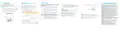


GETTING STARTED
HARDWARE CONNECTION
LED INDICATION
INTERFACE ANDBUTTON
WELCOME
TO THE MESH ROUTER
The figures provided in this document are just for
reference only, please prevail in kind.
The figure is just for reference only, please connect the
hardware according to your requirements.
This document will serve as a quick start guide for Mesh
Router. Carefully read the following safety symbols to
help you use your router safely and correctly.
Mesh Router
Equipment Appearance
LCE4121S
Interface & button Description
Indicator
Status
Description
Additional information
DC IN
DC power input port
Steady on
5G Wi-Fi available
Optional methods or shortcuts for an action
LAN1
LAN2/WAN
Connect computer, switches (non-Poe
devices) or other LAN devices
Off
5G Wi-Fi unavailable
Data transmission
Potential problems or conventions that need to be specified
Blinking (500ms interval)
Blinking (1s interval)
Steady on
RESET
Press 1s to reboot device.
Quick Start Guide
Setting up WPS connection
2.4G Wi-Fi available
2.4G Wi-Fi unavailable
Data transmission
Press 5s and more, Router will restore to factory
mode.
Off
You will lost user defined setting once
you reset router. So, be cautious to
click Reset Button.
Blinking (500ms interval)
Blinking (1s interval)
Steady on
Setting up WPS connection
Internet Available
Package Contents
WPS
Quick set up for Wi-Fi connection or Mesh link
Please check the package contents before installation:
Off
Internet Unavailable
Data transmission
SET UP THE HARDW
Blinking(500ms interval)
Steady on
1,Mesh Router
2, Quick Start Guide
4, Ethernet cable
Insert SIM Card
Step 1 Connect the supplied power adapter to the router.
Step 2 Establish Mesh network link to LCE4121M CPE,Or
Connect to internet router/Switch via LAN2/WAN.
Power on
3,Power adapter
ou want to remove the SIM card, please lightly press the SIM card, the SIM
card will pop out. Make sure the is turned off before you insert or remove your
SIM card.
No power supply
Mesh connected
Off
4
5
6
5G WiFi Indicator
Signal Indicator
1
2
7
8
9
Reset Button
WPS
POWER Indicator
Internet Indicator
If you find any missing or damaged, please contact your
local vendor.
Steady on
Off
No Signal
Step 3 Connect other devices.
All SIGNAL LED Blinking
(1s interval)
Agent status/Mesh connecting.
You can connect your computer or classic Switch via
Ethernet cable to LAN1 port.
You can connect your laptop via Wi-Fi.
3
2.4G WiFi Indicator
LAN1, LAN2/WAN
Port
Power Port
Blinking one by one
Firmware upgrade
1
2
3
4
5


| General | Details |
|---|---|
| Name | LEAX ARKIVATOR TELECOM LCE4121S Mesh Router User Manual |
| Make | LEAX ARKIVATOR TELECOM |
| Language | English |
| Filetype | PDF (Download) |
| File size | 0.18 MB |
 (1 votes, average: 5.00 out of 5)
 Loading...
If you have any questions regarding LEAX ARKIVATOR TELECOM LCE4121S Mesh Router User Manual, please ask here and describe the problem in detail.


Claro V1 GPON Router Installation Guide

TIANZHI LNN788 Dual Band Wireless Router Installation Guide

LINOVISION IOT-R32 Wholesale Rugged and Versatile Cellular Router User Guide

Ruijie RG-EW3000GX Reyee Wi-Fi Router Installation Guide

BEC AirConnect 8112 5G Enterprise Router User Guide

inseego 5G FG2000 Router User Guide

JUNIPER SSR1300 Session Smart Router User Guide

TELTONIKA Networks RUTM50 Cellular 5G Router User Guide

NETGEAR BE9200 WiFi 7 Router Instruction Manual

TP-Link Archer MR200 Wireless Dual Band 4G LTE Router User Guide