
Home > LEAX ARKIVATOR TELECOM > LEAX ARKIVATOR TELECOM LCE4121S Mesh Router User Manual
LEAX ARKIVATOR TELECOM LCE4121S Mesh Router User Manual

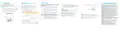


MESH SETUP
SET UP ROUTER
WI-FI SETTING
FCC Compliance Statements
Mesh role to “Controller” and submit.
Scenario 1: LCE4121M is Master router and LCE4121S
is Slave router.
Step 1 Make sure all the devices is under manufacture status.
This device complies with Part 15 of the FCC Rules. Operation is
subject to the following two conditions: (1) this device may not
cause harmful interference, and (2) this device must accept any
interference received, including interference that may cause
undesired operation.
This product has reached the standard of shipment inspection.
Step 1 Connect the router properly.
Login to the Web Management Page
Step 4 Log in other LCE4121S(slave router) WebUI, and go to
SETTINGS >Wi-Fi >Mesh.Enable mesh and set LCE4121S
Mesh role to “Agent” and submit.(It can not access to
WebUI after you set device to Agent)
Step 3 Chose Settings>Wi-Fi >WLAN Setting.
Step 4 In the General Settings area, set WLAN to Enable.
Step 5 In the Setting area, modify the SSID, such as
“Xlink-Router”.
Use a browser to log into the web management page to configure
and manage the router.
Step 2 Log in LCE4121M, and go to SETTINGS >Wi-Fi >Mesh:
Note: This equipment has been tested and found to comply with
the limits for a Class B digital device, pursuant to Part 15 of the
FCC Rules. These limits are designed to provide reasonable
protection against harmful interference in a residential
installation. This equipment generates, uses and can radiate
radio frequency energy and, if not installed and used in
accordance with the instructions, may cause harmful interference
to radio communications. However, there is no guarantee that
interference will not occur in a particular installation.
If this equipment does cause harmful interference to radio or
television reception, which can be determined by turning the
equipment off and on, the user is encouraged to try to correct the
interference by one or more of the following measures:
-- Reorient or relocate the receiving antenna.
Enable mesh and set LCE4121M Mesh role to
“Controller” and submit.
Step 1 Connect the router properly.If you connect to device
via Ethernet cable, please make sure connect to LAN1.
Step 2 Launch Internet Explorer, enter http://192.168.1.1
in the address bar, and press Enter.
FAQs
Can not access to WebUI?
If your device was set to Agent, you can’t not access to WebUI,
Please reset device and try.
Step 3 Log in LCE4121S, and go to SETTINGS >Wi-Fi >Mesh:
Step 6 To ensure your data safety, it is recommended that you
change the default Wi-Fi password.
Enable mesh and set LCE4121S Mesh role to “Agent”
and submit.
Step 7 Click Submit to save the configuration.
Step 3 Input the username and password to login.
Step 4 Push WPS button once on both Controller and Agent
devices, and Wi-Fi led start blinking. After the mesh is
established, the signal LEDs will turn to stead on.
Master Router can not get IP from WAN port?
Please make sure your device is work under controller mode.
Notice
Some features of the product and its accessories described herein rely on the
software installed, capacities and settings of local network, and may not be
activated or may be limited by local network operators or network service
providers, thus the descriptions herein may not exactly match the product or its
accessories you purchase.
Scenario 2: Multiple LCE4121S setup mesh network.
Step 1 Make sure all the devices is under manufacture status.
SETTINGS > Ethernet > Ethernet Settings and set Connection
Mode to :Dynamic IP .
Step 2 Chose one LCE4121S as a controller(master router)
I
and others are Agents(slave routers).
Step 3 Log in LCE4121S(master router) WebUI, and go to
SETTINGS >Wi-Fi >Mesh.Enable mesh and set LCE4121S
IP address
-- Increase the separation between the equipment and receiver.
-- Connect the equipment into an outlet on a circuit different from
that to which the receiver is connected.
Leax Arkivator Telecom USA Inc. reserves the right to change or modify any
information or specifications contained in this manual without prior notice or
obligation.
-- Consult the dealer or an experienced radio/TV technician for
help.
Caution: Changes or modifications not expressly approved by
the party responsible for compliance could void the user’s
authority to operate the equipment.
This transmitter must not be co-located or operating in
conjunction with any other antenna or transmitter. This
equipment should be installed and operated with minimum
distance 20cm between the radiator and your body.
Issue 01 Date :2024-1
*

| General | Details |
|---|---|
| Name | LEAX ARKIVATOR TELECOM LCE4121S Mesh Router User Manual |
| Make | LEAX ARKIVATOR TELECOM |
| Language | English |
| Filetype | PDF (Download) |
| File size | 0.18 MB |
 (1 votes, average: 5.00 out of 5)
 Loading...
If you have any questions regarding LEAX ARKIVATOR TELECOM LCE4121S Mesh Router User Manual, please ask here and describe the problem in detail.


TELTONIKA RUTX11 CAT6 Cellular IoT Router User Guide

Ruijie Reyee RG-EW1200 Dual-Band Wireless Router Installation Guide

Heimgard Hub Pro 4G LTE Mobile Broadband Router User Guide

HUAWEI B628-265 4G Router User Guide

ufiSpace S9600-72XC Router Installation Guide

HAUS AWM55 Portable 5G Router User Guide

Tenda F9 Wireless Router Installation Guide

WolfPack HDTVHDMX0808 4K 8×8 HDMI Matrix Router User Manual

devolo Giga Bridge Connecting ONT and Router Installation Guide

ASUS DSL-AX82U Dual Band WiFi 6 Extendable xDSL Modem Gaming Router Instructions