
legrand RT-20 Router User Guide

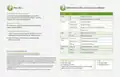


2.
Connect an Ethernet cable from your telco/ISP
modem/router to the WAN 1 port of your router.
Connect the included power cable from your router
to your power source
ISP
MODEM
RT-20 Setup Guide
1. Setting up your router:
Place your router in a rack
or on a desktop
3a.
Download the Easy Setup App
3b.
Connect a computer to one of the LAN ports of your router.
Open a web browser and go to 192.168.0.1
Login with the default User Name and password
User Name: admin
Password: Unique to device, found on device label
or
NOTE: You will be required to change the default administrator password.
The WAN port will be disabled until a new password is selected
NOTE: If your computer or device isn’t set to obtain an IP address
automatically, you’ll need to set a temporary static IP address on
that device. Set the IP address of your computer to an address in
the 192.168.0.X range, then set the Gateway/router address to 192.168.0.1
or search “Luxul Easy Setup App” on:


| General | Details |
|---|---|
| Name | legrand RT-20 Router User Guide |
| Make | Legrand |
| Language | English |
| Filetype | PDF (Download) |
| File size | 0.09 MB |
 (1 votes, average: 5.00 out of 5)
 Loading...
If you have any questions regarding legrand RT-20 Router User Guide, please ask here and describe the problem in detail.

legrand RT-20 High Performance Gigabit Router User Guide


NETGEAR RAX9 4-Stream WiFi 6 Router Owner’s Manual

Amlogic S905W Android 7.0 TV Box y WiFi Router User Guide

NETGEAR RAX5 Model AX1600 WiFi 6 Router User Guide

GRANDSTREAM GWN7052F Dual Band Wi-Fi Router Installation Guide

Spectrum WiFi 6 Router: User Guide & Troubleshooting Tips

MikroTik RB750r2 hEX Lite Router User Guide

ASUS RT-AX57 Go AX3000 Dual Band Wi-Fi 6 Router User Guide

ASUS TUF-AX5400 TUF Gaming Wi-Fi 6 Router User Guide

dahua DH-MAX18-3 MAX18 Mesh Wireless Router User Guide

ASUS ET12 ZenWiFi Pro AXE11000 Tri Band Router User Guide