
legrand RT-20 Router User Guide

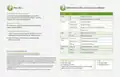


How Do I...
What do the LEDs on my router indicate?
Restore factory default settings?
Indicator
State
Description
To restore factory default settings to your router,
press and hold the button labeled ‘RESET’ until the
‘System LED’ starts blinking rapidly
Power
On
Router is powered
Off
Power disconnected or router off
Normal operation
System
Heartbeat
Slow blinking
Fast blinking
Off
Restart my router?
Router rebooting
To restart your router, press and quickly release the
button labeled ‘RESET’
Router returning to factory default settings
Router error
Perform advanced configuration?
USB
On
USB device is connected
USB device activity
1. Open a web browser and go to 192.168.0.1 or the IP
address you specified during the setup process
Blinking
Top row on
Bottom row on
Blinking
Yellow on
Green on
Blinking
2. Enter the login credentials you created during
the setup process
WAN/LAN
Front
10/100Mbps device connected
1000Mbps device connected
Data being transferred
10/100Mbps device connected
1000Mbps device connected
Data being transferred
WAN/LAN
Rear
View Luxul’s Privacy policy at:
The marking information is located at the bottom of the apparatus
Copyright and Trademark Notices
No part of this document may be modified or adapted in any way, for any purposes without permis-
sion in writing from Luxul. The material in this document is subject to change without notice. Luxul
reserves the right to make changes to any product to improve reliability, function, or design. No
license is granted, either expressly or by implication or otherwise under any Luxul intellectual
property rights. An implied license only exists for equipment, circuits and subsystems contained
in this or any Luxul product.
Technical Support
P: 801-822-5450
Sales
P: 801-822-5450
E: sales@luxul.com
E: support@luxul.com
© Copyright 2022 Legrand AV Inc. All rights reserved. The name Luxul, the Luxul logo, the
Luxul logo mark and Simply Connected are all trademarks and or registered trademarks of
Legrand AV Inc.
Support chat: LegrandAV.com click ‘Live Chat’ (upper
right) and select Luxul under ‘Brand’
All other trademarks and registered trademarks are property of their respective holders.

| General | Details |
|---|---|
| Name | legrand RT-20 Router User Guide |
| Make | Legrand |
| Language | English |
| Filetype | PDF (Download) |
| File size | 0.09 MB |
 (1 votes, average: 5.00 out of 5)
 Loading...
If you have any questions regarding legrand RT-20 Router User Guide, please ask here and describe the problem in detail.

legrand RT-20 High Performance Gigabit Router User Guide


amped wireless ATHENA-R2 High Power Ac2600 Router User Guide
cradlepoint R920 Series Ruggedized Router User Guide

hitron ARIA2513 Wifi Router Installation Guide

UBIQUITI U-LTE-Backup Pro LTE Router Installation Guide

GRANDSTREAM HT812 Analog FXS IP Gateway 2 Port + NAT Router User Guide

JUniPer MX304 Universal Router User Guide

ASUS AX7800 Tri Band WiFi Router User Guide

TP-Link Archer AX12 Dual Band Wi-Fi 6 Router Installation Guide

TP-Link AX1800 Wi-Fi 6 Gigabit Dual Band Wireless Router User Guide

TP-Link SERCOMM DM1000 Mesh Wi-Fi Router User Guide