
TP-Link AX1800 Wi-Fi 6 Gigabit Dual Band Wireless Router User Guide


Troubleshooting: Unstable
connection on the TP-Link router
There are multiple factors that cause your internet connection to randomly disconnect. Please
read possible solutions below which may fix an internet unstable.
Symptoms:
Both the wired connection and wireless connection are unstable
If this issue occurs with a wireless connection, please refer to Troubleshooting: Unstable wireless
For possible solutions, please see the following:
1. Disconnecting the TP-Link router from the modem (the piece of hardware supplied
by your Internet company), then only connect your computer to the modem directly.
If your computer cannot get a stable connection from your modem, it indicates the
issue is on your modem or Internet Service.
2. If there is no problem with the modem, please try the following tips:
•
Check that the Ethernet cable is connected securely to the WAN port on your router
and that the cable is not loose or attached poorly. To check if there is any problem
with the Ethernet cable, replace it with another Ethernet cable and see if the issue
persists.
•
•
Upgrade your router to the latest version. (You may refer to How to Upgrade the
Troubleshooting Guide of DDNS
function on TP-Link Wi-Fi Router,
LTE Gateway Router or Deco
Router
DDNS, most commonly known as Dynamic DNS, is an automatic method of refreshing a name
server. It can dynamically update DNS records without the need for human interaction. It is
extremely useful for updating IP address records when the public IP address changes.
If you have any problem using the DDNS function on TP-Link Wi-Fi Router/LTE Gateway Router
or Deco Router(we will just call it Router in this article), before troubleshooting, please refer to
the following tips to confirm if it is really DDNS issue.
Tip 1. Will the DDNS domain name always be bound to my
Router WAN IP address?


| General | Details |
|---|---|
| Name | TP-Link AX1800 Wi-Fi 6 Gigabit Dual Band Wireless Router User Guide |
| Make | TP-Link |
| Language | English |
| Filetype | PDF (Download) |
| File size | 0.35 MB |
 (1 votes, average: 5.00 out of 5)
 Loading...
If you have any questions regarding TP-Link AX1800 Wi-Fi 6 Gigabit Dual Band Wireless Router User Guide, please ask here and describe the problem in detail.

TP-Link T150500-2-DT WiFi Router Instruction Manual

TP-Link Archer AX55 Wi-Fi 6 Router Installation Guide

TP-Link VR300 Archer Modem Router User Guide

TP-Link Omada ER8411 VPN Router Instructions

TP-Link Configure VDSL Router User Guide

TP-Link Archer BE805 BE19000 Tri-Band Wi-Fi 7 Router User Manual

TP-Link VR600 Wireless DSL Modem Router Installation Guide

TP-Link AX58 Dual Band Gigabit Wi-Fi 6 Router Installation Guide

TP-Link AC750 Wireless Dual Band Router Owner’s Manual

TP-Link AX6000 8-Stream Wi-Fi 6 Router Installation Guide


ASUS AC1750 WiFi Dual Band Wireless Internet Router User Guide

perle IRG5410 Router User Guide

ASUS RT-AXE7800 Wireless AXE7800 Tri Band Gigabit Router User Guide
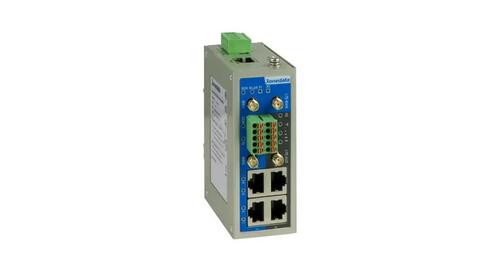
3onedata IRT5300L-5T2D-2P12_36 4G Wireless Router Installation Guide

westermo MRD-405 4G LTE Router User Guide

TELTONIKA RUTC50 5G Router User Guide

ASUS E20188 ZenWiFi XD4S Dual Band WiFi Router User Guide

HALNY HLE-3GM Router Installation Guide

ADVANTECH ICR-2531 LTE Router User Manual

ASUS RT-BE88U Dual Band WiFi Router User Guide