
Home > LINOVISION > LINOVISION IOT-R32W Unlocked 4G LTE Router User Manual
×
- 1. Iot-r32w User Manual Updated On September 05, 2023
- 2. User Manual (Benutzerhandbuch → Manuel De L'utilisateur → Manuale D'us → Manual De Usuario → Gebruikers Handleiding)
- 3. Packing List
- 4. Hardware (Overview → Main Cellular Antenna Connector → Gps/wifi Antenna Connector → Aux Cellular Antenna → Led Indicator Area → Power Connector)
- 5. Connectors (Led Indicators)
- 6. Reset Button (System Led → Ethernet Port Indicator)
- 7. Hardware (Installation → Environmental Requirements → Sim Card/micro Sd Card Installation → Antenna Installation → Router Installation → Wall Mounting)
- 8. Din Rail Mounting (measured In Mm) (Warning)
- 9. Log In The Web Gui Of Router (Pc Configuration)
- 10. Method 2: Click 'use The (Method 1: Click 'obtain An Ip → Log In The Router → Ip Address: 192.168.1.1 → Username: Admin → Password: Password → Start A Web Browser On Your Pc (chrome Is Recommended))
- 11. Login Procedure (Password Modification → Security Recommendations → Web Gui Access → System Information Viewing → Router Configuration)
- 12. Network Configuration (Ethernet Wan Configuration)
- 13. Cellular Connection Configuration (Network > Interface > Link Failover → Network > Interface > Cellular > Cellular Setting → Save And Apply For Configuration To Take Effect → Enable Sim1 And Rise Link Priority Of Sim1)
- 14. Configure Icmp Ping Detection (View Cellular Connection Status → Check Sim Indicator Status)
- 15. Your Preferred Browser On Pc, Then Type Any Available Web Address Into Address Bar And See If It Is Able To Visit Internet Via Iot-r32 Route…
- 16. Packliste
- 17. Hardware-einführung (Überblick → Anschluss Für Die Haupt-mobilfunkantenne → Gps/wifi-antennenanschluss → Aux-mobilfunkantenne → Serieller Anschluss & E/a → Ethernet Lan1/wan-anschluss)
- 18. Steckverbinder (Led-anzeigen → Status Der Stromversorgung → Systemstatus → Status Der Sim-karte → Signalstärke)
- 19. Reset-taste (System-led → Anzeige Des Ethernet-anschlusses)
- 20. Hardware-installation (Installation Der Sim-karte/micro-sd-karte → Einbau Der Antenne → Installation Des Routers → Wandmontage (gemessen In Mm))
- 21. Montage Der Din-schiene (Befestigung Der Din-schiene → Empfohlenes Anzugsmoment → Maximal Zulässiges Anzugsmoment)
- 22. Anmelden Bei Der Web-gui Des Routers (Pc-konfiguration)
- 23. Methode 1: Klicken Sie Auf 'ip-adresse Automatisch Beziehen'; (Methode 2: Klicken Sie Auf → 2 Anmelden Am Router → Ip-adresse: 192.168.1.1 → Benutzername: Admin → Kennwort: Password)
- 24. Anmeldeseite (Standard-benutzernamen Und -passwort → Passwort Ändern → Web-gui Anmelden → Systeminformationen Anzeigen → Konfiguration Des Routers)
- 25. Netzwerk-konfiguration (Ethernet-wan-konfiguration)
- 26. Konfiguration Der Zellularen Verbindung (Mobilfunkeinstellungen → Link Failover → Wan-priorität → Sim-karte Einlegen → Isp-informationen Automatisch Einstellen → Netzwerk > Schnittstelle)
- 27. Icmp-ping-erkennungsinformationen Konfigurieren (Status Der Mobilfunkverbindung Anzeigen → Sim-anzeige Überprüfen)
- 28. De (F. Öffnen Sie Ihren Bevorzugten Browser Auf Dem Pc, Geben Sie Eine Beliebige Webadresse In Die Adressleiste Ein Und Prüfen Sie, Ob Sie Das Internet Über Den Iot-r32-router Besuchen Können.)
- 29. Bienvenue (Installation Du Routeur Linovision Iot-r32 → Connexion À L'interface Graphique Web → Configuration De L'appareil → Guide De L'utilisateur Iot-r32 → Documents Connexes → Déclaration De Conformité)
- 30. Liste De Colisage (Avant De Commencer À Installer Le Routeur Iot-r32)
- 31. Introduction Au Matériel (Vue D'ensemble → Connecteur De L'antenne Cellulaire Principale → Connecteur D'antenne Gps/wifi → Antenne Cellulaire Aux → Zone D'indicateurs Led → Port Série Et E/s)
- 32. Connecteurs (Indicateurs Led)
- 33. Bouton De Réinitialisation (Indicateur De Port Ethernet → Description → Fonction → System Led → Action)
- 34. Installation Du Matériel (Exigences Environnementales → Installation De La Carte Sim/micro Sd → Installation De L'antenne → Installation Du Routeur → Montage Mural)
- 35. Montage Du Rail Din
- 36. Se Connecter À L'interface Graphique Web Du Routeur (Configuration Du Pc)
- 37. Méthode 1 : Cliquez Sur 'obtenir Une Adresse Ip Automatiquement' (Méthode 2 : Cliquez Sur 'utiliser L'adresse Ip Suivante' → Connexion Au Routeur → Adresse Ip : 192.168.1.1 → Nom D'utilisateur : Admin → Mot De Passe : Password → Démarrez Un Navigateur Web Sur Votre Pc)
- 38. Connexion Avec Le Nom D'utilisateur Et Le Mot De Passe Par Défaut (Modification Du Mot De Passe Pour Des Raisons De Sécurité → Affichage Des Informations Système → Configuration Du Routeur)
- 39. Configuration Du Réseau (Configuration Du Réseau Étendu Ethernet)
- 40. Configuration De La Connexion Cellulaire (Paramètres Cellulaires → Enregistrer Et Appliquer → Link Failover)
- 41. Configurer Les Informations De Détection Icmp Ping (Afficher L'état De La Connexion Cellulaire → Vérifier L'état De L'indicateur Sim)
- 42. Ouvrez Votre Navigateur Préféré Sur Le Pc, Puis Tapez N'importe Quelle Adresse Web Disponible Dans La Barre D'adresse Et Vérifiez S'il Est C…
- 43. Installazione Dell'iot-r32 (Accesso Alla Gui Web → Configurazioni Sul Dispositivo → Documenti Correlati → Scheda Tecnica Di Iot-r32 → Guida Dell'utente Iot-r32 → Dichiarazione Di Conformità)
- 44. Elenco Degli Imballaggi (Controllare Il Contenuto Della Confezione)
- 45. Introduzione All'hardware (Panoramica → Connettore Antenna Cellulare Principale → Connettore Antenna Gps/wifi → Antenna Cellulare Aux → Area Degli Indicatori Led → Porta Seriale E I/o)
- 46. Connettori (Led Indicators)
- 47. Pulsante Di Reset (Indicatore Della Porta Ethernet → Descrizione → Funzione → Led Sistema → Azione → Azzeramento)
- 48. Installazione Dell'hardware (Requisiti Ambientali → Installazione Della Scheda Sim/scheda Micro Sd → Installazione Dell'antenna → Installazione Del Router → Montaggio A Parete (misure In Mm))
- 49. Montaggio Della Guida Din (misure In Mm)
- 50. Accedere Alla Gui Web Del Router (Configurazione Del Pc)
- 51. Metodo 1: Configurazione Automatica Dell'indirizzo Ip (Metodo 2: Configurazione Manuale Dell'indirizzo Ip → Accesso Al Router → Impostazioni Predefinite Del Router → Configurazione Dell'indirizzo Ip E Del Server Dns → Utilizzo Di Un Browser Web Per L'accesso → Nome Utente E Password Per Il Login)
- 52. Modifica Della Password Predefinita (Accesso Alla Gui Web → Informazioni Di Sistema → Configurazione Del Router)
- 53. Configurazione Della Rete (Configurazione Wan Ethernet)
- 54. Configurazione Della Connessione Cellulare (Impostazione Cellulare → Salva E Applica → Link Failover)
- 55. Configurazione Delle Informazioni Sul Rilevamento Del Ping Icmp (Stato Della Connessione Cellulare → Controllo Dello Stato Dell'indicatore Sim)
- 56. Installazione Del Router Iot-r32 (Configurazione Della Connessione Internet → Verifica Della Connessione Tramite Browser)
- 57. Bienvenido (Descripción → Documentos Relacionados → Iot-r32 Guía Del Usuario → Ficha Técnica → Declaración De Conformidad)
- 58. Lista De Embalaje (Antes De Empezar A Instalar El Router Iot-r32 → Guía De Inicio Rápido → Kit De Carril Din)
- 59. Introducción Al Hardware (Panorama General → Conector De Antena Móvil Principal → Conector De Antena Gps/wifi → Antena Celular Aux → Puerto Serie Y E/s → Puerto Ethernet Lan1/wan)
- 60. Conectores (Indicadores Led)
- 61. Botón De Reinicio (Led Sistema → Indicador De Puerto Ethernet)
- 62. Instalación Del Hardware (Requisitos Medioambientales → Instalación De La Tarjeta Sim/micro Sd → Instalación De La Antena → Instalación Del Router → Montaje En Pared (medidas En Mm))
- 63. Montaje En Carril Din
- 64. Inicie Sesión En La Gui Web Del Router (Configuración Del Pc)
- 65. Método 1: Obtener Una Dirección Ip Automáticamente (Método 2: Asignar Manualmente Una Ip Estática → Iniciar Sesión En El Router)
- 66. Introducción De Usuario Y Contraseña (Modificación De Contraseña → Información Del Sistema → Configuración En El Router)
- 67. Configuración De La Red (Configuración De La Wan Ethernet)
- 68. Configuración De La Conexión Celular (Red > Interfaz > Conmutación Por Error De Enlace → Red > Interfaz > Celular > Configuración Celular)
- 69. Configuración De La Información De Detección De Ping Icmp (Estado De La Conexión Celular → Comprobación Del Estado Del Indicador Sim)
- 70. Abra Su Navegador Preferido En El Pc, Escriba Cualquier Dirección Web Disponible En La Barra De Direcciones Y Compruebe Si Puede Visitar Int…
- 71. Welkom (Beschrijving → Documenten → Iot-r32w Gegevensblad → Iot-r32w Gebruikershandleiding → Verklaring Van Conformiteit)
- 72. Paklijst (Controleer Voordat U Begint Met De Installatie Van De Iot-r32 Router De Inhoud Van De Verpakking Om Te Controleren Of U De Onderstaande Items Hebt Ontvangen.)
- 73. Hardware Inleiding (Overzicht → Aansluiting Hoofd Mobiele Antenne → Aansluiting Gps/wifi Antenne → Aux Cellulaire Antenne → Led Indicatorgebied → Voedingsconnector)
- 74. Aansluitingen (Led Indicatoren)
- 75. Resetknop (Indicator Ethernetpoort)
- 76. Hardware-installatie (Milieuvereisten → Sim-kaart/micro Sd-kaart Installeren → Antenne Installeren → Installatie Van De Router → Wandmontage (gemeten In Mm))
- 77. Montage Din-rail (Gebruik 2 Stuks M3 6 Kruiskopschroeven Om De Din-rail Aan De Router Te Bevestigen → Aanbevolen Aanhaalmoment Voor Montage → Maximaal Toegestane Aanhaalmoment)
- 78. Aanmelden Bij De Web Gui Van De Router (Pc-configuratie)
- 79. Dubbelklik Op 'internet' (Methode 1: Klik Op 'automatisch Een Ip-adres Verkrijgen' → Methode 2: Klik Op 'gebruik Het Volgende Ip-adres' → Protocol Version 4 (tcp/ipv4) → Aanmelden Bij De Router)
- 80. Inloggen Met Standaard Gebruikersnaam En Wachtwoord (Wachtwoord Wijzigen → Systeeminformatie Bekijken → Configuraties Uitvoeren Op De Router)
- 81. Netwerkconfiguratie (Ethernet Wan-configuratie → Wan-parameters Configureren → Statische Ip-configuratie → Dhcp-client En Pppoe-type → Verbind De Wan-poort → Log In Op Iot-r32w Web Gui)
- 82. Configuratie Mobiele Verbinding (Netwerk > Interface > Cellulair > Cellulaire Instelling → Opslaan En Toepassen → Network > Interface > Link Failover)
- 83. Icmp Ping-detectie-informatie Configureren (Status > Cellular Bekijken → Sim1 Verbinding Status Controleren → Sim-indicator Status Controleren)
×
LINOVISION IOT-R32W Unlocked 4G LTE Router User Manual








fr
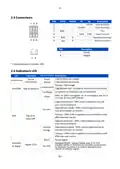
D. Cliquez sur
pour configurer les informations de détection ICMP ping.
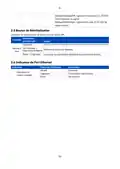
E. Cliquez sur "Status > Cellular" pour afficher l'état de la connexion cellulaire. Si l'écran affiche
"Connecté", cela signifie que SIM1 a réussi à composer un numéro.
D'autre part, vous pouvez vérifier l'état de l'indicateur SIM. S'il reste allumé en vert de manière
statique, cela signifie que SIM1 a réussi à composer un numéro.
41

| General | Details |
|---|---|
| Name | LINOVISION IOT-R32W Unlocked 4G LTE Router User Manual |
| Make | LINOVISION |
| Language | English |
| Filetype | PDF (Download) |
| File size | 2 MB |
 (1 votes, average: 5.00 out of 5)
 Loading...
If you have any questions regarding LINOVISION IOT-R32W Unlocked 4G LTE Router User Manual, please ask here and describe the problem in detail.

LINOVISION IOT-R32W 4G LTE Cat4 Cellular Router Owner’s Manual

LINOVISION IOT-R32W Versatile Cellular Router User Guide

LINOVISION IOT-R32 Wholesale Rugged and Versatile Cellular Router User Guide

LINOVISION IOT-R41 Mini 4G LTE Router User Manual

LINOVISION IoT-R32L Router User Guide

LINOVISION IOT-R32W Rugged and Versatile Cellular Router Instructions

LINOVISION IOT-R32W Cellular Router User Manual


TP-Link TL-WR845N Wireless N Router Installation Guide

TP-Link AX6600 Tri Band WiFi 6 Router Installation Guide

TP-Link X10-4G Deco Router Installation Guide

TP-Link BE450 Dual Band Wi-Fi 7 Router Installation Guide

ASUS DSL-AX82U Dual Band WiFi 6 Extendable xDSL Modem Gaming Router Instructions

GEWISS GW A9707 KNX/IP Router Installation Guide

QiXiang Technology QX210 Cellular Router Owner’s Manual

more BYO Router Installation Guide

NETGEAR MR90 Nighthawk Tri-band Mesh Wi-Fi 6E Router Owner’s Manual

TP-Link AX23 AX1800 Dual Band WiFi 6 Router User Manual
Table of Contents
- 1. Iot-r32w User Manual Updated On September 05, 2023 →
- 2. User Manual - Benutzerhandbuch →
- 3. Packing List →
- 4. Hardware - Overview →
- 5. Connectors - Led Indicators →
- 6. Reset Button - System Led →
- 7. Hardware - Installation →
- 8. Din Rail Mounting (measured In Mm) - Warning →
- 9. Log In The Web Gui Of Router - Pc Configuration →
- 10. Method 2: Click 'use The - Method 1: Click 'obtain An Ip →
- 11. Login Procedure - Password Modification →
- 12. Network Configuration - Ethernet Wan Configuration →
- 13. Cellular Connection Configuration - Network > Interface > Li... →
- 14. Configure Icmp Ping Detection - View Cellular Connection Sta... →
- 15. Your Preferred Browser On Pc, Then Type Any Available Web Ad... →
- 16. Packliste →
- 17. Hardware-einführung - Überblick →
- 18. Steckverbinder - Led-anzeigen →
- 19. Reset-taste - System-led →
- 20. Hardware-installation - Installation Der Sim-karte/micro-sd-... →
- 21. Montage Der Din-schiene - Befestigung Der Din-schiene →
- 22. Anmelden Bei Der Web-gui Des Routers - Pc-konfiguration →
- 23. Methode 1: Klicken Sie Auf 'ip-adresse Automatisch Beziehen'... →
- 24. Anmeldeseite - Standard-benutzernam... Und -passwort →
- 25. Netzwerk-konfigurati... - Ethernet-wan-konfigu... →
- 26. Konfiguration Der Zellularen Verbindung - Mobilfunkeinstellu... →
- 27. Icmp-ping-erkennungsinformationen Konfigurieren - Status Der... →
- 28. De - F. Öffnen Sie Ihren Bevorzugten Browser Auf Dem Pc, Geb... →
- 29. Bienvenue - Installation Du Routeur Linovision Iot-r32 →
- 30. Liste De Colisage - Avant De Commencer À Installer Le Routeu... →
- 31. Introduction Au Matériel - Vue D'ensemble →
- 32. Connecteurs - Indicateurs Led →
- 33. Bouton De Réinitialisation - Indicateur De Port Ethernet →
- 34. Installation Du Matériel - Exigences Environnementales →
- 35. Montage Du Rail Din →
- 36. Se Connecter À L'interface Graphique Web Du Routeur - Config... →
- 37. Méthode 1 : Cliquez Sur 'obtenir Une Adresse Ip Automatiquem... →
- 38. Connexion Avec Le Nom D'utilisateur Et Le Mot De Passe Par D... →
- 39. Configuration Du Réseau - Configuration Du Réseau Étendu Eth... →
- 40. Configuration De La Connexion Cellulaire - Paramètres Cellul... →
- 41. Configurer Les Informations De Détection Icmp Ping - Affiche... →
- 42. Ouvrez Votre Navigateur Préféré Sur Le Pc, Puis Tapez N'impo... →
- 43. Installazione Dell'iot-r32 - Accesso Alla Gui Web →
- 44. Elenco Degli Imballaggi - Controllare Il Contenuto Della Con... →
- 45. Introduzione All'hardware - Panoramica →
- 46. Connettori - Led Indicators →
- 47. Pulsante Di Reset - Indicatore Della Porta Ethernet →
- 48. Installazione Dell'hardware - Requisiti Ambientali →
- 49. Montaggio Della Guida Din (misure In Mm) →
- 50. Accedere Alla Gui Web Del Router - Configurazione Del Pc →
- 51. Metodo 1: Configurazione Automatica Dell'indirizzo Ip - Meto... →
- 52. Modifica Della Password Predefinita - Accesso Alla Gui Web →
- 53. Configurazione Della Rete - Configurazione Wan Ethernet →
- 54. Configurazione Della Connessione Cellulare - Impostazione Ce... →
- 55. Configurazione Delle Informazioni Sul Rilevamento Del Ping I... →
- 56. Installazione Del Router Iot-r32 - Configurazione Della Conn... →
- 57. Bienvenido - Descripción →
- 58. Lista De Embalaje - Antes De Empezar A Instalar El Router Io... →
- 59. Introducción Al Hardware - Panorama General →
- 60. Conectores - Indicadores Led →
- 61. Botón De Reinicio - Led Sistema →
- 62. Instalación Del Hardware - Requisitos Medioambientales →
- 63. Montaje En Carril Din →
- 64. Inicie Sesión En La Gui Web Del Router - Configuración Del P... →
- 65. Método 1: Obtener Una Dirección Ip Automáticamente - Método ... →
- 66. Introducción De Usuario Y Contraseña - Modificación De Contr... →
- 67. Configuración De La Red - Configuración De La Wan Ethernet →
- 68. Configuración De La Conexión Celular - Red > Interfaz > Conm... →
- 69. Configuración De La Información De Detección De Ping Icmp - ... →
- 70. Abra Su Navegador Preferido En El Pc, Escriba Cualquier Dire... →
- 71. Welkom - Beschrijving →
- 72. Paklijst - Controleer Voordat U Begint Met De Installatie Va... →
- 73. Hardware Inleiding - Overzicht →
- 74. Aansluitingen - Led Indicatoren →
- 75. Resetknop - Indicator Ethernetpoort →
- 76. Hardware-installatie - Milieuvereisten →
- 77. Montage Din-rail - Gebruik 2 Stuks M3 6 Kruiskopschroeven Om... →
- 78. Aanmelden Bij De Web Gui Van De Router - Pc-configuratie →
- 79. Dubbelklik Op 'internet' - Methode 1: Klik Op 'automatisch E... →
- 80. Inloggen Met Standaard Gebruikersnaam En Wachtwoord - Wachtw... →
- 81. Netwerkconfiguratie - Ethernet Wan-configuratie →
- 82. Configuratie Mobiele Verbinding - Netwerk > Interface > Cell... →
- 83. Icmp Ping-detectie-informatie Configureren - Status > Cellul... →