
Home > LINOVISION > LINOVISION IOT-R32W Unlocked 4G LTE Router User Manual
×
- 1. Iot-r32w User Manual Updated On September 05, 2023
- 2. User Manual (Benutzerhandbuch → Manuel De L'utilisateur → Manuale D'us → Manual De Usuario → Gebruikers Handleiding)
- 3. Packing List
- 4. Hardware (Overview → Main Cellular Antenna Connector → Gps/wifi Antenna Connector → Aux Cellular Antenna → Led Indicator Area → Power Connector)
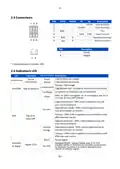
- 5. Connectors (Led Indicators)
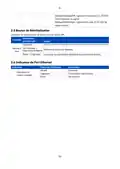
- 6. Reset Button (System Led → Ethernet Port Indicator)
- 7. Hardware (Installation → Environmental Requirements → Sim Card/micro Sd Card Installation → Antenna Installation → Router Installation → Wall Mounting)
- 8. Din Rail Mounting (measured In Mm) (Warning)
- 9. Log In The Web Gui Of Router (Pc Configuration)
- 10. Method 2: Click 'use The (Method 1: Click 'obtain An Ip → Log In The Router → Ip Address: 192.168.1.1 → Username: Admin → Password: Password → Start A Web Browser On Your Pc (chrome Is Recommended))
- 11. Login Procedure (Password Modification → Security Recommendations → Web Gui Access → System Information Viewing → Router Configuration)
- 12. Network Configuration (Ethernet Wan Configuration)
- 13. Cellular Connection Configuration (Network > Interface > Link Failover → Network > Interface > Cellular > Cellular Setting → Save And Apply For Configuration To Take Effect → Enable Sim1 And Rise Link Priority Of Sim1)
- 14. Configure Icmp Ping Detection (View Cellular Connection Status → Check Sim Indicator Status)
- 15. Your Preferred Browser On Pc, Then Type Any Available Web Address Into Address Bar And See If It Is Able To Visit Internet Via Iot-r32 Route…
- 16. Packliste
- 17. Hardware-einführung (Überblick → Anschluss Für Die Haupt-mobilfunkantenne → Gps/wifi-antennenanschluss → Aux-mobilfunkantenne → Serieller Anschluss & E/a → Ethernet Lan1/wan-anschluss)
- 18. Steckverbinder (Led-anzeigen → Status Der Stromversorgung → Systemstatus → Status Der Sim-karte → Signalstärke)
- 19. Reset-taste (System-led → Anzeige Des Ethernet-anschlusses)
- 20. Hardware-installation (Installation Der Sim-karte/micro-sd-karte → Einbau Der Antenne → Installation Des Routers → Wandmontage (gemessen In Mm))
- 21. Montage Der Din-schiene (Befestigung Der Din-schiene → Empfohlenes Anzugsmoment → Maximal Zulässiges Anzugsmoment)
- 22. Anmelden Bei Der Web-gui Des Routers (Pc-konfiguration)
- 23. Methode 1: Klicken Sie Auf 'ip-adresse Automatisch Beziehen'; (Methode 2: Klicken Sie Auf → 2 Anmelden Am Router → Ip-adresse: 192.168.1.1 → Benutzername: Admin → Kennwort: Password)
- 24. Anmeldeseite (Standard-benutzernamen Und -passwort → Passwort Ändern → Web-gui Anmelden → Systeminformationen Anzeigen → Konfiguration Des Routers)
- 25. Netzwerk-konfiguration (Ethernet-wan-konfiguration)
- 26. Konfiguration Der Zellularen Verbindung (Mobilfunkeinstellungen → Link Failover → Wan-priorität → Sim-karte Einlegen → Isp-informationen Automatisch Einstellen → Netzwerk > Schnittstelle)
- 27. Icmp-ping-erkennungsinformationen Konfigurieren (Status Der Mobilfunkverbindung Anzeigen → Sim-anzeige Überprüfen)
- 28. De (F. Öffnen Sie Ihren Bevorzugten Browser Auf Dem Pc, Geben Sie Eine Beliebige Webadresse In Die Adressleiste Ein Und Prüfen Sie, Ob Sie Das Internet Über Den Iot-r32-router Besuchen Können.)
- 29. Bienvenue (Installation Du Routeur Linovision Iot-r32 → Connexion À L'interface Graphique Web → Configuration De L'appareil → Guide De L'utilisateur Iot-r32 → Documents Connexes → Déclaration De Conformité)
- 30. Liste De Colisage (Avant De Commencer À Installer Le Routeur Iot-r32)
- 31. Introduction Au Matériel (Vue D'ensemble → Connecteur De L'antenne Cellulaire Principale → Connecteur D'antenne Gps/wifi → Antenne Cellulaire Aux → Zone D'indicateurs Led → Port Série Et E/s)
- 32. Connecteurs (Indicateurs Led)
- 33. Bouton De Réinitialisation (Indicateur De Port Ethernet → Description → Fonction → System Led → Action)
- 34. Installation Du Matériel (Exigences Environnementales → Installation De La Carte Sim/micro Sd → Installation De L'antenne → Installation Du Routeur → Montage Mural)
- 35. Montage Du Rail Din
- 36. Se Connecter À L'interface Graphique Web Du Routeur (Configuration Du Pc)
- 37. Méthode 1 : Cliquez Sur 'obtenir Une Adresse Ip Automatiquement' (Méthode 2 : Cliquez Sur 'utiliser L'adresse Ip Suivante' → Connexion Au Routeur → Adresse Ip : 192.168.1.1 → Nom D'utilisateur : Admin → Mot De Passe : Password → Démarrez Un Navigateur Web Sur Votre Pc)
- 38. Connexion Avec Le Nom D'utilisateur Et Le Mot De Passe Par Défaut (Modification Du Mot De Passe Pour Des Raisons De Sécurité → Affichage Des Informations Système → Configuration Du Routeur)
- 39. Configuration Du Réseau (Configuration Du Réseau Étendu Ethernet)
- 40. Configuration De La Connexion Cellulaire (Paramètres Cellulaires → Enregistrer Et Appliquer → Link Failover)
- 41. Configurer Les Informations De Détection Icmp Ping (Afficher L'état De La Connexion Cellulaire → Vérifier L'état De L'indicateur Sim)
- 42. Ouvrez Votre Navigateur Préféré Sur Le Pc, Puis Tapez N'importe Quelle Adresse Web Disponible Dans La Barre D'adresse Et Vérifiez S'il Est C…
- 43. Installazione Dell'iot-r32 (Accesso Alla Gui Web → Configurazioni Sul Dispositivo → Documenti Correlati → Scheda Tecnica Di Iot-r32 → Guida Dell'utente Iot-r32 → Dichiarazione Di Conformità)
- 44. Elenco Degli Imballaggi (Controllare Il Contenuto Della Confezione)
- 45. Introduzione All'hardware (Panoramica → Connettore Antenna Cellulare Principale → Connettore Antenna Gps/wifi → Antenna Cellulare Aux → Area Degli Indicatori Led → Porta Seriale E I/o)
- 46. Connettori (Led Indicators)
- 47. Pulsante Di Reset (Indicatore Della Porta Ethernet → Descrizione → Funzione → Led Sistema → Azione → Azzeramento)
- 48. Installazione Dell'hardware (Requisiti Ambientali → Installazione Della Scheda Sim/scheda Micro Sd → Installazione Dell'antenna → Installazione Del Router → Montaggio A Parete (misure In Mm))
- 49. Montaggio Della Guida Din (misure In Mm)
- 50. Accedere Alla Gui Web Del Router (Configurazione Del Pc)
- 51. Metodo 1: Configurazione Automatica Dell'indirizzo Ip (Metodo 2: Configurazione Manuale Dell'indirizzo Ip → Accesso Al Router → Impostazioni Predefinite Del Router → Configurazione Dell'indirizzo Ip E Del Server Dns → Utilizzo Di Un Browser Web Per L'accesso → Nome Utente E Password Per Il Login)
- 52. Modifica Della Password Predefinita (Accesso Alla Gui Web → Informazioni Di Sistema → Configurazione Del Router)
- 53. Configurazione Della Rete (Configurazione Wan Ethernet)
- 54. Configurazione Della Connessione Cellulare (Impostazione Cellulare → Salva E Applica → Link Failover)
- 55. Configurazione Delle Informazioni Sul Rilevamento Del Ping Icmp (Stato Della Connessione Cellulare → Controllo Dello Stato Dell'indicatore Sim)
- 56. Installazione Del Router Iot-r32 (Configurazione Della Connessione Internet → Verifica Della Connessione Tramite Browser)
- 57. Bienvenido (Descripción → Documentos Relacionados → Iot-r32 Guía Del Usuario → Ficha Técnica → Declaración De Conformidad)
- 58. Lista De Embalaje (Antes De Empezar A Instalar El Router Iot-r32 → Guía De Inicio Rápido → Kit De Carril Din)
- 59. Introducción Al Hardware (Panorama General → Conector De Antena Móvil Principal → Conector De Antena Gps/wifi → Antena Celular Aux → Puerto Serie Y E/s → Puerto Ethernet Lan1/wan)
- 60. Conectores (Indicadores Led)
- 61. Botón De Reinicio (Led Sistema → Indicador De Puerto Ethernet)
- 62. Instalación Del Hardware (Requisitos Medioambientales → Instalación De La Tarjeta Sim/micro Sd → Instalación De La Antena → Instalación Del Router → Montaje En Pared (medidas En Mm))
- 63. Montaje En Carril Din
- 64. Inicie Sesión En La Gui Web Del Router (Configuración Del Pc)
- 65. Método 1: Obtener Una Dirección Ip Automáticamente (Método 2: Asignar Manualmente Una Ip Estática → Iniciar Sesión En El Router)
- 66. Introducción De Usuario Y Contraseña (Modificación De Contraseña → Información Del Sistema → Configuración En El Router)
- 67. Configuración De La Red (Configuración De La Wan Ethernet)
- 68. Configuración De La Conexión Celular (Red > Interfaz > Conmutación Por Error De Enlace → Red > Interfaz > Celular > Configuración Celular)
- 69. Configuración De La Información De Detección De Ping Icmp (Estado De La Conexión Celular → Comprobación Del Estado Del Indicador Sim)
- 70. Abra Su Navegador Preferido En El Pc, Escriba Cualquier Dirección Web Disponible En La Barra De Direcciones Y Compruebe Si Puede Visitar Int…
- 71. Welkom (Beschrijving → Documenten → Iot-r32w Gegevensblad → Iot-r32w Gebruikershandleiding → Verklaring Van Conformiteit)
- 72. Paklijst (Controleer Voordat U Begint Met De Installatie Van De Iot-r32 Router De Inhoud Van De Verpakking Om Te Controleren Of U De Onderstaande Items Hebt Ontvangen.)
- 73. Hardware Inleiding (Overzicht → Aansluiting Hoofd Mobiele Antenne → Aansluiting Gps/wifi Antenne → Aux Cellulaire Antenne → Led Indicatorgebied → Voedingsconnector)
- 74. Aansluitingen (Led Indicatoren)
- 75. Resetknop (Indicator Ethernetpoort)
- 76. Hardware-installatie (Milieuvereisten → Sim-kaart/micro Sd-kaart Installeren → Antenne Installeren → Installatie Van De Router → Wandmontage (gemeten In Mm))
- 77. Montage Din-rail (Gebruik 2 Stuks M3 6 Kruiskopschroeven Om De Din-rail Aan De Router Te Bevestigen → Aanbevolen Aanhaalmoment Voor Montage → Maximaal Toegestane Aanhaalmoment)
- 78. Aanmelden Bij De Web Gui Van De Router (Pc-configuratie)
- 79. Dubbelklik Op 'internet' (Methode 1: Klik Op 'automatisch Een Ip-adres Verkrijgen' → Methode 2: Klik Op 'gebruik Het Volgende Ip-adres' → Protocol Version 4 (tcp/ipv4) → Aanmelden Bij De Router)
- 80. Inloggen Met Standaard Gebruikersnaam En Wachtwoord (Wachtwoord Wijzigen → Systeeminformatie Bekijken → Configuraties Uitvoeren Op De Router)
- 81. Netwerkconfiguratie (Ethernet Wan-configuratie → Wan-parameters Configureren → Statische Ip-configuratie → Dhcp-client En Pppoe-type → Verbind De Wan-poort → Log In Op Iot-r32w Web Gui)
- 82. Configuratie Mobiele Verbinding (Netwerk > Interface > Cellulair > Cellulaire Instelling → Opslaan En Toepassen → Network > Interface > Link Failover)
- 83. Icmp Ping-detectie-informatie Configureren (Status > Cellular Bekijken → Sim1 Verbinding Status Controleren → Sim-indicator Status Controleren)
×
LINOVISION IOT-R32W Unlocked 4G LTE Router User Manual








en
3.4.2 DIN Rail Mounting (Measured in mm)
Use 2 pcs of M3 × 6 flat head Phillips screws to fix the DIN rail to the router, and then hang the DIN rail
on the mounting bracket. It is necessary to choose a standard bracket.
Recommended torque for mounting is 1.0 N·m, and the maximum allowed is 1.2 N·m.
7

| General | Details |
|---|---|
| Name | LINOVISION IOT-R32W Unlocked 4G LTE Router User Manual |
| Make | LINOVISION |
| Language | English |
| Filetype | PDF (Download) |
| File size | 2 MB |
 (1 votes, average: 5.00 out of 5)
 Loading...
If you have any questions regarding LINOVISION IOT-R32W Unlocked 4G LTE Router User Manual, please ask here and describe the problem in detail.

LINOVISION IOT-R32W 4G LTE Cat4 Cellular Router Owner’s Manual

LINOVISION IOT-R32W Versatile Cellular Router User Guide

LINOVISION IOT-R32 Wholesale Rugged and Versatile Cellular Router User Guide

LINOVISION IOT-R41 Mini 4G LTE Router User Manual

LINOVISION IoT-R32L Router User Guide

LINOVISION IOT-R32W Rugged and Versatile Cellular Router Instructions

LINOVISION IOT-R32W Cellular Router User Manual


KuWFi CF5 4G LTE CPE Router User Manual

HERCULES HCB043 20V Brushless Compact Router Owner’s Manual

MAIYUAN AC1200M Wireless Router User Guide

KuWFi CPF906 4G SIM Router Instruction Manual

EAE Technology IPR200 KNX IP Router User Guide

TP-Link GXE75 AXE5400 Tri-Band Wi-Fi 6E Gaming Router User Guide

Dynalink AX3600 Stream WiFi Router User Guide

BEC AirConnect 8112 5G Enterprise Router User Guide

WIFI DUOBOOST LV-WR16 WiFi Mini Router Installation Guide

Synology WRX560 Wifi Router User Manual
Table of Contents
- 1. Iot-r32w User Manual Updated On September 05, 2023 →
- 2. User Manual - Benutzerhandbuch →
- 3. Packing List →
- 4. Hardware - Overview →
- 5. Connectors - Led Indicators →
- 6. Reset Button - System Led →
- 7. Hardware - Installation →
- 8. Din Rail Mounting (measured In Mm) - Warning →
- 9. Log In The Web Gui Of Router - Pc Configuration →
- 10. Method 2: Click 'use The - Method 1: Click 'obtain An Ip →
- 11. Login Procedure - Password Modification →
- 12. Network Configuration - Ethernet Wan Configuration →
- 13. Cellular Connection Configuration - Network > Interface > Li... →
- 14. Configure Icmp Ping Detection - View Cellular Connection Sta... →
- 15. Your Preferred Browser On Pc, Then Type Any Available Web Ad... →
- 16. Packliste →
- 17. Hardware-einführung - Überblick →
- 18. Steckverbinder - Led-anzeigen →
- 19. Reset-taste - System-led →
- 20. Hardware-installation - Installation Der Sim-karte/micro-sd-... →
- 21. Montage Der Din-schiene - Befestigung Der Din-schiene →
- 22. Anmelden Bei Der Web-gui Des Routers - Pc-konfiguration →
- 23. Methode 1: Klicken Sie Auf 'ip-adresse Automatisch Beziehen'... →
- 24. Anmeldeseite - Standard-benutzernam... Und -passwort →
- 25. Netzwerk-konfigurati... - Ethernet-wan-konfigu... →
- 26. Konfiguration Der Zellularen Verbindung - Mobilfunkeinstellu... →
- 27. Icmp-ping-erkennungsinformationen Konfigurieren - Status Der... →
- 28. De - F. Öffnen Sie Ihren Bevorzugten Browser Auf Dem Pc, Geb... →
- 29. Bienvenue - Installation Du Routeur Linovision Iot-r32 →
- 30. Liste De Colisage - Avant De Commencer À Installer Le Routeu... →
- 31. Introduction Au Matériel - Vue D'ensemble →
- 32. Connecteurs - Indicateurs Led →
- 33. Bouton De Réinitialisation - Indicateur De Port Ethernet →
- 34. Installation Du Matériel - Exigences Environnementales →
- 35. Montage Du Rail Din →
- 36. Se Connecter À L'interface Graphique Web Du Routeur - Config... →
- 37. Méthode 1 : Cliquez Sur 'obtenir Une Adresse Ip Automatiquem... →
- 38. Connexion Avec Le Nom D'utilisateur Et Le Mot De Passe Par D... →
- 39. Configuration Du Réseau - Configuration Du Réseau Étendu Eth... →
- 40. Configuration De La Connexion Cellulaire - Paramètres Cellul... →
- 41. Configurer Les Informations De Détection Icmp Ping - Affiche... →
- 42. Ouvrez Votre Navigateur Préféré Sur Le Pc, Puis Tapez N'impo... →
- 43. Installazione Dell'iot-r32 - Accesso Alla Gui Web →
- 44. Elenco Degli Imballaggi - Controllare Il Contenuto Della Con... →
- 45. Introduzione All'hardware - Panoramica →
- 46. Connettori - Led Indicators →
- 47. Pulsante Di Reset - Indicatore Della Porta Ethernet →
- 48. Installazione Dell'hardware - Requisiti Ambientali →
- 49. Montaggio Della Guida Din (misure In Mm) →
- 50. Accedere Alla Gui Web Del Router - Configurazione Del Pc →
- 51. Metodo 1: Configurazione Automatica Dell'indirizzo Ip - Meto... →
- 52. Modifica Della Password Predefinita - Accesso Alla Gui Web →
- 53. Configurazione Della Rete - Configurazione Wan Ethernet →
- 54. Configurazione Della Connessione Cellulare - Impostazione Ce... →
- 55. Configurazione Delle Informazioni Sul Rilevamento Del Ping I... →
- 56. Installazione Del Router Iot-r32 - Configurazione Della Conn... →
- 57. Bienvenido - Descripción →
- 58. Lista De Embalaje - Antes De Empezar A Instalar El Router Io... →
- 59. Introducción Al Hardware - Panorama General →
- 60. Conectores - Indicadores Led →
- 61. Botón De Reinicio - Led Sistema →
- 62. Instalación Del Hardware - Requisitos Medioambientales →
- 63. Montaje En Carril Din →
- 64. Inicie Sesión En La Gui Web Del Router - Configuración Del P... →
- 65. Método 1: Obtener Una Dirección Ip Automáticamente - Método ... →
- 66. Introducción De Usuario Y Contraseña - Modificación De Contr... →
- 67. Configuración De La Red - Configuración De La Wan Ethernet →
- 68. Configuración De La Conexión Celular - Red > Interfaz > Conm... →
- 69. Configuración De La Información De Detección De Ping Icmp - ... →
- 70. Abra Su Navegador Preferido En El Pc, Escriba Cualquier Dire... →
- 71. Welkom - Beschrijving →
- 72. Paklijst - Controleer Voordat U Begint Met De Installatie Va... →
- 73. Hardware Inleiding - Overzicht →
- 74. Aansluitingen - Led Indicatoren →
- 75. Resetknop - Indicator Ethernetpoort →
- 76. Hardware-installatie - Milieuvereisten →
- 77. Montage Din-rail - Gebruik 2 Stuks M3 6 Kruiskopschroeven Om... →
- 78. Aanmelden Bij De Web Gui Van De Router - Pc-configuratie →
- 79. Dubbelklik Op 'internet' - Methode 1: Klik Op 'automatisch E... →
- 80. Inloggen Met Standaard Gebruikersnaam En Wachtwoord - Wachtw... →
- 81. Netwerkconfiguratie - Ethernet Wan-configuratie →
- 82. Configuratie Mobiele Verbinding - Netwerk > Interface > Cell... →
- 83. Icmp Ping-detectie-informatie Configureren - Status > Cellul... →