
Home > Mikrotik > MIKroTik D53G-5HacD2HnD Chateau 5G LTE Dual Band AC 5 Port Gigabit Router User Guide
MIKroTik D53G-5HacD2HnD Chateau 5G LTE Dual Band AC 5 Port Gigabit Router User Guide


We recommend using Cat5 shielded cable. When using and installing this device please pay attention to
the Maximum Permissible Exposure (MPE) safety distance with a minimum of 20 cm between the
radiator and your body.
Powering
The device accepts power from an adapter:
Direct-input power jack (5.5 mm outside and 2 mm inside, female, pin positive plug) 12-28 V DC⎓.
The power consumption under maximum load can reach 17 W, with attachments of 23 W.
Configuration
We recommend checking for updates frequently to receive the latest updates for your RouterOS
software to ensure the best performance and stability.
RouterOS includes many configuration options in addition to what is described in this document. We
suggest starting here to get yourself accustomed to the possibilities: https://mt.lv/help. In case an IP
connection is not available, the Winbox tool (https://mt.lv/winbox) can be used to connect to the MAC
address of the device from the LAN side (all access is blocked from the Internet port by default).
For recovery purposes, it is possible to boot the device for reinstallation, see section Buttons and
Jumpers.
Mode button
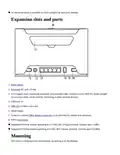
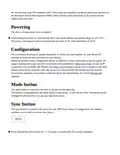
The mode button is located on the back of the unit, on the right side.
The Default configuration for the Mode button is dark mode - to turn off all LEDs. The button can be
configured in RouterOS to run any user-specified scripts.
Sync button
The sync button is located on the top of the unit. WPS Sync button, if configured on the wireless
interface, can be used to connect new clients.
Press and hold the WPS button for 1 – 5 seconds to enable WPS for wireless interfaces.

| General | Details |
|---|---|
| Name | MIKroTik D53G-5HacD2HnD Chateau 5G LTE Dual Band AC 5 Port Gigabit Router User Guide |
| Make | Mikrotik |
| Language | English |
| Filetype | PDF (Download) |
| File size | 0.17 MB |
 (1 votes, average: 5.00 out of 5)
 Loading...
If you have any questions regarding MIKroTik D53G-5HacD2HnD Chateau 5G LTE Dual Band AC 5 Port Gigabit Router User Guide, please ask here and describe the problem in detail.

mikrotik RB960PGS Hex PoE 5-Port Router User Manual

MikroTik Cloud Hosted Router User Guide

MikroTik RB750r2 hEX Lite Router User Guide

MikroTik C52iG-5HaxD2HaxD-TC Wireless Router User Guide

MikroTik RBcAPGi-5acD2nD-XL Wireless Router User Guide

MikroTik hAP ax³ Wireless Network Router User Manual

MikroTik wAP ac Wireless Router User Manual

MikroTik Chateau LTE18 ax Dual Band Wireless Router User Manual

MikroTik RBMetalG-52SHPacn Metal Wireless Router User Manual

MIKROTIK 2004-1G-12S+2XS Cloud Core Router User Manual


TP-Link C5400X Wireless Router Installation Guide
robustel R1520LG Dual SIM LTE Router User Manual

TELTONIKA Networks QSG RUT956 Cellular Router Instruction Manual

CNCU E550 EasyRoute CNC Router Instructions

ESR C4DM-ADAE-C0S0CCLEH-HCv1 4G Hybrid Router Installation Guide

D-Link DSR-250V2 5-Gigabit Port VPN Router Installation Guide

Kibosh MT6000 Wireless Router User Manual

TP-Link Archer MR500 Wireless Dual Band Gigabit Router User Guide

TP-Link AX1800 Wireless Router User Manual

TRUEFIT BAC-5051A E Airflow Measurement System Router User Guide