
MikroTik RBMetalG-52SHPacn Metal Wireless Router User Manual



Reset button
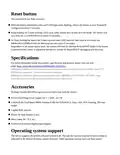
The reset button has three functions:
Hold this button during boot time until LED light starts flashing, release the button to reset RouterOS
configuration (total 5 seconds).
Keep holding for 5 more seconds, LED turns solid, release now to turn on CAP mode. The device will
now look for a CAPsMAN server (total 10 seconds).
Or Keep holding the button for 5 more seconds until LED turns off, then release it to make the
RBMetalG-52SHPacn look for Netinstall servers (total 15 seconds).
Regardless of the above option used, the system will load the backup RouterBOOT loader if the button
is pressed before power is applied to the device. Useful for RouterBOOT debugging and recovery.
Specifications
For more information about this product, specification and pictures please visit our web
RBMetalG-52SHPacn-US (USA) is factory locked for 2412-2462MHz, 5170-5250MHz and 5725-
5835MHz frequencies. This lock can not be removed.
RBMetalG-52SHPacn (International) supports 2412-2484MHz and 5150MHz-5875MHz range
(Specific frequency range can be limited by country regulations).
Accessories
Package includes the following accessories that come with the device:
EU/US Switching Power Supply 24 V ⎓ 0.8A, 19.2 W.
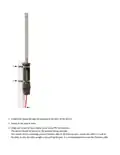
2.4Ghz/5Ghz Dual Band OMNI Antenna 6 dBi for N FEMALE, Grey color, PVC housing, 285 mm
length.
Gigabit POE injector.
Plastic tie strap fastener 2 pcs.
Hose clamp 50 / 70 2 pcs.
N-Male to N-Female Right Angle Adapter.
Operating system support
The device supports RouterOS software version 6.46. The specific factory-installed version number is
indicated in the RouterOS menu /system resource. Other operating systems have not been tested.

| General | Details |
|---|---|
| Name | MikroTik RBMetalG-52SHPacn Metal Wireless Router User Manual |
| Make | Mikrotik |
| Language | English |
| Filetype | PDF (Download) |
| File size | 0.14 MB |
 (1 votes, average: 5.00 out of 5)
 Loading...
If you have any questions regarding MikroTik RBMetalG-52SHPacn Metal Wireless Router User Manual, please ask here and describe the problem in detail.

mikrotik RB960PGS Hex PoE 5-Port Router User Manual

MikroTik Cloud Hosted Router User Guide

MikroTik RB750r2 hEX Lite Router User Guide

MikroTik C52iG-5HaxD2HaxD-TC Wireless Router User Guide

MikroTik RBcAPGi-5acD2nD-XL Wireless Router User Guide

MikroTik Chateau LTE18 ax Dual Band Wireless Router User Manual

MikroTik hAP ax³ Wireless Network Router User Manual

MikroTik wAP ac Wireless Router User Manual

MIKROTIK 2004-1G-12S+2XS Cloud Core Router User Manual

MikroTik RBwAPG-5HacD2HnD Wireless Router User Guide


NETGEAR MR90 Nighthawk Tri-band Mesh Wi-Fi 6E Router Owner’s Manual
robustel R3000 Lite Dual-SIM VPN Router User Manual

HUAWEI WiFi AX3 WS7100 WiFi 6 Plus Dual Core Router User Guide

ASUS ET12 AXE11000 Tri Band WiFi Router User Guide

ASUS E20188 ZenWiFi XD4S Dual Band WiFi Router User Guide

TELRAN COMMUNICATION EX-5401-B1 SFP Fiber Router Wi-Fi 6 Support Mesh Instruction Manual

TELTONIKA RUTX14 CAT12 Cellular IoT Router User Guide

NetComm NTC-500 5G IoT Router Instructions

D-Link N300 EAGLE PRO AI N300 4G Router User Guide
xunison Hub M50 Mesh Tower High Performance Router User Guide