
MOXA EDR-8010-2GSFP Secure Router Installation Guide


ATTENTION
Safety First!
Be sure to disconnect the power cord before installing and/or
wiring your EDR-8010 Series.
Calculate the maximum possible current in each power wire
and common wire. Observe all electrical codes dictating the
maximum current allowable for each wire size.
If the current goes above the maximum ratings, the wiring
could overheat, causing serious damage to your equipment.
Please read and follow these guidelines:
•
Use separate paths to route wiring for power and devices. If power
wiring and device wiring paths must cross, make sure the wires are
perpendicular at the intersection point.
NOTE: Do not run signal or communications wiring and power
wiring through the same wire conduit. To avoid interference, wires
with different signal characteristics should be routed separately.
You can use the type of signal transmitted through a wire to
determine which wires should be kept separate. The rule of thumb
is that wiring sharing similar electrical characteristics can be
bundled together.
•
•
•
•
You should separate input wiring from output wiring.
We advise that you label the wiring to all devices in the system.
This product is intended for installation in Restricted Access
Location.
WARNING
Hot Surface. Do not touch.
ATTENTION
The SFP module only supports Laser Class 1 optical
transceivers.
Grounding the EDR-8010 Series
Grounding and wire routing help limit the effects of noise due to
electromagnetic interference (EMI). Run the ground connection from
the ground screw (M4 type) to the grounding surface prior to
connecting devices.
ATTENTION
This product is intended to be mounted to a well-grounded
mounting surface such as a metal panel. Use the green-and-
yellow cable type AWG (American Wire Gauge) min. 16 (1.3
mm2) for grounding.
- 8 -

| General | Details |
|---|---|
| Name | MOXA EDR-8010-2GSFP Secure Router Installation Guide |
| Make | MOXA |
| Language | English |
| Filetype | PDF (Download) |
| File size | 0.35 MB |
 (1 votes, average: 5.00 out of 5)
 Loading...
If you have any questions regarding MOXA EDR-8010-2GSFP Secure Router Installation Guide, please ask here and describe the problem in detail.

EDR-G9004 Series Moxa Secure Router Installation Guide

MOXA TN-4900 Series Gigabit Security Router Owner’s Manual

MOXA TN-4908-WV-CT-T Tough Net Router Installation Guide

MOXA TN-5916 ToughNet NAT Router Installation Guide

MOXA EDR-810 Secure Router Installation Guide

MOXA EDR-8010 Series Secure Router Installation Guide

MOXA G4302-LTE4-US-T Cellular Router Owner’s Manual


ASUS RT-AX1800U Dual Band WiFi Router User Guide

Hongdian H8922 3G/4G Router User Guide

DIGITAL DEEP SEA 5G Xtream 5G/4G Router Instruction Manual

Kangwei ZLT W304VA PRO WIFI6 Wireless Dual Band Router User Manual

DrayTek Vigor 2927 Dual Wan Security Router User Guide

Harvilon MT6833 5G Portable Wi-Fi Hotspot Esim Router User Guide

POYNTING EPOYNT-4 Outdoor LTE-5G Antenna and Router Enclosure User Guide

HBC BX54 Gigabit Dual Band Wireless Router User Manual
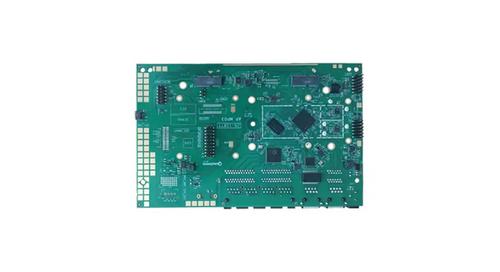
WALLYS DR5018 Router Board User Manual

CalAmp LMU-5541 Telematics Router Installation Guide