
MOXA EDR-8010-2GSFP Secure Router Installation Guide


Wiring the Redundant Power Inputs
The EDR-8010 Series has two sets of power inputs—power input 1 and
power input 2. The top and side views of the terminal block connector
are shown below.
The input terminal block (TB1) should be installed using 16-24 AWG
wires. The wiring for the input terminal block must be installed by a
skilled person. The recommended wire stripping length is 8 to 9 mm.
Wire Type: Cu
The power cord adapter should be connected to a socket outlet with an
earthing connection. The power cord and adapter must comply with
Class I construction.
Instructions
This product is intended to be supplied by a UL Listed Power Adapter or
DC power source marked ‘L.P.S’ or ‘Limited Power Source’, rated 12 to
48 VDC, 0.53 A (min.), and Tma 75°C (min.). If you require further
assistance, please contact your Moxa representative.
STEP 1:
Use a small flat-blade screwdriver
to press a wire locker.
Top View
STEP 2:
Insert a positive/negative DC wire
into
the
V+/V-
terminals
respectively.
STEP 3:
Release the wire locker and check
whether the wire is fixed.
Right View
Communication Connections
Each EDR-8010 Series has three types of communication ports:
•
1 Type-C console port (RS-232 interface, baud rate: 115200, 8-N-
1)
•
•
8 10/100BaseT(X) Ethernet ports
2 1G SFP ports
TYPE-C Console Port Connection
The EDR-8010 Series provides one Type-C console port located on the
top panel. Connect the industrial secure router to a PC COM port using
the Type-C-to-DB9 connection cable, and then launch a console
terminal software, e.g. Moxa PComm Terminal Emulator, to access the
EDR-8010 Series’ console configuration utility.
- 9 -

| General | Details |
|---|---|
| Name | MOXA EDR-8010-2GSFP Secure Router Installation Guide |
| Make | MOXA |
| Language | English |
| Filetype | PDF (Download) |
| File size | 0.35 MB |
 (1 votes, average: 5.00 out of 5)
 Loading...
If you have any questions regarding MOXA EDR-8010-2GSFP Secure Router Installation Guide, please ask here and describe the problem in detail.

EDR-G9004 Series Moxa Secure Router Installation Guide

MOXA TN-4900 Series Gigabit Security Router Owner’s Manual

MOXA TN-4908-WV-CT-T Tough Net Router Installation Guide

MOXA TN-5916 ToughNet NAT Router Installation Guide

MOXA EDR-810 Secure Router Installation Guide

MOXA EDR-8010 Series Secure Router Installation Guide

MOXA G4302-LTE4-US-T Cellular Router Owner’s Manual


D-Link N300 4G Smart Router User Guide

TP-Link ER706W Wi-Fi Gigabit VPN Router User Guide

NETGEAR XR300 Nighthawk Gaming Router User Guide

LINOVISION IOT-R32W Unlocked 4G LTE Router User Manual
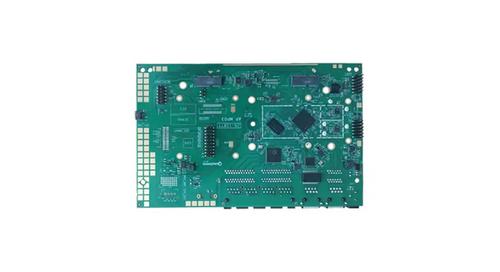
WALLYS DR5018 Router Board User Manual

TP-Link Archer BE800 BE19000 Tri-Band Wi-Fi 7 Router Installation Guide

Cudy P4 Dual Band Whole Home Mesh Wi-Fi Router Installation Guide

TCL HH512LV Linkhub 5G WLAN Router User Guide

KAON BROADBAND AR1840 WiFi Router Installation Guide

TP-Link HB611-SGST Singtel WiFi 7 Router User Guide