
PoEWit R-4 Preconfigured Enterprise-Class Router User Guide


INSTALLATION AND SETUP
• Static IP
To configure the R-Series Router to use a static IP, complete the
following steps:
1. Determine the following information provided by the ISP:
• Your assigned IP Address
• Subnet mask
• Default gateway
• DNS server(s)
2. Plug your computer into any of the numbered ports on the R-Series
Router using an Ethernet cable.
4. Log into the R-Series Router using admin / password as the
username and password.
5. On the top of the window on the right, ensure that the VDOM is set
to VDOM: Root.
6. Navigate to Network on the left-hand side of the screen and then
click Interface.
7. Select Outside(wan) and click Edit on the top row.
8. Start by selecting Manual under the Address/Addressing Mode
3
poewit.com

| General | Details |
|---|---|
| Name | PoEWit R-4 Preconfigured Enterprise-Class Router User Guide |
| Make | Poewit |
| Language | English |
| Filetype | PDF (Download) |
| File size | 0.15 MB |
 (1 votes, average: 5.00 out of 5)
 Loading...
If you have any questions regarding PoEWit R-4 Preconfigured Enterprise-Class Router User Guide, please ask here and describe the problem in detail.

PoEWit R10 Preconfiguration Enterprise Class Router User Manual


SEI ROBOTICS SEI540 ATV STB + Wireless Router User Manual

Cudy WR300 Multi Mode WiFi Router Installation Guide

ASUS RT-AX82U AX5400 Dual Band WiFi Router User Guide

AntennaGear TX54 5G Dual Cellular Router Owner’s Manual

netis AC1200 Wireless Dual Band Router Installation Guide

NETGEAR RS700S Nighthawk Tri-Band WiFi 7 Router User Guide
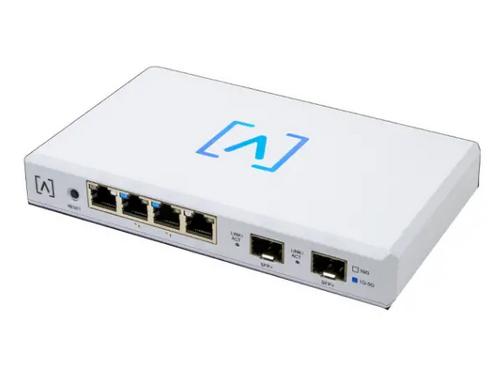
ALTA LABS ROUTE10 High Performance 10 Gbps Router User Guide

LANCOM SYSTEMS 1790VAW GmbH Performance Router User Guide

D-Link DIR-2660 AC2600 Mesh Wifi Router Installation Guide

UBIQUITI UMR-US Mobile Router User Manual