
SDMC AX3000 Dual Band Mesh Router User Guide


Package Content
1. Download and install XHome APP
Scan the QR code below or on the side of the box, or search for
XHome in the mobile app market or App Store, then download and
install the APP on your mobile phone.
◼
NM3098B x 2
◼
◼
Ethernet Cable x 1
◼
Power Adapter x 2
Quick Installation Guide x 1
Quick Installation Guide
Appearance
AX3000 Dual Band Mesh Router
2. Install the primary node
①
Take out a node device from the box. Connect one end of the
network cable to the Modem or broadband network port, and the
other end of the network cable to one of WAN port of the node.
②
Turn on the power, and the LED indicator will be solid red.
After about 80 seconds, the LED indicator is flashing red, continue
to wait the LED indicator change to solid green.
3. Install the secondary node
①
Take out another node from the box and place it in a suitable


| General | Details |
|---|---|
| Name | SDMC AX3000 Dual Band Mesh Router User Guide |
| Make | SDMC |
| Language | English |
| Filetype | PDF (Download) |
| File size | 0.21 MB |
 (1 votes, average: 5.00 out of 5)
 Loading...
If you have any questions regarding SDMC AX3000 Dual Band Mesh Router User Guide, please ask here and describe the problem in detail.

SDMC NE1611B WiFi Cable Modem Router User Manual


UBIQUITI ER-6P EdgeRouter 6P Gigabit Router User Guide

GRANDSTREAM GWN7052F Dual Band Wi-Fi Router Installation Guide

TELTONIKA RUT301 Router User Guide

STRONG 4GROUTER300M 4G LTE Router Instruction Manual

HiKOKI M12V2 Variable Speed Router Instruction Manual

TP-Link G36 Gigabit VPN Router Installation Guide

D-Link DSR-250V2 5-Gigabit Port VPN Router Installation Guide

ADVANTECH ICR-2041 LTE Router User Manual

Cudy WR3000E Gigabit Mesh Wi-Fi 6 Router Installation Guide
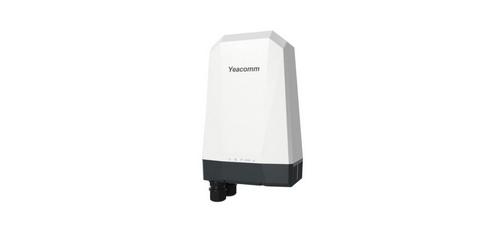
Yeacomm NR610 Outdoor 5g 4g Modem Odu Dual Sim Router Owner’s Manual