
sunhans eSunFi SHFiEL40 eSIM 4G Portable Router User Manual


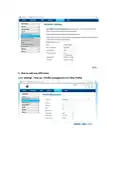


About LED
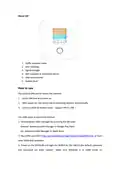
1. Traffic operator name
2. WiFi SSID/Key
3. Signal strength
4. WiFi indicator & connected device
5. SIM card indicator
6. Battery level
How to use
Use physical SIM card to access the internet:
1. Insert SIM card and power on.
2. After power on, the device will try attaching network automatically.
3. Connect client to mobile router(support Wi-Fi ,USB ).
Use eSIM plans to access the internet
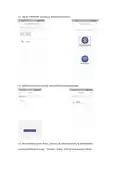
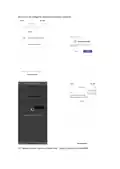
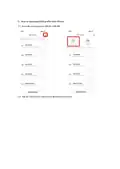
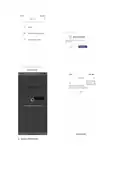
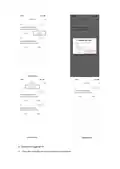
1. Download the eSIM manager for scanning the QR code:
Andriod: download eSIM Manager in Google Play Store
iOs: download eSIM Manager in Apple Store
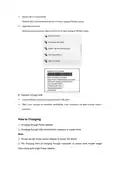
other eSIM data providers
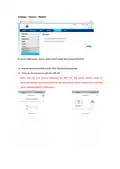
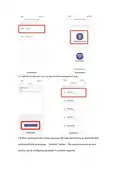
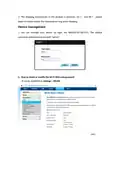
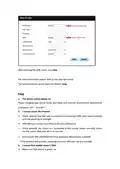
3. Power on the SHFiEL40 and login the WEBUI by 192.168.0.1,the default username
and password are both "admin". Make sure SHFiEL40 is in eSIM mode on

| General | Details |
|---|---|
| Name | sunhans eSunFi SHFiEL40 eSIM 4G Portable Router User Manual |
| Make | sunhans |
| Language | English |
| Filetype | PDF (Download) |
| File size | 0.5 MB |
 (1 votes, average: 5.00 out of 5)
 Loading...
If you have any questions regarding sunhans eSunFi SHFiEL40 eSIM 4G Portable Router User Manual, please ask here and describe the problem in detail.


HUAWEI Outdoor CPE B2368 CAT12 LTE Router with Antenna User Guide

HBC BX54 Gigabit Dual Band Wireless Router User Manual

AKYPACH A2 Wood Router Instruction Manual

ONEX RV Wifi Router User Manual

NEXXT SOLUTIONS NBL301P NebulaN301 Wireless-N Router Installation Guide

GOST VG5-CG Multi Carrier Select Router User Guide

ASKEY MAX2V1K Charter WiFi 6E MDU Router User Guide

WM Systems M2M LTE Cat.4 Router Installation Guide

Spectrum RAC2V1S WiFi 5 Wave 2 Router User Guide

NETGEAR Orbi RBR350 WiFi 6 Dual-band Mesh Router User Manual