
Tenda RE6L Pro Wi-Fi 7 Router Installation Guide
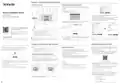


Jack, Ports and Buttons
FAQ
Safety Precautions
Indicator
Q1: I cannot log in to the web UI by visiting tendawifi.com. What should I do?
A1: First, try to visit http://tendawifi.com or http://192.168.0.1 in the address bar (not the search bar).
If you are using a Wi-Fi-enabled device, such as a smartphone:
Before operating, read the operation instructions and precautions to be taken, and follow them to prevent
accidents. The warning and danger items in other documents do not cover all the safety precautions that
must be followed. They are only supplementary information, and the installation and maintenance
personnel need to understand the basic safety precautions to be taken.
- The device is for indoor usage only.
The jack, ports and buttons may vary with models. The actual product prevails.
• Ensure that your smartphone is connected to the Wi-Fi network of the router.
− For the first login, connect the Wi-Fi name (Tenda_XXXXXX) on the label of the device’s body.
XXXXXX is the last six digits of the MAC address on the label.
- The device must be horizontally mounted for safe use.
− When logging in again after settings, use the changed Wi-Fi name and password to connect to the
Wi-Fi network.
- Do not use the device in a place where wireless devices are not allowed.
- Please use the included power adapter.
Shenzhen
T
enda
T
echnology Co., Ltd.
6-8 Floor,
T
ower E3, No.1001, Zhongshanyuan Road, Nanshan District,
Shenzhen, China. 518052
• Ensure that the cellular network (mobile data) of the smartphone is disabled.
If you are using a wired device, such as a computer:
- The mains plug is used as the disconnect device, and shall remain readily operable.
- The power socket shall be installed near the device and easily accessible.
- Operating environment: Temperature: 0℃ – 40℃ (32℉ - 104℉); Humidity: (10% – 90%) RH,
non-condensing; Storage environment: Temperature: -40℃ to +70℃ (-40℉ - 158℉);
Humidity: (5% – 90%) RH, non-condensing.
输入: 12V 1A
− Ensure that your wired devices are connected to a LAN port properly.
− Ensure that the computer is set to Obtain an IP address automatically and Obtain DNS server
address automatically.
MESH/RST 1/2.5GE
2
3
4
POWER
If the problem persists, reset the router by referring to Q4 and try again.
- Keep the device away from water, fire, high electric field, high magnetic field, and inflammable and
explosive items.
Q2: I cannot access the internet after the configuration. What should I do?
A2: Try the following solutions:
- Unplug this device and disconnect all cables during lightning storms or when the device is unused for
long periods.
• Ensure that the WAN port of the router is connected to a modem or Ethernet jack properly.
• Log in to the web UI of the router and navigate to the Internet Settings page. Follow the instructions
on the page to solve the problem.
- Do not use the power adapter if its plug or cord is damaged.
Example: RE6L Pro
Example: RE6L Pro
- If such phenomena as smoke, abnormal sound or smell appear when you use the device, immediately
stop using it and disconnect its power supply, unplug all connected cables, and contact the after-sales
service personnel.
If the problem persists, try the following solutions:
Jack/Port/Button
Indicator
Scenario
Status
Description
Description
• For Wi-Fi-enabled devices:
- Disassembling or modifying the device or its accessories without authorization voids the warranty, and
might cause safety hazards.
Startup
Solid green
Solid green
The system is starting up.
− Ensure that your devices are connected to the Wi-Fi network of the router.
− If you still cannot access the internet, connect your computer to the Ethernet port of your router with
an Ethernet cable, log in to the web UI of the router, change your Wi-Fi name and Wi-Fi password,
and reconnect to Wi-Fi.
Used to start the WPS negotiation process, or to reset the router.
- WPS: Through the WPS negotiation, you can connect to the Wi-Fi network of the router
without entering the password.
- Refer all servicing to qualified service personnel.
The router is connected to the internet.
- Disconnect the power source during servicing.
Blinking green slowly Not configured and the router is not connected to the internet.
Blinking red slowly Configured but the router failed to connect to the internet.
Blinking orange slowly Configured but not connected to an Ethernet port.
- Keep this device out of reach of children to prevent children from using it as a toy and causing personal
injury.
Primary
node
Method: Press the button for about 1-3 seconds, and the indicator blinks green fast. Within
2 minutes, enable the WPS function of the other WPS-supported device to
establish a WPS connection.
• For wired devices:
− Ensure that your wired devices are connected to a LAN port properly.
− Ensure that wired devices are set to Obtain an IP address automatically and Obtain DNS server
address automatically.
- The device's marking information can be found on its surface.
MESH/RST
- Mesh: When it is used as a Mesh networking button, you can extend your network with
another device that supports the Mesh function.
Internet
connection
Solid green
Solid orange
Solid red
Networking succeeds. Good connection quality.
Networking succeeds. Fair connection quality.
Networking succeeds. Poor connection quality.
Method: Press this button for about 1-3 seconds. The indicator blinks green fast, which
indicates the device is searching for another device to form a network. Within 2
minutes, press the MESH/WPS button of another device for 1-3 seconds to
negotiate with this device.
Q3: Some computers cannot search router's Wi-Fi. What should I do?
A3: Try the following solutions:
Secondary
node
Indicator
− Change the network mode of the router's 2.4G Wi-Fi and 5G Wi-Fi to not include 802.11ax and
802.11be, and search again.
Blinking green slowly Waiting to connect to another node.
- Reset method: Refer to Q4 in FAQ.
− If the router's Wi-Fi can be searched after changing the network mode, the wireless network adapter
version is older and needs to be updated. You can go to the corresponding official website of the
wireless network adapter to download and install, or you can use software such as driver wizard to
detect and update online.
Blinking red slowly
Configured but the router failed to connect to the internet.
1/2.5GE/2/3/4
POWER
WAN/LAN auto-adaptive port. Any Ethernet ports can be functioned as WAN or LAN port.
Power jack.
Pending for or performing WPS negotiation (valid
within 2 minutes)
WPS
Blinking green quickly
− If only 2.4G Wi-Fi is searched, first check whether the computer supports 5G band. If other 5G
Wi-Fi can be searched, change the 5G Wi-Fi channel of the router to channel 36 or channel 149 in
turn, and then search. If it can be searched after changing the channel, it means that the 5G wireless
network adapter only supports high-channel or low-channel Wi-Fi.
Ethernet cable
connection
Blinking green quickly A device is connected to or disconnected from an Ethernet
for 3 seconds
port of the router.
Resetting
Blinking red quickly
Restoring to factory settings.
Q4: How to restore the router to factory settings?
A4: With your router connected to power and turned on, hold down the reset (marked RST or Reset) button
of the router for about 8 seconds, and release it when the indicator blinks red fast. After about 1 minute, the
router is reset successfully and rebooted. You can configure the router again.
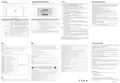
IC RSS Warning
CE Mark Warning
FCC Statement
Português-Atenção: Nos estados membros da UE, países da EFTA, Irlanda do Norte e Grã-Bretanha, o funcionamento na gama
This is a Class B product.
This device complies with Innovation, Science and Economic Development Canada licence-exempt RSS
standard (s). Operation is subject to the following two conditions:
This equipment has been tested and found to comply with the limits for a Class B digital device, pursuant to Part 15 of the FCC
Rules. These limits are designed to provide reasonable protection against harmful interference in a residential installation. This
equipment generates, uses and can radiate radio frequency energy and, if not installed and used in accordance with the
instructions, may cause harmful interference to radio communications. However, there is no guarantee that interference will not
occur in a particular installation. If this equipment does cause harmful interference to radio or television reception, which can be
determined by turning the equipment off and on, the user is encouraged to try to correct the interference by one or more of the
following measures:
de frequências 5150MHz-5350MHz só é permitido no interior.
In a domestic environment, this product may cause radio interference, in which case the user may be required to take adequate
measures.
Svenska-Uppmärksamhet: I EU medlemsstater, EFTA - länderna, Nordirland och Storbritannien är det endast tillåtet att använda
(1) this device may not cause interference, and
frekvensområdet 5150MHz-5350MHz MHz inomhus.
This equipment should be installed and operated with a minimum distance 20cm between the device and your body.
NOTE: (1) The manufacturer is not responsible for any radio or TV interference caused by unauthorized modifications to this
equipment. (2) To avoid unnecessary radiation interference, it is recommended to use a shielded RJ45 cable.
Declaration of Conformity
(2) this device must accept any interference, including interference that may cause undesired operation of
the device.
Slovenský-Pozor: V členských štátoch EÚ, krajinách EFTA, Severnom Írsku a Veľkej Británii je prevádzka vo frekvenčnom pásme
5150MHz-5350MHz povolená len v interiéri.
Le onjunc areil est conforme aux CNR d’ l’innovation, la science et le développement économique Canada
licables aux areils radio exempts de licence. L’exploitation est autorisée aux deux conditions suivantes:
(1) l’areil ne doit pas produire de brouillage, et
ꢀꢁꢁꢂꢃꢄꢅꢆ-ꢇꢈꢉꢊꢉꢋꢌ: ꢀꢁꢂ ꢃꢄꢅꢁꢆ μꢇꢈꢆ ꢁꢆꢉ ꢊꢊ, ꢋꢁꢌꢉ ꢍꢎꢄꢏꢉ ꢁꢆꢉ ꢊ ꢊꢀ, ꢋꢁꢆ ꢐꢑꢄꢏꢌꢂ ꢒꢄꢈꢂꢓꢔꢕꢂ ꢃꢂꢌ ꢋꢁꢆ ꢖꢏꢗꢅꢈꢆ ꢐꢄꢏꢁꢂꢓꢕꢂ, ꢆ
Hereby, SHENZHEN TENDA TECHNOLOGY CO., LTD. declares that the device (Router) is in compliance with Directive
2014/53/EU.
ꢈꢏꢌꢁꢄꢗꢕꢂ ꢋꢁꢆꢓ ꢏꢄꢌꢍ ꢋꢍꢓꢁꢁꢓ 5150MHz-5350MHz ꢏꢌꢁꢄꢇꢏꢁꢂꢌ μꢑꢓ ꢋꢏ ꢏꢋꢁꢏꢄꢌꢃꢉ ꢍꢎꢄꢉ.
-
Reorient or relocate the receiving antenna.
Increase the separation between the equipment and receiver.
The full text of the EU Declaration of Conformity is available at the following internet address:
Magyar-Figyelem: Az EU-tagállamokban, az EFTA-országokban, Észak-Írországban és Nagy-Britanniában az
-
(2) l’utilisateur de l’appareil doit accepter tout brouillage radioélectrique subi, onj si le brouillage est
susceptible d’en compromettre le fonctionnement.
5150MHz-5350MHz -es frekvenciatartományban való működtetés csak beltérben engedélyezett.
- Connect the equipment into an outlet on a circuit different from that to which the receiver is connected.
- Consult the dealer or an experienced radio/TV technician for help.
Operating Frequency/Max Output Power
Italiano-Attenzione: Negli Stati membri dell'UE, nei Paesi EFTA, nell'Irlanda del Nord e in Gran Bretagna, il funzionamento nella
gamma di frequenze 5150MHz-5350MHz è consentito solo in ambienti chiusi.
Operation is subject to the following two conditions: (1) this device may not cause harmful interference, and (2) this device must
accept any interference received, including interference that may cause undesired operation.
The device is for indoor usage only.
Any changes or modifications not expressly approved by the party responsible for compliance could void
the user’s authority to operate the equipment.
Български-Внимание: В страните-членки на ЕС, страните от ЕАСТ, Северна Ирландия и Великобритания, работата в
честотния диапазон 5150MHz-5350MHz е разрешена само на закрито.
English: Operating Frequency/Max Output Power
Tous les changements ou modifications non expressément approuvée par le responsible de la conformité
pourrait vider l’utilisateur est habilité à exploiter l’équipemen.
Español-Atención: En los estados miembros de la UE, los países de la AELC, Irlanda del Norte y Gran Bretaña, el rango de
Deutsch: Betriebsfrequenz/Max. Ausgangsleistung
Italiano: Frequenza operativa/Potenza di uscita massima
Español: Frecuencia operativa/Potencia de salida máxima
Português: Frequência de Funcionamento/Potência Máxima de Saída
Français: Fréquence de fonctionnement/Puissance de sortie maximale
Nederlands: Bedrijfsfrequentie/Maximaal uitgangsvermogen
Svenska: Driftsfrekvens/Max Uteffekt
Radiation Exposure Statement
frecuencia operativa de 5150MHz-5350MHz solo está permitido en interiores.
This device complies with FCC radiation exposure limits set forth for an uncontrolled environment and it also complies with Part 15 of the
FCC RF Rules.
Eesti-Tähelepanu: EL-o liikmesriikides, EFTA riikides, Põhja-Iirimaal ja Suurbritannias on sagedusvahemikus 5150MHz-5350MHz
This equipment should be installed and operated with minimum distance 20cm between the device and your body.
ISEDC Radiation Exposure Statement:
kasutamine lubatud ainult siseruumides.
This equipment complies with ISEDC RF radiation exposure limits set forth for an uncontrolled
environment. This transmitter must not be co-located or operating in conjunction with any other antenna or
transmitter. This equipment should be installed and operated with minimum distance 20cm between the
radiator& your body
Caution:
Dansk-Bemærk: I EU-medlemslandene, EFTA-landene, Nordirland og Storbritannien er drift i frekvensområdet
Any changes or modifications not expressly approved by the party responsible for compliance could void the user's authority to operate
this equipment.
5150MHz-5350MHz kun tilladt indendørs.
Suomi-Huom: Eu-maissa, EFTA-maissa sekä Isossa-Britanniassa ja Pohjois-Irlannissa taajuusaluetta 5150MHz-5350MH on
Dansk: Driftsfrekvens/Maks. Udgangseffekt
This transmitter must not be co-located or operating in conjunction with any other antenna or transmitter.
Operating frequency: 2412-2462MHz, 5150-5350 MHz, 5725-5850MHz
NOTE: (1) The manufacturer is not responsible for any radio or TV interference caused by unauthorized modifications to this equipment.
(2) To avoid unnecessary radiation interference, it is recommended to use a shielded RJ45 cable.
sallittua käyttää ainoastaan sisätiloissa.
Suomi: Toimintataajuus/maksimilähtöteho
Cet appareil est
Magyar: Működési frekvencia/Maximális kimeneti teljesítmény
Polski: Częstotliwość pracy / Maksymalna moc wyjściowa
Hrvatski-Pozornost: U državama članicama EU, zemljama EFTA-e, Sjevernoj Irskoj i Velikoj Britaniji, rad u frekvencijskom rasponu
conforme aux limitesd’exposition de rayonnement RF ISEDC établiespour un environnement non contrôlé.
Cetémetteur ne doit pas être co-implanté oufonctionner en onjunction avec toute autreantenne ou
transmetteur. La distance entre le radiateur et le corps doit être d'au moins 20 cm lors de l'installation et du
fonctionnement de l'appareil.
od 5150MHz-5350MHz dopušten je samo u zatvorenom prostoru.
2412MHz-2472MHz/20dBm
Русский: Рабочая частота/макс. выꢀодная мощность
Latviešu-Uzmanību: ES valstīs, EBTA valstīs, Ziemeļīrijā un Lielbritānijā, operēšana iekštelpās ir atļauta tikai 5150MHz-5350MHz
5150MHz-5350MHz (indoor use only)/23dBm
Čeština: Provozní frekvence/maximální výstupní výkon
diapazonā.
ꢀꢁꢁꢂꢃꢄꢅꢆ: ꢁ ꢂꢃꢄꢅꢆꢅꢇ ꢈꢉꢅ ꢇ/ -ꢅꢆ ꢂ ꢊꢄ
Română: Frecvenţa de funcţionare/Puterea maximă de ieșire
Български: Работна честота/максимална изꢀодна мощност
Eesti: Töösagedus/Max väljundvõimsus
Lietuvių-Dėmesio: ES valstybėse narėse, ELPA šalyse, Šiaurės Airijoje ir Didžiojoje Britanijoje 5150MHz-5350MHz in dažnių
diapazone leidžiama veikti tik patalpose.
AT BE BG CH CY CZ DE DK EE EL ES FI FR HR HU
IE
UK
Operation of 5150-5350MHz is restricted to indoor use only.
Slovenščina-Pozor: V državah članicah EU, državah EFTA, Severni Irski in Veliki Britaniji je delovanje v frekvenčnem območju
IS IT LI LT LU LV MT NL NO PL PT RO SE SI SK UK(NI)
le fonctionnement de 5150-5350MHz est limité à une utilisation en intérieur uniquement.
5150MHz-5350MHz dovoljeno samo v zaprtih prostorih.
Slovenščina: Delovna frekvenca/Največja izhodna moč
Slovenčina: Prevádzková frekvencia/maximálny výstupný výkon
Hrvatski: Radna frekvencija/Maksimalna izlazna snaga
Latviešu: Operējošās frekvences/Maksimālā jauda
Lietuvių: Darbinis dažnis/maksimali išėjimo galia
Íslenska-Athugið: Í aðildarríkjum ESB, EFTA-löndum, Norður-Írlandi og Bretlandi er rekstur á tíðnisviðinu 5150MHz-5350MHz
English-Attention: In EU member states, EFTA countries, Northern Ireland and Great Britain, the operation in the frequency range
aðeins leyfður innandyra.
5150MHz-5350MHz is only permitted indoors.
Technical Support
Norsk-OBS: I EUs medlemsland, EFTA-land, Nord-Irland og Storbritannia er drift i frekvensområdet 5150MHz-5350MHz kun tillatt
Polski-Uwaga: W państwach członkowskich UE, krajach Europejskiego Stowarzyszenia Wolnego Handlu (EFTA), Irlandii Północnej
Shenzhen Tenda Technology Co., Ltd.
innendørs.
Türkçe: Çalışma Frekansı/Maks. Çıkış Gücü
i Wielkiej Brytanii praca w zakresie częstotliwości 5150MHz-5350MHz jest dozwolona tylko w pomieszczeniach.
Floor 6-8, Tower E3, No.1001, Zhongshanyuan Road, Nanshan District, Shenzhen, China. 518052
Deutsch-Achtung: In den EU-Mitgliedsstaaten, den EFTA-Ländern, Nordirland und Großbritannien ist der Betrieb im
Frequenzbereich 5150MHz-5350MHz nur in Innenräumen erlaubt.
E-mail: support@tenda.com.cn
Français-Attention: Dans les États membres de l’UE, les pays de l’AELE, l’Irlande du Nord et la Grande-Bretagne, l’utilisation dans
support.uk@tenda.cn (United Kingdom)
support.us@tenda.cn (North America)
la gamme de fréquences 5150MHz-5350MHz n’est autorisée qu’en intérieur.
Nederlands-Aandacht: In de EU-lidstaten, de EVA-landen, Noord-Ierland en Groot-Brittannië is gebruik in het
5150MHz-5350MHz frequentiebereik alleen binnenshuis toegestaan.
Copyright © 2024 Shenzhen Tenda Technology Co., Ltd. All rights reserved.
Tenda is a registered trademark legally held by Shenzhen Tenda Technology Co., Ltd. Other brand and product
names mentioned herein are trademarks or registered trademarks of their respective holders. Specifications are
subject to change without notice.
Čeština-Pozor: V členských státech EU, zemích ESVO, Severním Irsku a Velké Británii je provoz ve frekvenčním rozsahu
RECYCLING
5150MHz-5350MHz povolen pouze v interiéru.
This product bears the selective sorting symbol for Waste electrical and electronic equipment (WEEE). This means that this product must
be handled pursuant to European directive 2012/19/EU in order to be recycled or dismantled to minimize its impact on the environment.
User has the choice to give his product to a competent recycling organization or to the retailer when he buys a new electrical or electronic
equipment.
Română-Atenţie: În statele membre UE, ţările EFTA, Irlanda de Nord și Marea Britanie, operarea în intervalul de frecvenţă
5150MHz-5350MHz este permisă numai în interior.
V1.0 Keep for future reference.

| General | Details |
|---|---|
| Name | Tenda RE6L Pro Wi-Fi 7 Router Installation Guide |
| Make | Tenda |
| Language | English |
| Filetype | PDF (Download) |
| File size | 0.47 MB |
 (1 votes, average: 5.00 out of 5)
 Loading...
If you have any questions regarding Tenda RE6L Pro Wi-Fi 7 Router Installation Guide, please ask here and describe the problem in detail.

Tenda AX1800 Wi-Fi 6 5G NR Router User Manual

Tenda AXE5700 Wi-Fi 6E Router User Manual

Tenda RX2LP Dual Band Gigabit Wi-Fi 6 Router Installation Guide

Tenda TX2L ProV1.0 WiFi 6 Router Installation Guide

Tenda RX12V1.0 Wi-Fi 6 6E Router Installation Guide

Tenda 4G09V1.0 Wifi Router User Manual

Tenda AC19 Dual Band Gigabit WiFi Router Installation Guide

Tenda 4G06V1.0 4G LTE and VoLTE Router User Guide

Tenda 4G03 N300 Wi-Fi 4G LTE Router Installation Guide

Tenda N300 WiFi VDSL/ADSL Modem Router V300 Installation Guide


more BYO Router Installation Guide

Grass Valley MV-825-RTRUM Multiviewer with Integrated Router User Manual

TELTONIKA Networks RUTM50 Cellular 5G Router User Guide

Cudy LT12 4G Cat 12 AC1200 Wi-Fi Router Installation Guide

rock space RSD0616 AX1800 Wi-Fi 6 WiFi Router Installation Guide

NETGEAR Nighthawk Tri-Band WiFi 6 Router RAX200 User Guide

NIRAD Networks N200-I-SDWAN-EDGE EDGE Router Installation Guide

Urant UNT300M Wireless Router Installation Guide

Synology RT6600AX Tri-Band Mesh 11ax Router Installation Guide

trend T8EK Electric Router Instruction Manual