
TP-Link Archer BE550 Pro Tri-Band Wi-Fi 7 Router Instructions


• Les appareils ne doivent pas être utilisés pour le contrôle ou la communication
avec des systèmes d’aéronefs sans pilote.
• Le fonctionnement doit être limité à une utilisation en intérieur uniquement.
• L’opération sur les plates-formes pétrolières, les automobiles, les trains, les
navires maritimes et les avions est interdite, sauf sur les gros avions volant au-
dessus de 3 048 m (10 000 ft).
Radiation Exposure Statement:
This equipment complies with IC radiation exposure limits set forth for an
uncontrolled environment. This equipment should be installed and operated
with minimum distance 20cm between the radiator & your body.
Déclaration d’exposition aux radiations:
Cet équipement est conforme aux limites d’exposition aux rayonnements IC
établies pour un environnement non contrôlé. Cet équipement doit être
installé et utilisé avec un minimum de 26 cm de distance entre la source de
rayonnement et votre corps.
Industry Canada Statement
CAN ICES-3 (B)/NMB-3(B)
Korea Warning Statements:
당해 무선설비는 운용중 전파혼신 가능성이 있음.
NCC Notice & BSMI Notice:
注意!
取得審
更頻率、加大功率或變更原設計之特性及功能。
低功率射頻器材之使用不得影響飛航安全及干擾合法通信;經發現有干擾現象
時,應立即停用,並改善至無干擾時方得繼續使用。
前述合法通信,指依電信管理法規定作業之無線電通信。
低功率射頻器材須忍受合法通信或工業、科學及醫療用電波輻射性電機設備 之干
驗證明之低功率射頻器材,非經核准,公司、商號或使用者均不得擅自變
擾。
應避免影響附近雷達系統之操作。
安全諮詢及注意事項
•
•
請使用原
潔本產品之前請先拔掉電源 。請勿使用液體、噴霧清潔劑或濕布進行
潔。
注意防潮,請勿將水或其他液體潑灑到本產品
裝電源
供應器或只能按照本產品
注明的電源
類型使用本產品
。
清 線
清
•
上。
160

•
•
•
插槽與開口供通風使用,以確保本產品的操作可靠並防止過熱,請勿堵塞
或覆蓋開口。
請勿將本產品置放於靠近熱源的地方。除非有正常的通風,否則不可放在
密閉位置中。
請不要私自打開機殼,不要嘗試自行維修本產品,請由授權的專 業人士進
行此項工作。
Продукт сертифіковано згідно с правилами системи УкрСЕПРО на
відповідність вимогам нормативних документів та вимогам, що передбачені
чинними законодавчими актами України.
Safety Information
• Keep the device away from water, fire, humidity or hot environments.
• Do not attempt to disassemble, repair, or modify the device. If you need service,
please contact us.
• Do not use damaged charger or USB cable to charge the device.
• Do not use any other chargers than those recommended
• Do not use the device where wireless devices are not allowed.
• Adapter shall be installed near the equipment and shall be easily accessible.
• Use only power supplies which are provided by manufacturer and in the original
packing of this product. If you have any questions, please don’t hesitate to
contact us.
• Operating Temperature: 0℃ ~ 40℃ (32℉ ~ 104℉)
• This product uses radios and other components that emit electromagnetic
fields. Electromagnetic fields and magnets may interfere with pacemakers
and other implanted medical devices. Always keep the product and its power
adapter more than 15 cm (6 inches) away from any pacemakers or other
implanted medical devices. If you suspect your product is interfering with your
pacemaker or any other implanted medical device, turn off your product and
consult your physician for information specific to your medical device.
Please read and follow the above safety information when operating the device.
We cannot guarantee that no accidents or damage will occur due to improper
use of the device. Please use this product with care and operate at your own risk.
Explanation of the symbols on the product label
Symbols may vary from products.
Note: The product label can be found at the bottom of the product and its I.T.E.
161
power supply.

| General | Details |
|---|---|
| Name | TP-Link Archer BE550 Pro Tri-Band Wi-Fi 7 Router Instructions |
| Make | TP-Link |
| Language | English |
| Filetype | PDF (Download) |
| File size | 0.2 MB |
 (1 votes, average: 5.00 out of 5)
 Loading...
If you have any questions regarding TP-Link Archer BE550 Pro Tri-Band Wi-Fi 7 Router Instructions, please ask here and describe the problem in detail.

TP-Link VR300 Archer Modem Router User Guide

TP-Link T150500-2-DT WiFi Router Instruction Manual

TP-Link Archer AX55 Wi-Fi 6 Router Installation Guide

TP-Link Omada ER8411 VPN Router Instructions

TP-Link Configure VDSL Router User Guide

TP-Link Archer BE805 BE19000 Tri-Band Wi-Fi 7 Router User Manual

TP-Link VR600 Wireless DSL Modem Router Installation Guide

TP-Link AX58 Dual Band Gigabit Wi-Fi 6 Router Installation Guide

TP-Link AC750 Wireless Dual Band Router Owner’s Manual

TP-Link AX6000 8-Stream Wi-Fi 6 Router Installation Guide


GRANDSTREAM HT812 Analog FXS IP Gateway 2 Port + NAT Router User Guide

TP-Link Archer AX53 Gigabit Wi-Fi 6 Router User Guide

Imou AC1200 Dual Band WIFI Router User Guide

MERCKU M6a Plus WiFi 6 Mesh Router User Guide

ASUS ZenWiFi XT9 AX7800 Tri Band WiFi Router User Guide

TP-Link Omada Gigabit VPN Router ER605 Installation Guide

NIRAD Networks N200-I-SDWAN-EDGE EDGE Router Installation Guide

TELTONIKA RUTX11 CAT6 Cellular IoT Router User Guide
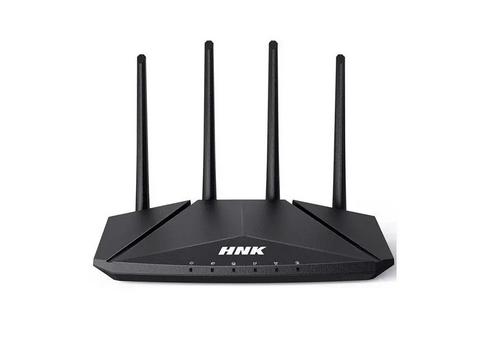
HNK RAX1810 Smart Wi-Fi Router User Manual

ioGiant MR1 4G LTE AC1200 Dual Band Wi-Fi Router User Guide