
vantiva MGA5331 Unveils FWA Modem and Wi-Fi Router User Manual


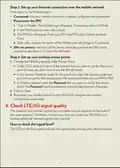


In addition, the existing 5G/4G LED on the back panel of your
MGA5331 displays the following connection statuses to the mobile
network:
Status
Description
Green
Connected to the 5G network with
optimal signal quality.
Orange
Red
Connected to the 4G network with
optimal signal quality.
Weak or non-existent signal (and is not
connected to another device via WAN
port).
Improving the signal quality
To improve signal quality, you can try the following:
•
•
•
Reorient the MGA5331 and check the front panel LED again.
Avoid placing the MGA5331 near any equipment that may cause interference.
Relocate the MGA5331 to another place in your home.
Copyright 2022 Technicolor. All rights reserved. All trade names
referenced are service marks, trademarks or registered trademarks
of their respective companies. Specifications subject to change
without notice.
**
xxxxxxx
. DMS3-QIG-25-740 v1.0.

| General | Details |
|---|---|
| Name | vantiva MGA5331 Unveils FWA Modem and Wi-Fi Router User Manual |
| Make | Vantiva |
| Language | English |
| Filetype | PDF (Download) |
| File size | 0.12 MB |
 (1 votes, average: 5.00 out of 5)
 Loading...
If you have any questions regarding vantiva MGA5331 Unveils FWA Modem and Wi-Fi Router User Manual, please ask here and describe the problem in detail.


GL TECHNOLOGIES GL-A1300 AC1300 Gigabit Wireless Router User Manual

TP-Link ER706W Omada AC1350 Gigabit VPN Router Installation Guide

ASUS BT8 Tri Band WiFi Router User Guide

Getic MikroTik CCR2004-16G-2S+PC Cloud Core Router User Manual

TP-Link TL-WR902AC Mbps Wireless Portable Mini Travel Router Owner’s Manual

motorola Cable Modem Plus N450 Router User Guide

GEWISS GW A9707 KNX/IP Router Installation Guide

xiaomi AX1500 Router User Manual

CNCU FC300 Easy Route CNC Router Instructions

Spectrum RAC2V1S WiFi 5 Wave 2 Router User Guide