
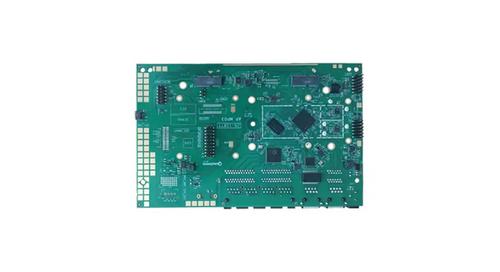
WALLYS DR6018-S High Power Radio AP Router User Manual


Wallys | User Manual | DR6018-S
DR6018-S UART configuration
2. Device connect
Step 1:Connect the cable to the DR6018-S
As the picture as above,the sequence of the signal in the
UART
Connector:GND,TX,RX,VCC, And we need use GND connect
black cable,TX connect to white cable,RX connect to
Green cable VCC don't use.
Step 2:Check the Com number on the PC
Connect the console board to the PC with USB connector,
Then check the com number on the PC,the com number on the
test PC is COM9
10

| General | Details |
|---|---|
| Name | WALLYS DR6018-S High Power Radio AP Router User Manual |
| Make | WALLYS |
| Language | English |
| Filetype | PDF (Download) |
| File size | 0.61 MB |
 (1 votes, average: 5.00 out of 5)
 Loading...
If you have any questions regarding WALLYS DR6018-S High Power Radio AP Router User Manual, please ask here and describe the problem in detail.
WALLYS DR5018 Router Board User Manual


RGBlink 202304030620516871 Bond 6 Bonding Network Router User Guide

ASUS RT-AX1800U Dual Band WiFi Router User Guide

TP-Link ER7212PC Omada 3-in-1 Gigabit VPN Router Owner’s Manual

TP-Link 7106511948 Outdoor Router Installation Guide

WAVLINK 575A3 Dual Band WiFi Extender Repeater Access Point Router Instruction Manual

TP-Link Archer AC1900 MU MIMO Wi-Fi Router Installation Guide

D-Link DSR-250V2 Unified Services Router Installation Guide

NETGEAR RBE971SB Quad Band WiFi 7 Mesh Router Instructions

JUNIPER SSR1300 Session Router User Guide

LINOVISION IOT-R32W Unlocked 4G LTE Router User Manual