
WolfPack HDTVHDMX0808 4K 8×8 HDMI Matrix Router User Manual


RS232 OUT Port (D‐SUB9F) Function Description
Pin
1
Function
--
RXD
TXD
--
2
3
4
5
GND
--
6
7
--
8
--
9
--
Steps:
1. Connect the Matrix Switcher to the PC through the RS232 cable.
2. Select the correct Serial Port in the Host Computer, and control the Matrix
Switcher by the Host Computer Software. Or integrate RS232 protocols
into your Central Control System.
3. Matrix Control Software
1
Communication
13

| General | Details |
|---|---|
| Name | WolfPack HDTVHDMX0808 4K 8×8 HDMI Matrix Router User Manual |
| Make | WOLFPACK |
| Language | English |
| Filetype | PDF (Download) |
| File size | 0.38 MB |
 (1 votes, average: 5.00 out of 5)
 Loading...
If you have any questions regarding WolfPack HDTVHDMX0808 4K 8×8 HDMI Matrix Router User Manual, please ask here and describe the problem in detail.


TP-Link Archer AX72 AX5400 Multi-Gigabit Wi-Fi 6 Router Installation Guide

inhand ER815NRQ3 Wlan Edge Router Installation Guide

UBIQUITI ER-X-SFP Edge Router User Guide
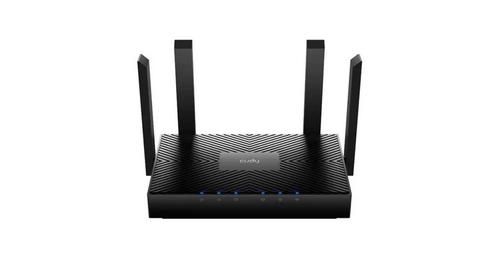
Cudy WR3000 AX3000 Wi-Fi 6 Mesh Router User Guide

Cudy WR3000E Gigabit Mesh WiFi 6 Router Installation Guide

MikroTik RBcAPGi-5acD2nD-XL Wireless Router User Guide

Tenda AX1800 Wi-Fi 6 5G NR Router User Manual

LANCOM SYSTEMS LANCOM 1790VAW Supervectoring Performance and WiFi Router User Guide

NETGEAR MR6450 5G Mobiler Router Instruction Manual

NETGEAR R7450 WiFi Router User Guide