
×
- 1. U30 Air (En Quick Start Guide → Dk Lynvejledning → Ee Kiirjuhend → Fi Pikaopas → Is Skyndileiðbeiningar → No Hurtigstartveiledning)
- 2. Getting Started With Your Device
- 3. Prepare A Valid Nano-sim Card. Please Open The Back Cover And View The Label To Get The Default Information.
- 4. Insert The Nano-sim Card And Battery (Open The Back Cover → Insert The Nano-sim Card Into The Slot)
- 5. Insert The Battery. (Put The Cover Back.)
- 6. Your Device
- 7. Access The Internet (Wi-fi: Get The Default Ssid And Password On The Label And Connect To The Wi-fi Network With Your Mobile Device, And Then Access The Internet.)
- 8. Usb Type-c Cable (Change Your Device Settings → Open The Back Cover And View The Label → Launch The Internet Browser → Input The Password And Log In → Management Web Page → Change Some Default Settings)
- 9. Indicator Lights And Interfaces
- 10. Wi-fi Key (Power Key → Nfc → Charging/usb → Reset Hole)
- 11. Troubleshooting (Recommended Action → Ensure That The Wi-fi Function Is Enabled. → Check The Ip Address, And Ensure That Your Client Can Automatically Obtain An Ip Address. → Enter The Correct Network Key (wi-fi Password) When You Connect The Client To Your Device. → Ensure That Your Nano-sim Card Is Available. → Check The Settings Of The Wan Connection Mode. → The Management Web Page Cannot Be Visited.)
- 12. Legal Information (Notice → Disclaimer → Trademarks)
- 13. To The User (Warning → Operating The Device May Interfere With Medical Instruments → Be Aware Of The Usage Limitation → Do Not Use Electronic Transmission Devices In Aircraft → Do Not Touch The Inner Antenna Area → Do Not Use The Device In An Enclosed Environment)
- 14. Keep The Device Out Of The Reach Of Small Children. The Device May Cause An Injury If Used As A Toy.
- 15. Battery Safety
- 16. Limited Warranty
- 17. Limitation Of Liability (Specific Absorption Rate (sar))
- 18. Specification (Frequency Bands Supported By The Product → Maximum Radio-frequency Power)
- 19. Ce Caution (Battery Caution → Usb Port → Proper Use → Disposal Of Your Old Appliance)
- 20. Eu Declaration Of Conformity (Compliance With Directive 2014/53/eu → Full Text Of The Eu Declaration Of Conformity → Device Is Restricted To Indoor Use Only)
- 21. Zte Corporation (No. 55, Hi-tech Road South, Shenzhen, P.r. China → Postcode: 518057)
- 22. Forbered Et Gyldigt Nano-sim-kort. Åbn Bagdækslet, Og Se Mærkatet I Batteriåbningen For At Få Standardoplysningerne.
- 23. Indsæt Nano-sim-kortet Og Batteriet (Åbn Bagdækslet → Indsæt Nano-sim-kortet I Porten)
- 24. Isæt Batteriet. (Sæt Dækslet På Plads Igen.)
- 25. Start (Bemærk)
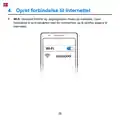
- 26. Opret Forbindelse Til Internettet (Wi-fi: Standard-ssid'et Og -adgangskoden Findes På Mærkatet. Opret Forbindelse Til Wi-fi-netværket Med Din Mobilenhed, Og Få Derefter Adgang Til Internettet.)
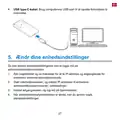
- 27. Ændr Dine Enhedsindstillinger (Åbn Bagdækslet Og Se Mærkatet For At Få Ip-adresse Og Adgangskode For Enhedens Administrationshjemmeside → Start Internetbrowseren, Og Indtast Ip-adressen Til Enhedens Administrationshjemmeside I Adresselinjen → Indtast Adgangskoden, Og Log Ind På Hjemmesiden → Når Administrationshjemmesiden Er Åbnet, Kan Du Ændre Nogle Standardindstillinger)
- 28. Indikatorlamper Og Grænseflader
- 29. Wi-fi-nøgle (Aktivér Nfc-funktionen → Opladning/usb → Reset-hullet → Batteriniveauindikator → Fejlmeddelelser → Strømsparetilstand)
- 30. Fejlfinding (Problem → Anbefalet Handling → Forbindelsen Mellem Din Enhed Og En Klient Via Wi-fi Kan Ikke Oprettes. → Den Klient, Der Er Forbundet Med Enheden, Kan Ikke Få Adgang Til Internettet. → Jeg Kan Ikke Komme Ind På Administrationshjemmesiden. → Få Mere Hjælp)
- 31. Installation (Setup → Configuration → User Manual → Specifications → Disclaimer → Copyright Information)
- 32. Advarsel Og Meddelelse (Til Brugeren → Betjening Af Enheden → Vær Opmærksom På Begrænsning Af Brug → Rør Ikke Ved Den Indvendige Antenne)
- 33. Opbevar Enheden Utilgængeligt For Børn (Brug Originalt Tilbehør Eller Andet Godkendt Tilbehør → Undgå At Bruge Enheden Tæt På Eller Inde I Metalliske Konstruktioner → Enheden Må Ikke Anvendes Umiddelbart Efter En Pludselig Temperaturændring → Kun Uddannet Personale Må Adskille Og Reparere Enheden → Tilslut Ikke Opladeren Ved Langvarig Brug Af Enheden → Brug Ikke Enheden Og Batteriet Ved Ikke-driftstemperatur)
- 34. Batterisikkerhed
- 35. Installation (Betjeningsanvisninger → Vedligeholdelse → Begrænset Garanti → Håndtering Af Batteri → Risici Ved Forkert Batterimodel → Kontakt Ved Skader)
- 36. Ansvarsbegrænsning (Specific Absorption Rate (sar))
- 37. Specifikation (Bemærk)
- 38. Ce-advarsel (Batteriadvarsel → Usb-port → Korrekt Brug → Bortskaffelse Af Din Gamle Enhed)
- 39. Eu-overensstemmelseserklæring (Overensstemmelse Med Direktiv 2014/53/eu → Indendørs Anvendelse)
- 40. Zte Corporation (No. 55, Hi-tech Road South, Shenzhen, Kina → Postnummer: 518057)
- 41. Ettevalmistamine (Kasutusvalmis Nano-sim-kaart → Vaiketeabe Jaoks Avage Tagakaas Ja Vaadake Silti)
- 42. Sisestage Nano-sim-kaart Ja Aku (Avage Tagakaas → Sisestage Nano-sim Kaart Pesasse)
- 43. Aku.
- 44. Käivitage Oma Seade (Seadme Sisselülitamiseks Vajutage Ja Hoidke Toitenuppu Umbes 3 Sekundit → Märkus: Kui Aku On Väga Tühi, Võib Juhtuda, Et Te Ei Saa Seadet Sisse Lülitada.)
- 45. Wi-fi: Vaadake Sildilt Vaikimisi Ssid-d Ja Parooli Ning Ühendage Oma Mobiilseade Wi-fi Võrku Ning Seejärel Saate Kasutada Internetti.
- 46. Usb-c-kaabel (Seadme Sätete Muutmine → Seadme Halduse Veebilehe Ip-aadress Ja Parool → Internetibrauseri Käivitamine → Parooli Sisestamine → Vaikesätete Muutmine)
- 47. Indikaatortuled Ja Liidesed
- 48. Wi-fi Võti (Seadme Sisse-/väljalülitamine → Nfc → Laadimine / Usb-c-pesa → Tehase Seaded Taastamine)
- 49. Veenduge, Et Wi-fi On Sisse Lülitatud. (Kontrollige Ip-aadressi Ja Veenduge, Et Klient On Konfigureeritud Hankima Ip-aadressi Automaatselt. → Sisestage Õige Aadress. Seadme Halduse Veebilehe Vaikimisi Ip-aadressi Leiate Seadme Sildilt. → Kontrollige Wan-ühendusrežiimi Sätteid. → Veenduge, Et Teie Nano-sim-kaart On Paigaldatud Ja Töötab. → Hankige Täiendavat Abi → Ärge Kasutage Mingisugust Puhverserverit.)
- 50. There Are No Relevant Subheadings In The Provided Html Code. The First Sentence Trimmed To 160 Characters Is: ('ühtegi Selle Dokumendi Osa Ei Tohi Tsiteerida, Reprodutseerida, Tõlkida Ega Kasutada Ühelgi Kujul Ega Mis Tahes Elektroonilisel Või Mehaanilisel Viisil (sealhulgas Fotokopeerimine Ja Mikrofilmimine) Ilma Zte Corporationi Eelneva Kirjaliku Loata.')
- 51. Hoiatus Ja Teatis (Kasutajale → Seadme Kasutamine → Pidage Meeles Kasutuspiiranguid → Ärge Puudutage Sisemise Antenni Ala → Ärge Kasutage Seadet Millessegi Suletult → Vajaduse Korral Lülitage Seade Välja)
- 52. Hoidke Seadet Väikelastele Kättesaamatus Kohas (Ärge Puudutage Töötava Seadme Metallosi → Kasutage Originaaltarvikuid Või Tootja Heakskiidetud Tarvikuid → Vältige Seadme Kasutamist Elektromagnetlaineid Kiirata Võivate Metallkonstruktsioonide Või Objektide Läheduses → Seade Ei Ole Veekindel → Seadet Võivad Koost Lahti Võtta Ja Parandada Ainult Kvalifitseeritud Töötajad → Ärge Ühendage Laadijat Seadme Pikaajalise Kasutamise Ajal)
- 53. Aku Ohutus (Vooluvõrku Ühendatavate Seadmete Paigaldamine → Soovitatav Töötemperatuur → Äärmuslikud Temperatuurid → Laadimise Ohutus → Aku Lühistamise Vältimine → Aku Pikaajaline Hoidmine)
- 54. Hoiatus! (Piiratud Garantii → Vältige Kokkupuudet Aku Sisuga, Kui Aku On Purunenud.)
- 55. Piiratud Vastutus (Spetsiifiline Neeldumismäär (sar))
- 56. Tehnilised Andmed (Ce-hoiatus → Akuhoiatus → Usb-port)
- 57. Nõuetekohane Kasutamine (Vana Seadme Kõrvaldamine)
- 58. El-i Vastavusdeklaratsioon (Seadme Kasutamine On Lubatud Ainult Siseruumides)
- 59. Zte Corporation (No. 55, Hi-tech Road South, Shenzhen, Hiina Rv → Sihtnumber: 518057)
- 60. Valmistelu (Voimassa Oleva Nano-sim-kortti. → Avaa Takakansi Ja Katso Tarra Saadaksesi Oletustiedot.)
- 61. Aseta Nano-sim-kortti Ja Akku Paikoilleen (Avaa Takakansi → Aseta Nano-sim-kortti Korttipaikkaan)
- 62. Asennaakku (Asetakansi Takaisin Paikalleen)
- 63. Käynnistä Laitteesi (Internet-yhteyden Muodostaminen → Akkuvarauksen Tarkistaminen)
- 64. Aloita (Internetin Käyttö → Wi-fi)
- 65. Usb Type-c -kaapeli (Laitteen Asetusten Muuttaminen → Oletuslaitehallinnan Verkkosivuston Ip-osoite Ja Salasana → Internet-selaimen Käyttö Laitehallintaan → Salasanan Syöttäminen Ja Kirjautuminen → Oletusasetusten Muuttaminen)
- 66. Merkkivalot Ja Rajapinnat
- 67. Wi-fi-näppäin (Virtanäppäin → Nfc → Lataus / Usb → C-tyypin Liitäntä → Nollausreiän Löytää Avaamalla Takakannen → Akku Ja Merkkivalot)
- 68. Varmista, Että Wi-fi-toiminto On Käytössä. (Päivitä Verkkoluettelo Ja Valitse Oikea Ssid-tunnus. → Tarkista Ip-osoite Ja Varmista, Että Asiakaslaitteella Voi Hakea Ip-osoitteen Automaattisesti. → Anna Oikea Verkkoavain (wi-fi-salasana), Kun Yhdistät Asiakaslaitteen Tähän Laitteeseen. → Varmista, Että Nano-sim-kortti On Käytettävissä. → Tarkista Wan-yhteystilan Asetukset. → Ota Yhteyttä Palveluntarjoajaasi Ja Varmista Apn-asetukset.)
- 69. Ilmoitus (Vastuuvapauslauseke → Tavaramerkit)
- 70. Varoitusjahuomautus (Käyttäjälle → Noudata Käyttörajoituksia → Älä Käytä Elektronisia Lähetinlaitteita → Älä Kosketa Sisäisen Antennin Aluetta → Älä Käytä Laitetta Suljetussa Ympäristössä)
- 71. Pidä Laite Pienten Lasten Ulottumattomissa. Laite Saattaa Aiheuttaa Vamman, Jos Sitä Käytetään Leluna.
- 72. Akun Turvallisuus
- 73. Akkujen Käsittely (Rajoitettu Takuu → Varoitus Akkuvaurioista → Akkujen Kierrätys → Asennus- Ja Huolto-ohjeet)
- 74. Kolmansien Osapuolten Tuotteiden Käyttö (Tuotteen Normaalista Käytöstä Poikkeava Käyttö → Takuu Ja Oikeussuojakeino → Vastuunrajoitus)
- 75. Ominaisabsorptionopeus (sar) (Tekniset Tiedot)
- 76. Ce-varoitus (Akkuvaroitus → Usb-portti → Oikea Käyttö → Vanhan Laitteen Hävittäminen)
- 77. Eu-vaatimustenmukaisuusvakuutus (Laite On Rajoitettu Vain Sisäkäyttöön, Kun Sitä Käytetään 5 1505 350 Mhz:n Taajuusalueella.)
- 78. Zte Corporation (No. 55, Hi-tech Road South, Shenzhen, P.r. China)
- 79. Undirbúðu (Gilt Nano-sim Kort → Vinsamlegast Opnaðu Hlífina Á Bakhliðinni Og Skoðaðu Miðann Til Að Fá Sjálfgefnar Upplýsingar)
- 80. Settu Nano-sim-kortið Og Rafhlöðuna Í (Opnaðu Hlífina Á Bakhliðinni. → Settu Nano-sim-kortið Inn Í Kortaraufina.)
- 81. Settu Rafhlöðuna Inn. (Settu Hlífina Aftur Á.)
- 82. Ræstu Tækið Þitt (Haltu Rofanum Inni Í Um 3 Sekúndur Til Að Kveikja Á Tækinu → Tækið Sjálfkrafa Tengjast Internetinu → Ef Rafhleðslan Er Mjög Lág Getur Verið Að Þú Getir Ekki Kveikt Á Tækinu → Hlaða Tækið Fyrst)
- 83. Aðgangur Að Internetinu (Þráðlaust Net)
- 84. Usb Tegund-c Kapall (Breyttu Stillingum Tækisins Þíns → Skoðaðu Merkimiðann Á Tækinu Þínu → Ræstu Netvafrann → Sláðu Inn Ip-tölu Vefsíðustjórnanda → Sláðu Inn Lykilorðið → Eftir Að Uppsetningarvefsíðan Hefur Verið Opnuð)
- 85. Gaumljós Og Notendaviðmót
- 86. Þráðlaus Netlykill (Aflhnappur → Nfc → Hleðsla/usb → Reset Gatið)
- 87. Gakktu Úr Skugga Um Að Þráðlausa Nettengingin Sé Virkjuð (Gakktu Úr Skugga Um Að Nano-sim-kortið Þitt Sé Tiltækt → Athugaðu Stillingar Wan-tengingarhamsins → Hafðu Samband Við Þjónustuveituna Þína Og Staðfestu Apn Stillingarnar Þínar → Sláðu Inn Rétta Ip-tölu → Notaðu Aðeins Eitt Net Millistykki Í Tölvunni Þinni → Fáðu Meiri Hjálp)
- 88. There Are No Relevant Subheadings In The Provided Html Code.
- 89. Viðvörunogtilkynning (Tilnotandans → Notkunartakmarkanir → Ekki Snerta Innra Loftnetssvæðið → Ekki Nota Tækið Í Lokuðu Umhverfi)
- 90. Geymdu Tækið Á Skyggðum Og Köldum Stað (Forðastu Að Nota Tækið Nálægt Málmbyggingum → Ekki Nota Tækið Strax Eftir Skyndilegar Hitabreytingar → Aðeins Hæft Starfsfólk Má Taka Tækið Í Sundur → Mælt Er Með Rakastigi Á Bilinu 5% Til 95% → Ekki Tengja Hleðslutækið Á Meðan Verið Er Að Nota Tækið → Höndlaðu Tækið Með Varúð)
- 91. Rafhlöðuöryggi (Notkun Rafhlöðu → Ráðlagður Vinnsluhiti → Haltu Tækinu Og Rafhlöðunni Frá Miklum Hita → Vinsamlegast Aftengdu Hleðslutækið → Ekki Valda Skammhlaupi Rafhlöðunnar → Ekki Henda Rafhlöðunni Inn Í Opinn Eld)
- 92. Rafhlaðan Og Geymsla (Skil Á Notuðum Rafhlöðum → Hætta Á Sprengingu → Viðvörun → Takmörkuð Ábyrgð)
- 93. Takmörkun Ábyrgðar (Sérstakur Ísogshraði (specific Absorption Rate - Sar))
- 94. Tæknilýsing (Ath)
- 95. Varúð Ce (Rafhlöðuvarúð → Usb-tengi → Rétt Notkun → Förgun Gamalla Heimilistækja)
- 96. Esb Samræmisyfirlýsing (Notkun Tækis Takmarkast Við Notkun Innandyra Þegar Það Er Notað Á 5150 Til 5350 Mhz Tíðnisviðinu.)
- 97. Zte Corporation (No. 55, Hi-tech Road South, Shenzhen, Pr China → Póstnúmer: 518057)
- 98. Pasiruoškite Tinkama Nano-sim' Kortelė. Atidarykite Galinį Dangtelį Ir Peržiūrėkite Etiketę, Kad Sužinotumėte Reikiamą Informaciją.
- 99. Įdėkite Nano-sim' Kortelę Ir Akumuliatorių (Atidarykite Galinį Dangtelį. → Nano-sim' Kortelę Įdėkite Į Lizdą.)
- 100. Įdėkiteakumuliatorių. (Uždėkitedangtelį.)
- 101. Įjunkiteįrenginį (Pastaba)
- 102. Prisijunkite Prie Interneto (Wi-fi':)
- 103. C Tipo Usb Kabelis: Prisijunkite Prie Interneto Kompiuteriu Per Usb Prievadą. (Pakeiskite Įrenginio Nuostatas → Įrenginio Nustatymus Galite Keisti Prisijungę Prie Valdymo Puslapio. → Atidarykite Galinį Dangtelį Ir Peržiūrėkite Etiketę, Kurioje Nurodytas Numatytasis Įrenginio Valdymo Puslapio Ip Adresas Ir Slaptažodis. → Atidarykite Internetinę Naršyklę Ir Adreso Juostoje Įveskite Įrenginio Valdymo Puslapio Ip Adresą. → Įveskite Slaptažodį Ir Prisijunkite Prie Puslapio. → Atidarę Valdymo Puslapį, Galite Pakeisti Kai Kuriuos Numatytuosius Nustatymus.)
- 104. Indikatorių Lemputės Ir Sąsajos
- 105. Įjungimo Mygtukas (Nfc → Įkrovimas / C Tipo Usb Lizdas → Atkūrimo Mygtuko Anga → Wi-fi Raktas → Akumuliatoriaus Įkrovos Lygis → Įrenginio Registracija)
- 106. Trikčių Šalinimas (Problema → Rekomenduojamas Veiksmas → Nepavyksta Užmegzti Ryšio → Prie Įrenginio Prijungtam Klientui Nepavyksta Prisijungti Prie Interneto → Nepavyksta Patekti Į Valdymo Puslapį → Gaukite Daugiau Pagalbos)
- 107. Pranešimas (Atsakomybės Neprisiėmimas → Prekių Ženklai)
- 108. Įspėjimas Ir Pranešimas (Naudotojui → Naudojamas Įrenginys Gali Trikdyti Medicininius Prietaisus → Atminkite, Kad Įrenginio Naudojimas Yra Ribojamas → Nelieskite Vidinės Antenos → Nenaudokite Įrenginio Uždaroje Aplinkoje)
- 109. Laikykite Įrenginį Mažiems Vaikams Nepasiekiamoje Vietoje. Jie Gali Susižeisti, Jei Naudos Įrenginį Kaip Žaislą. (Naudokite Originalius Arba Patvirtintus Priedus. → Venkite Naudoti Įrenginį Arti Metalinių Konstrukcijų Ar Objektų. → Įrenginys Nėra Atsparus Vandeniui. → Įrenginį Ardyti Ir Remontuoti Gali Tik Kvalifikuotas Personalas. → Rekomenduojamas Drėgmės Diapazonas: Nuo 5 % Iki 95 %. → Neprijunkite Įkroviklio Naudodami Įrenginį Ilgą Laiką.)
- 110. Akumuliatoriaus Sauga (Rekomenduojama Darbinė Temperatūra → Nelaikykite Įrenginio Ar Akumuliatoriaus Arti Šildymo Įrangos → Kai Akumuliatorius Yra Visiškai Įkrautas, Atjunkite Įkroviklį → Nemeskite Akumuliatoriaus Į Ugnį)
- 111. Ribotoji Garantija (Įspėjimas → Naudojant Netinkamą Akumuliatoriaus Modelį Kyla Sprogimo Pavojus → Grąžinkite Susidėvėjusį Akumuliatorių Tiekėjui → Jei Akumuliatorius Sugadintas Arba Matomi Išsipūtimo Ar Nuotėkio Požymiai → Jei Akumuliatorius Bus Ilgą Laiką Nenaudojamas, Įkraukite Jį Iki Maždaug Pusės Talpos → Jei Jis Užterštų Odą, Nedelsdami Nuplaukite Dideliu Kiekiu Vandens)
- 112. Galutiniai Naudotojai Neturi Teisės Atsisakyti Ar Grąžinti Gaminio Arba Atgauti Pinigų Už Gaminį Iš Zte' Pirmiau Minėtomis Aplinkybėmis.
- 113. Specifikacijos (Pastaba)
- 114. Įspėjimas Dėl Akumuliatoriaus (Sprogimo Rizika, Jei Akumuliatorius Pakeičiamas Kitu, Netinkamo Tipo Akumuliatoriumi. → Tinkamas Naudojimas → Seno Įrenginio Utilizavimas)
- 115. Es Atitikties Deklaracija (Įrenginys Gali Būti Naudojamas Tik Patalpose Ir Tik Tada, Kai Jis Veikia Nuo 5150 Iki 5350 Mhz Dažnių Diapazone.)
- 116.
- 117. Sagatavošanās (Atveriet Aizmugurējo Vāku Un Skatiet Etiķeti, Lai Iegūtu Noklusējuma Informāciju.)
- 118. Nano-sim Ievietošana
- 119. Ievietojietakumulatoru. (Uzliecietvākuatpakaļ.)
- 120. Ierīces Palaišana (Piezīme)
- 121. Piekļuve Internetam (Wi-fi)
- 122. Ierīces Iestatījumu Mainīšana (Ierīces Pārvaldnieka Tīmekļvietnes Ip Adreses Un Paroles Iegūšana → Interneta Pārlūkprogrammas Palaišana → Pieslēgšanās Tīmekļa Lapā → Noklusējuma Iestatījumu Maiņa)
- 123. Indikatoru Gaismas Un Saskarnes
- 124. Wi-fi Taustiņš (Ieslēgšanas Taustiņš → Nfc → Uzlādes/usb → Type-c Ligzda → Reset Atvere)
- 125. Problēmu Novēršana (Ieteicamā Darbība → Pārliecinieties, Ka Wi-fi Funkcija Ir Iespējota → Pārbaudiet Ip Adresi Un Pārliecinieties, Ka Jūsu Klients Var Automātiski Iegūt Ip Adresi → Pārbaudiet Wan Savienojuma Režīma Iestatījumus → Sazinieties Ar Pakalpojumu Sniedzēju Un Apstipriniet Savus Apn Iestatījumus → Papildu Palīdzības Saņemšana)
- 126. There Are No Relevant Subheadings In The Provided Html Code. Therefore, I Will Take The First Sentence From The Page Code And Trim It To 160… ('autortiesības 2024 Zte Corporation. Visas Tiesības Aizsargātas. Nevienu Šīs Publikācijas Daļu Nedrīkst Citēt, Reproducēt, Tulkot Vai Izmantot Nekādā Veidā Un Ne Ar Kādiem Līdzekļiem...')
- 127. Brīdinājums Un Paziņojums (Ierīces Lietošana → Lietošanas Ierobežojumi → Nepieskarieties Iekšējās Antenas Zonai → Nelietojiet Ierīci Slēgtā Vidē)
- 128. Glabājiet Ierīci Maziem Bērniem Nepieejamā Vietā (Ierīces Darbības Laikā Nepieskarieties Metāla Daļām → Izmantojiet Oriģinālos Vai Apstiprinātos Piederumus → Nelietojiet Ierīci Metāla Konstrukciju Vai Iestāžu Tuvumā → Ierīce Nav Ūdensnecaurlaidīga → Ierīci Drīkst Izjaukt Un Remontēt Tikai Kvalificēts Personāls → Ilgstoši Lietojot Ierīci, Nepievienojiet Lādētāju Un Neizmantojiet Ierīci)
- 129. Akumulatora Drošība (Ieteicamā Darba Temperatūra → Uzstādīšana Un Piekļuve Kontaktligzdai → Drošības Norādījumi Attiecībā Uz Apkuri → Pārmērīga Karstuma Ietekme → Akumulatora Uzlādes Ieteikumi → Akumulatora Rīcība Avārijas Gadījumā)
- 130. Akumulatora Uzglabāšana (Akumulatora Nomaiņa → Brīdinājums → Ierobežota Garantija)
- 131. Elektroenerģijas Padeves Pārtraukumi (Trešās Personas Produktu Lietošana → Jebkurš Cits Iemesls, Kas Neatbilst Produktam Paredzētajam Parastajam Lietojumam → Atbildības Ierobežošana → Specifiskais Absorbcijas Koefiicients (sar))
- 132. Specifikācija
- 133. Usb Pieslēgvieta (Atbilstīga Lietošana → Jūsu Vecās Iekārtas Utilizācija)
- 134. Esatbilstībasdeklarācija (U30airtiparadioiekārtaatbilstdirektīvai2014/53/es → Ierīcivarizmantottikaiiekštelpās)
- 135. Zte Corporation (No. 55, Hi-tech Road South, Shenzhen, Ķīnas → T A Utas Republika → Pasta Indekss: 518057)
- 136. Forberedelse (Et Gyldig Nano-sim-kort. → Åpne Bakdekselet Og Se Etiketten I Batterisporet For Å Få Informasjon.)
- 137. Settinnnano-sim-kortetogbatteriet (Åpnebakdekselet → Settinnnano-sim-kortetinnisporet)
- 138. Sett Inn Batteriet. (Sett Dekselet Tilbake På Plass.)
- 139. Starte Enheten
- 140. Koble Til Internett (Wi-fi: Finn Standard Ssid Og Passord På Etiketten Og Koble Til Wi-fi-nettverket Med Mobilenheten Din, Og Få Deretter Tilgang Til Internett.)
- 141. Usb Type-c-kabel (Endre Enhetsinnstillingene → Åpne Bakdekselet → Device Manager-nettstedets Standard Ip-adresse → Skriv Ip-adressen Til Device Manager-nettstedet → Skriv Inn Passordet → Endre Noen Standardinnstillinger)
- 142. Indikatorlamper Og Grensesnitt
- 143. Wi-fi-nøkkel (Av/på-tast → Nfc → Lade-/usb Type-c-kontakt → Reset-hullet)
- 144. Feilsøking (Problem → Anbefalt Tiltak → Tilkoblingen Mellom Enheten → Og En Klient Via Wi-fi → Nettverket Kan Ikke Opprettes → Klienten Som Er Koblet Til → Enheten, Får Ikke Tilgang Til → Internett.)
- 145.
- 146. Advarsel Og Merknad (Til Brukeren → Bruk Av Enheten Kan Forstyrre Medisinske Instrumenter → Vær Oppmerksom På Bruksbegrensningene → Ikke Berør Området Med Den Indre Antennen → Ikke Bruk Enheten I Et Lukket Miljø)
- 147. Sørg For At Enheten Er Utilgjengelig For Små Barn. (Bruk Originale Tilbehør Eller Tilbehør Som Er Godkjent. → Unngå Å Bruke Enheten I Nærheten Av Eller Inne I Metalliske Konstruksjoner. → Enheten Er Ikke Vanntett. → Bare Kvalifisert Personell Kan Demontere Og Reparere Enheten. → Laderen Må Ikke Kobles Til Mens Apparatet Brukes Over En Lengre Periode. → En Luftfuktighet Mellom 5 % Og 95 % Anbefales.)
- 148. Batterisikkerhet (Anbefalt Driftstemperatur → Koble Fra Laderen Når Batteriet Er Fulladet → Ikke Kortslutt Batteriet → Ikke Kast Batteriet I En Brann → Ikke Demonter, Klem Eller Punkter Batteriet → Hold Enheten Og Batteriet Unna Overdreven Varme Og Direkte Sollys)
- 149. Advarsel (Begrenset Garanti)
- 150. Begrensning Av Ansvar (Spesifikk Absorpsjonsrate (sar))
- 151. Spesifikasjoner (Merk)
- 152. Ce-advarsel (Batteriadvarsel → Usb-port → Riktig Bruk → Avhending Av Gamle Apparater)
- 153. Eu-samsvarserklæring (Zte Corporation Erklærer Herved At Radioutstyret Av Typen U30 Air Er I Samsvar Med Eu-direktiv 2014/53/eu. → Enheten Kan Bare Brukes Innendørs Når Den Brukes I Frekvensområdet 51505350 Mhz.)
- 154. Zte Corporation (Nr. 55, Hi-tech Road South, Shenzhen, Kina → Postnummer: 518057)
- 155. Förbered Ett Giltigt Nano-sim-kort. Öppna Det Bakre Höljet Och Se Etiketten För Standardinformationen.
- 156. Sätt I Nano-sim-kortet Och Batteriet (Öppna Det Bakre Höljet → För In Nano-sim-kortet I Kortplatsen)
- 157. Sätt I Batteriet. (Sätt Tillbaka Höljet.)
- 158. Starta Enheten (Anslutning Till Internet → Obs!)
- 159. Anslut Till Internet (Wi-fi: Använd Enhetens Standard-ssid Och Lösenord Som Anges På Etiketten För Att Ansluta Till Wi-fi-nätverket Med Din Mobila Enhet Och Anslut Sedan Till Internet.)
- 160. Ändra Enhetsinställningarna (Öppna Det Bakre Höljet → Ange Ip-adressen → Ange Lösenordet → Logga In På Webbsidan → Ändra Vissa Standardinställningar)
- 161. Indikatorlampor Och Gränssnitt
- 162. Wi-fi-nyckel (Strömknapp → Nfc → Kontakt För Laddning/usb-c → Återställning Av Enheten Till Fabriksinställningarna → Batterinivåindikatorer → Wi-fi-nätverksstatus)
- 163. Felsökning (Problem → Rekommenderad Åtgärd → Det Går Inte Att Ansluta Din Enhet Till En Klient Via Wi-fi → Den Klient Som Är Ansluten Till Enheten Kan Inte Få Åtkomst Till Internet → Jag Kan Inte Besöka Webbsidan För Hantering → Få Mer Hjälp)
- 164. Copyright 2024 Zte Corporation. Ingen Del Av Denna Publikation Får Citeras, Reproduceras, Översättas Eller Användas I Någon Form Eller På Nå…
- 165. Viktig Information (Till Användaren → Bruk Av Enheten → Använd Enheten Omdömesgillt → Vidrör Antennen Invändigt Endast Om Du Verkligen Behöver)
- 166. Installation Och Användning (Säkerhetsåtgärder → Användning Av Tillbehör → Miljökrav → Underhåll Och Hantering → Laddning Av Batteri → Fackmannamässig Reparation)
- 167. Batterisäkerhet (Rekommenderade Driftstemperaturer → För Utrustning Med Kontakt → Placera Eller Använd Inte Enheten I Eller Nära Värmeutrustning → Koppla Loss Laddaren När Batteriet Är Fulladdat → Kortslut Inte Batteriet → Kasta Inte Batteriet I Eld)
- 168. Installation (Drift → Underhåll → Begränsad Garanti → Batterihantering → Risker Och Säkerhet → Återvinning Av Batterier)
- 169. Användning Av Produkter Från Tredje Part (Övrig Användning Som Inte Är Avsedd För Produkten → Ansvarsbegränsning → Sar (specific Absorption Rate, Specifik Absorptionsnivå))
- 170. Specifikationer (Obs)
- 171. Ce-märkning (Batterivarning → Usb-port → Korrekt Användning → Kassering Av Gammal Enhet)
- 172. Eu-försäkran Om Överensstämmelse (Radioutrustningstypen U30 Air Uppfyller → Internetadress: Https://certification.ztedevices.com → Inomhusbruk Vid Användning I Frekvensbandet 5)
- 173. Zte Corporation (No. 55, Hi-tech Road South, Shenzhen, Kina → Postnummer: 518057)
- 174. Подготовка (Действующая Карта Nano-sim → Откройте Заднюю Крышку И Посмотрите На Этикетку, Чтобы Изучить Информацию О Стандартах.)
- 175. Установка Карты Nano-sim И Аккумулятора
- 176. Вставьтеаккумулятор. (Установитекрышкунаместо.)
- 177. Запуск Устройства (Подключение К Интернету → Зарядка Устройства)
- 178. Доступ В Интернет (Wi-fi: Найдите Ssid И Пароль По Умолчанию На Этикетке И Подключите Ваше Мобильное Устройство К Сети Wi-fi)
- 179. Кабельusbtype-c:подключитеськкомпьютеручерезпортusb,азатемвойдитевинтернет. (Настройкаустройства → Откройтезаднююкрышкуипосмотритенаэтикетку,чтобыузнатьip-адресипарольвеб-сайтадиспетчераустройствпомолчанию. → Запуститеинтернет-браузеривведитеip-адресвеб-сайтадиспетчераустройстввадреснойстроке. → Введитепарольивойдитенавеб-страницу. → Послеоткрытиявеб-страницыуправлениявыможетеизменитьнекоторыепараметрыпомолчанию.)
- 180. Световые Индикаторы И Интерфейсы
- 181. Кнопка Wi-fi (Кнопка Питания → Nfc → Разъем Usb Type-c → Сброс Устройства)
- 182. Поиск И Устранение Неисправностей (Проблема → Рекомендуемое Действие → Не Удается Установить Соединение Между Устройством И Клиентом Через Wi-fi. → Клиент Подключился К Устройству, Но Доступ В Интернет Отсутствует. → Веб-страницу Управления Невозможно Посетить. → Получение Дополнительной Помощи)
- 183. Запрещается Цитировать, Воспроизводить, Переводить Или Использовать Любую Часть Данной Публикации В Любой Форме И С Применением Любых Средст…
- 184. Предупреждение И Уведомление (Пользователю → Помните Об Ограничении Использования При Эксплуатации Устройства)
- 185. Не Используйте Устройство В Закрытом Помещении Или В Условиях Недостаточного Рассеивания Тепла. Длительная Работа В Таком Помещении Может Пр…
- 186. Перебои В Подаче Электроэнергии (Использование Продуктов Сторонних Производителей → Любая Другая Причина, Выходящая За Рамки Нормального Использования Изделия)
- 187. Предупреждение Ce (Предупреждениеобаккуляторе → Надлежащее Применение)
- 188. Декларация Соответствия Требованиям Евросоюза (Полный Текст Декларации О Соответствии Нормативным Требованиям Ес → При Работе В Диапазоне Частот От 5150 До 5350 Мгц Устройство Следует Использовать Только В Помещении.)
×
ZTE U30 Air 5g Portable WiFi Mobile WiFi Router User Guide




Press and hold for about 3 seconds to switch between the 2.4 GHz
and 5 GHz Wi-Fi network.
1
2
Wi-Fi key
Power key
Press and hold for about 3 seconds to power on/off your device.
Activate the NFC function on your Android mobile phone, put your
phone here and then connect to the Wi-Fi network without entering
the password.
3
4
5
NFC
Red solid: The battery level is low.
Blue solid: The battery level is medium.
White solid: The battery level is high or full.
Blinking: The battery is being charged.
Light off: Your device is powered off and not being charged.
White solid: 5 GHz Wi-Fi is active.
Blue solid: 2.4 GHz Wi-Fi is active.
Light off: Wi-Fi is off or the device is powered off.
Red solid: The device is in error status.
y
y
y
The device is not registered to the mobile network.
There is no nano-SIM card inserted.
There is no network service available.
6
7
Blue solid: The device is connected to the 4G/3G mobile network.
White solid: The device is connected to the 5G network.
White blinking: The software is being upgraded.
Light off: The device is powered off.
Charging/USB
Type-C jack
Charge the device or connect to the USB port of a computer.
* After the device has not been operated for about 15 seconds, the indicator
lights turn off and it’s in power-saving mode. You can press any key to turn on the
indicator lights.
*Open the back cover and you can find the RESET hole. Press to restore your
device to the factory settings.
9

| General | Details |
|---|---|
| Name | ZTE U30 Air 5g Portable WiFi Mobile WiFi Router User Guide |
| Make | ZTE |
| Language | English |
| Filetype | PDF (Download) |
| File size | 0.66 MB |
 (1 votes, average: 5.00 out of 5)
 Loading...
If you have any questions regarding ZTE U30 Air 5g Portable WiFi Mobile WiFi Router User Guide, please ask here and describe the problem in detail.

ZTE MF937 4G Mobile WiFi Router User Guide

ZTE E3330 WiFi 6 Wireless Router User Manual

ZTE MF920U 4G LTE Wireless Router User Guide

ZTE MC801A 5G WiFi CPE Router User Manual

ZTE E1320 WiFi 6 Wireless Router User Manual

ZTE MF296C WiFi Router User Manual

ZTE MF920U 4G MiFi Modem Router User Guide

ZTE MC888 Pro 5G CPE Router User Guide

ZTE MC888 Ultra 5G Router Instruction Manual


HUAWEI 5G CPE Pro 2 WiFi 6 Router User Guide

MERCUSYS MB230-4G Wireless 4G LTE Router Installation Guide

bond6 RGB Link Network Bonding Router User Manual

LUTRON L-BDG2 Bridge WiFi Router User Guide

TP-Link Archer AXE300 Quad-Band Wi-Fi 6E Router Installation Guide

Tenda N300 Wi-Fi 4G LTE Router User Guide

xiaomi AX3000 Whole Home Mesh Wi-Fi Router Instruction Manual

airlive XG-XGS OLT MESH Router User Guide

CP PLUS DN211-S Dual-Band 4G Router Installation Guide

motorola Q14 Mesh WiFi 6E Router User Guide
Table of Contents
- 1. U30 Air - En Quick Start Guide →
- 2. Getting Started With Your Device →
- 3. Prepare A Valid Nano-sim Card. Please Open The Back Cover An... →
- 4. Insert The Nano-sim Card And Battery - Open The Back Cover →
- 5. Insert The Battery. - Put The Cover Back. →
- 6. Your Device →
- 7. Access The Internet - Wi-fi: Get The Default Ssid And Passwo... →
- 8. Usb Type-c Cable - Change Your Device Settings →
- 9. Indicator Lights And Interfaces →
- 10. Wi-fi Key - Power Key →
- 11. Troubleshooting - Recommended Action →
- 12. Legal Information - Notice →
- 13. To The User - Warning →
- 14. Keep The Device Out Of The Reach Of Small Children. The Devi... →
- 15. Battery Safety →
- 16. Limited Warranty →
- 17. Limitation Of Liability - Specific Absorption Rate (sar) →
- 18. Specification - Frequency Bands Supported By The Product →
- 19. Ce Caution - Battery Caution →
- 20. Eu Declaration Of Conformity - Compliance With Directive 201... →
- 21. Zte Corporation - No. 55, Hi-tech Road South, Shenzhen, P.r.... →
- 22. Forbered Et Gyldigt Nano-sim-kort. Åbn Bagdækslet, Og Se Mær... →
- 23. Indsæt Nano-sim-kortet Og Batteriet - Åbn Bagdækslet →
- 24. Isæt Batteriet. - Sæt Dækslet På Plads Igen. →
- 25. Start - Bemærk →
- 26. Opret Forbindelse Til Internettet - Wi-fi: Standard-ssid'et O... →
- 27. Ændr Dine Enhedsindstillinger - Åbn Bagdækslet Og Se Mærkate... →
- 28. Indikatorlamper Og Grænseflader →
- 29. Wi-fi-nøgle - Aktivér Nfc-funktionen →
- 30. Fejlfinding - Problem →
- 31. Installation - Setup →
- 32. Advarsel Og Meddelelse - Til Brugeren →
- 33. Opbevar Enheden Utilgængeligt For Børn - Brug Originalt Tilb... →
- 34. Batterisikkerhed →
- 35. Installation - Betjeningsanvisninge... →
- 36. Ansvarsbegrænsning - Specific Absorption Rate (sar) →
- 37. Specifikation - Bemærk →
- 38. Ce-advarsel - Batteriadvarsel →
- 39. Eu-overensstemmelseserklæring - Overensstemmelse Med Direkti... →
- 40. Zte Corporation - No. 55, Hi-tech Road South, Shenzhen, Kina →
- 41. Ettevalmistamine - Kasutusvalmis Nano-sim-kaart →
- 42. Sisestage Nano-sim-kaart Ja Aku - Avage Tagakaas →
- 43. Aku. →
- 44. Käivitage Oma Seade - Seadme Sisselülitamiseks Vajutage Ja H... →
- 45. Wi-fi: Vaadake Sildilt Vaikimisi Ssid-d Ja Parooli Ning Ühen... →
- 46. Usb-c-kaabel - Seadme Sätete Muutmine →
- 47. Indikaatortuled Ja Liidesed →
- 48. Wi-fi Võti - Seadme Sisse-/väljalülitami... →
- 49. Veenduge, Et Wi-fi On Sisse Lülitatud. - Kontrollige Ip-aadr... →
- 50. There Are No Relevant Subheadings In The Provided Html Code.... →
- 51. Hoiatus Ja Teatis - Kasutajale →
- 52. Hoidke Seadet Väikelastele Kättesaamatus Kohas - Ärge Puudut... →
- 53. Aku Ohutus - Vooluvõrku Ühendatavate Seadmete Paigaldamine →
- 54. Hoiatus! - Piiratud Garantii →
- 55. Piiratud Vastutus - Spetsiifiline Neeldumismäär (sar) →
- 56. Tehnilised Andmed - Ce-hoiatus →
- 57. Nõuetekohane Kasutamine - Vana Seadme Kõrvaldamine →
- 58. El-i Vastavusdeklaratsioon - Seadme Kasutamine On Lubatud Ai... →
- 59. Zte Corporation - No. 55, Hi-tech Road South, Shenzhen, Hiin... →
- 60. Valmistelu - Voimassa Oleva Nano-sim-kortti. →
- 61. Aseta Nano-sim-kortti Ja Akku Paikoilleen - Avaa Takakansi →
- 62. Asennaakku - Asetakansi Takaisin Paikalleen →
- 63. Käynnistä Laitteesi - Internet-yhteyden Muodostaminen →
- 64. Aloita - Internetin Käyttö →
- 65. Usb Type-c -kaapeli - Laitteen Asetusten Muuttaminen →
- 66. Merkkivalot Ja Rajapinnat →
- 67. Wi-fi-näppäin - Virtanäppäin →
- 68. Varmista, Että Wi-fi-toiminto On Käytössä. - Päivitä Verkkol... →
- 69. Ilmoitus - Vastuuvapauslauseke →
- 70. Varoitusjahuomautus - Käyttäjälle →
- 71. Pidä Laite Pienten Lasten Ulottumattomissa. Laite Saattaa Ai... →
- 72. Akun Turvallisuus →
- 73. Akkujen Käsittely - Rajoitettu Takuu →
- 74. Kolmansien Osapuolten Tuotteiden Käyttö - Tuotteen Normaalis... →
- 75. Ominaisabsorptionope... (sar) - Tekniset Tiedot →
- 76. Ce-varoitus - Akkuvaroitus →
- 77. Eu-vaatimustenmukaisuusvakuutus - Laite On Rajoitettu Vain S... →
- 78. Zte Corporation - No. 55, Hi-tech Road South, Shenzhen, P.r.... →
- 79. Undirbúðu - Gilt Nano-sim Kort →
- 80. Settu Nano-sim-kortið Og Rafhlöðuna Í - Opnaðu Hlífina Á Bakh... →
- 81. Settu Rafhlöðuna Inn. - Settu Hlífina Aftur Á. →
- 82. Ræstu Tækið Þitt - Haltu Rofanum Inni Í Um 3 Sekúndur Til Að... →
- 83. Aðgangur Að Internetinu - Þráðlaust Net →
- 84. Usb Tegund-c Kapall - Breyttu Stillingum Tækisins Þíns →
- 85. Gaumljós Og Notendaviðmót →
- 86. Þráðlaus Netlykill - Aflhnappur →
- 87. Gakktu Úr Skugga Um Að Þráðlausa Nettengingin Sé Virkjuð - G... →
- 88. There Are No Relevant Subheadings In The Provided Html Code. →
- 89. Viðvörunogtilkynning - Tilnotandans →
- 90. Geymdu Tækið Á Skyggðum Og Köldum Stað - Forðastu Að Nota Tæ... →
- 91. Rafhlöðuöryggi - Notkun Rafhlöðu →
- 92. Rafhlaðan Og Geymsla - Skil Á Notuðum Rafhlöðum →
- 93. Takmörkun Ábyrgðar - Sérstakur Ísogshraði (specific Absorpti... →
- 94. Tæknilýsing - Ath →
- 95. Varúð Ce - Rafhlöðuvarúð →
- 96. Esb Samræmisyfirlýsing - Notkun Tækis Takmarkast Við Notkun ... →
- 97. Zte Corporation - No. 55, Hi-tech Road South, Shenzhen, Pr C... →
- 98. Pasiruoškite Tinkama Nano-sim' Kortelė. Atidarykite Galinį D... →
- 99. Įdėkite Nano-sim' Kortelę Ir Akumuliatorių - Atidarykite Gal... →
- 100. Įdėkiteakumuliatorių... - Uždėkitedangtelį. →
- 101. Įjunkiteįrenginį - Pastaba →
- 102. Prisijunkite Prie Interneto - Wi-fi': →
- 103. C Tipo Usb Kabelis: Prisijunkite Prie Interneto Kompiuteriu ... →
- 104. Indikatorių Lemputės Ir Sąsajos →
- 105. Įjungimo Mygtukas - Nfc →
- 106. Trikčių Šalinimas - Problema →
- 107. Pranešimas - Atsakomybės Neprisiėmimas →
- 108. Įspėjimas Ir Pranešimas - Naudotojui →
- 109. Laikykite Įrenginį Mažiems Vaikams Nepasiekiamoje Vietoje. J... →
- 110. Akumuliatoriaus Sauga - Rekomenduojama Darbinė Temperatūra →
- 111. Ribotoji Garantija - Įspėjimas →
- 112. Galutiniai Naudotojai Neturi Teisės Atsisakyti Ar Grąžinti G... →
- 113. Specifikacijos - Pastaba →
- 114. Įspėjimas Dėl Akumuliatoriaus - Sprogimo Rizika, Jei Akumuli... →
- 115. Es Atitikties Deklaracija - Įrenginys Gali Būti Naudojamas T... →
- 116. Page 116 →
- 117. Sagatavošanās - Atveriet Aizmugurējo Vāku Un Skatiet Etiķeti... →
- 118. Nano-sim Ievietošana →
- 119. Ievietojietakumulato... - Uzliecietvākuatpakaļ... →
- 120. Ierīces Palaišana - Piezīme →
- 121. Piekļuve Internetam - Wi-fi →
- 122. Ierīces Iestatījumu Mainīšana - Ierīces Pārvaldnieka Tīmekļv... →
- 123. Indikatoru Gaismas Un Saskarnes →
- 124. Wi-fi Taustiņš - Ieslēgšanas Taustiņš →
- 125. Problēmu Novēršana - Ieteicamā Darbība →
- 126. There Are No Relevant Subheadings In The Provided Html Code.... →
- 127. Brīdinājums Un Paziņojums - Ierīces Lietošana →
- 128. Glabājiet Ierīci Maziem Bērniem Nepieejamā Vietā - Ierīces D... →
- 129. Akumulatora Drošība - Ieteicamā Darba Temperatūra →
- 130. Akumulatora Uzglabāšana - Akumulatora Nomaiņa →
- 131. Elektroenerģijas Padeves Pārtraukumi - Trešās Personas Produ... →
- 132. Specifikācija →
- 133. Usb Pieslēgvieta - Atbilstīga Lietošana →
- 134. Esatbilstībasdeklarācija - U30airtiparadioiekārtaatbilstdire... →
- 135. Zte Corporation - No. 55, Hi-tech Road South, Shenzhen, Ķīna... →
- 136. Forberedelse - Et Gyldig Nano-sim-kort. →
- 137. Settinnnano-sim-kort... - Åpnebakdekselet →
- 138. Sett Inn Batteriet. - Sett Dekselet Tilbake På Plass. →
- 139. Starte Enheten →
- 140. Koble Til Internett - Wi-fi: Finn Standard Ssid Og Passord P... →
- 141. Usb Type-c-kabel - Endre Enhetsinnstillingene →
- 142. Indikatorlamper Og Grensesnitt →
- 143. Wi-fi-nøkkel - Av/på-tast →
- 144. Feilsøking - Problem →
- 145. Page 145 →
- 146. Advarsel Og Merknad - Til Brukeren →
- 147. Sørg For At Enheten Er Utilgjengelig For Små Barn. - Bruk Or... →
- 148. Batterisikkerhet - Anbefalt Driftstemperatur →
- 149. Advarsel - Begrenset Garanti →
- 150. Begrensning Av Ansvar - Spesifikk Absorpsjonsrate (sar) →
- 151. Spesifikasjoner - Merk →
- 152. Ce-advarsel - Batteriadvarsel →
- 153. Eu-samsvarserklæring - Zte Corporation Erklærer Herved At Ra... →
- 154. Zte Corporation - Nr. 55, Hi-tech Road South, Shenzhen, Kina →
- 155. Förbered Ett Giltigt Nano-sim-kort. Öppna Det Bakre Höljet O... →
- 156. Sätt I Nano-sim-kortet Och Batteriet - Öppna Det Bakre Hölje... →
- 157. Sätt I Batteriet. - Sätt Tillbaka Höljet. →
- 158. Starta Enheten - Anslutning Till Internet →
- 159. Anslut Till Internet - Wi-fi: Använd Enhetens Standard-ssid ... →
- 160. Ändra Enhetsinställningarn... - Öppna Det Bakre Höljet →
- 161. Indikatorlampor Och Gränssnitt →
- 162. Wi-fi-nyckel - Strömknapp →
- 163. Felsökning - Problem →
- 164. Copyright 2024 Zte Corporation. Ingen Del Av Denna Publikati... →
- 165. Viktig Information - Till Användaren →
- 166. Installation Och Användning - Säkerhetsåtgärder →
- 167. Batterisäkerhet - Rekommenderade Driftstemperaturer →
- 168. Installation - Drift →
- 169. Användning Av Produkter Från Tredje Part - Övrig Användning ... →
- 170. Specifikationer - Obs →
- 171. Ce-märkning - Batterivarning →
- 172. Eu-försäkran Om Överensstämmelse - Radioutrustningstypen U30... →
- 173. Zte Corporation - No. 55, Hi-tech Road South, Shenzhen, Kina →
- 174. Подготовка - Действующая Карта Nano-sim →
- 175. Установка Карты Nano-sim И Аккумулятора →
- 176. Вставьтеаккумулятор. - Установитекрышкунаме... →
- 177. Запуск Устройства - Подключение К Интернету →
- 178. Доступ В Интернет - Wi-fi: Найдите Ssid И Пароль По Умолчани... →
- 179. Кабельusbtype-c:подключитеськкомпьютеручерезпортusb,азатемво... →
- 180. Световые Индикаторы И Интерфейсы →
- 181. Кнопка Wi-fi - Кнопка Питания →
- 182. Поиск И Устранение Неисправностей - Проблема →
- 183. Запрещается Цитировать, Воспроизводить, Переводить Или Испол... →
- 184. Предупреждение И Уведомление - Пользователю →
- 185. Не Используйте Устройство В Закрытом Помещении Или В Условия... →
- 186. Перебои В Подаче Электроэнергии - Использование Продуктов Ст... →
- 187. Предупреждение Ce - Предупреждениеобакку... →
- 188. Декларация Соответствия Требованиям Евросоюза - Полный Текст... →