
Home > ZYXEL NETWORKS > ZYXEL NETWORKS 2AU6R03993 Security Router User Guide
ZYXEL NETWORKS 2AU6R03993 Security Router User Guide















Chapter 6 Troubleshooting
ꢀ If the problem continues, contact the vendor.
One of the LEDs does not behave as expected.
ꢀ Make sure you understand the normal behavior of the LED.
ꢀ Check the hardware connections. See the Quick Start Guide.
ꢀ Inspect your cables for damage. Contact the vendor to replace any damaged cables.
ꢀ Disconnect and re-connect the power adapter or cord to the Zyxel Device.
ꢀ If the problem continues, contact the vendor.
6.4 Zyxel Devic e Ac c ess and Login
I do not know the IP address of my Zyxel Device.
ꢀ The default IP address of the Zyxel Device is http:/ / 192.168.168.1.
ꢀ If you changed the IP address and have forgotten it, you might get the IP address of the Zyxel Device
by looking up the IP address of the default gateway for your computer. To do this in most Windows
computers, click Start > Run, enter c md, and then enter ipc onfig. The IP address of the Default
Gateway might be the IP address of the Zyxel Device (it depends on the network), so enter this IP
address in your Internet browser.
ꢀ If your Zyxel Device is a DHCP client, you can find your IP address from the DHCP server. This
information is only available from the DHCP server which allocates IP addresses on your network. Find
this information directly from the DHCP server or contact your system administrator for more
information.
ꢀ Reset your Zyxel Device to change all settings back to their default. This means your current settings
are lost. See Section 6.6 on page 25 in the Troubleshooting for information on resetting your Zyxel
Device.
I cannot see or access the Login screen of the Local GUI Web Configurator.
ꢀ Make sure you are using the correct IP address.
ꢀ The default IP address of the Zyxel Device is http:/ / 192.168.168.1.
ꢀ If you changed the IP address and have forgotten it, see the troubleshooting suggestions for I do not
know the IP address of my Zyxel Device.
ꢀ Check the hardware connections, and make sure the LEDs are behaving as expected. See the Quick
Start Guide.
ꢀ Make sure your computer is in the same subnet as the Zyxel Device. (If you know that there are routers
between your computer and the Zyxel Device, skip this step.)
ꢀ Reset the device to its factory defaults, and try to access the Zyxel Device with the default IP address.
See Section 2.2 on page 10.
SCR 60AX Local GUI User’s Guide
23

| General | Details |
|---|---|
| Name | ZYXEL NETWORKS 2AU6R03993 Security Router User Guide |
| Make | ZYXEL NETWORKS |
| Language | English |
| Filetype | PDF (Download) |
| File size | 0.61 MB |
 (1 votes, average: 5.00 out of 5)
 Loading...
If you have any questions regarding ZYXEL NETWORKS 2AU6R03993 Security Router User Guide, please ask here and describe the problem in detail.


Linuxiac LinkStar-H68K Portable WiFi Pocket Router User Guide

ASUS ZenWiFi BD4 Be3600 Dual Band Wi-Fi Router User Guide

UBIQUITI NETWORKS ER-12 10 Port Gigabit Router User Guide

CASTLENET EBM552U Mesh Wi-Fi Router Installation Guide

ASUS RT-AX52 AX1800 AiMesh Wireless Router User Guide

Cudy WR1300 Gigabit Dual Band Wi-Fi Router Installation Guide

robustel R3000 Lite Dual-SIM VPN Router User Manual
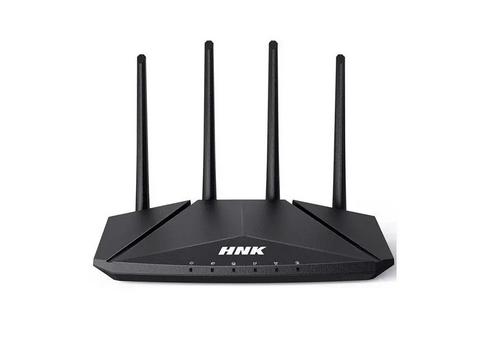
HNK RAX1810 Smart Wi-Fi Router User Manual

ZYXEL FWA505 Nebula Router User Guide

ASUS RT-AX89X Dual-band Wi-Fi Router Instruction Manual