×
- 1. User Guide (Dsl-n66u → Dual-band Wi-fi Adsl/vdsl Modem Router)
- 2. Product Warranty Or Service Will Not Be Extended If (Asus Provides This Manual 'as Is' → Specifications And Information Contained In This Manual)
- 3. A Quick Look (Creating Your Network → Network Configuration Using The Web Gui → Using The Utilities → Troubleshooting)
- 4. Troubleshooting (Asus Ddns Service → Appendices → Notices → Networks Global Hotline Information → Asus Contact Information)
- 5. A Quick Look (Package Contents → Adsl/vdsl Wifi Modem Router → Network Cable → Ac Adapter → Phone Cable → Quick Start Guide)
- 6. Your Adsl/vdsl Router (Front Features → Usb 2.0 Led → Lan Led → Ghz Led → 4ghz Led)
- 7. Wan Led (Adsl/vdsl Led → Power Led → Wi-fi Switch → Wps Button → Specifications)
- 8. Rear Features (Reset Button → Usb 2.0 Ports → Ethernet Wan Port → Lan 1 ~ 4 Ports → Dsl Wan (adsl/vdsl) Port → Power (dc-in) Port)
- 9. Creating Your Network (Positioning Your Router)
- 10. What You Need (System Requirements → Wireless Capabilities → Dual Band Technology → Single Band Usage → Dual Band Usage → Ethernet Cable Limitations)
- 11. Connecting Your Devices (Wired Connection → To Set Up Your Adsl/vdsl Router Using A Wired Connection)
- 12. Before You Proceed (Before Configuring Your Wireless Router, Apply The Steps Described In This Section To Each Computer On The Network To Avoid Problems Connecting To The Wireless Network.)
- 13. From The Local Area Network (lan) Settings Window (Mac Osx → Proxies)
- 14. Configure Tcp/ip Settings To Automatically Obtain An Ip Address (Windows 7 → Network Connections → Local Area Connection → Network Status Window → Internet Protocol Version 4 (tcp/ipv4) → Internet Protocol Version 6 (tcp/ipv6))
- 15. Obtain An Ip Address Automatically (Mac Osx → Click Apple Menu → System Preferences → Network → Click Ethernet → On The Configure Ipv4)
- 16. Setting Up Your Adsl/vdsl Router (Ensure That The Dsl Led On The Dsl-n66u Front Panel Is On And Not Flashing. → Launch Your Web Browser.)
- 17. Network Configuration Using The Web Gui (Logging In To The Web Gui)
- 18. The Wireless Router Gui Provides Access To Various Configuration Settings.
- 19. Setting Up The Wireless Security Settings (4ghz Security Settings)
- 20. Ghz Security Settings (Wireless Name (ssid) → Security Level → Encryption Method → Security Passkey)
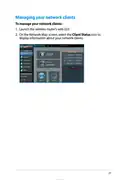
- 21. Managing Your Network Clients (Launch The Wireless Routers Web Gui → Client Status Icon)
- 22. Monitoring Your Usb Device (Using Aidisk For Sharing Files → Usb Disk Status)
- 23. On The Aidisk Wizard Field, Click Go To Set Up An Ftp Server For Internet File Sharing.
- 24. Creating Your Guest Network (The Guest Network Provides Internet Connectivity For Temporary Visitors Without Providing Access To Your Private Network.)
- 25. Using The Traffic Manager (Managing Qos (quality Of Service) Bandwidth → The Quality Of Service (qos) Allows You To Set The Bandwidth Priority And Manage The Network Traffic. → To Set Up The Bandwidth Priority:)
- 26. Monitoring Traffic (Using The Usb Extension)
- 27. Using Aidisk For File Sharing (Before Using Aidisk → To Use Aidisk)
- 28. Select The Access Rights That You Want To Assign To The Clients Accessing Your Shared Data. Create Your Domain Name Via The Asus Ddns Servic…
- 29. Click Finish To Finish The Setup. (Access The Ftp Site You Created.)
- 30. Using The Network Place (samba) Share Service (To Use Samba Share:)
- 31. Using The Ftp Share Service (Sharing Files Via The Ftp Server → To Share Files Via The Ftp Server: → Enable The Ddns Service For Ftp Server Access)
- 32. From The List Of Files/folders, Select The Type Of Access Rights That You Want To Assign For Specific Files/folders:
- 33. Using The Miscellaneous Setting (To Use Miscellaneous Setting)
- 34. Configuring The Advanced Settings (Setting Up The Dhcp Server)
- 35. Enable The Dhcp Server? (Ip Pool Starting Address → Ip Pool Ending Address → Lease Time)
- 36. Upgrading The Firmware (To Upgrade The Firmware: → Firmware Restoration Utility)
- 37. Restoring/saving/uploading Settings (Administration → Restore/save/upload Setting → Configuration Options)
- 38. Setting Up Your Network Printer (To Set Up Your Usb Printer:)
- 39. Unzip The Downloaded File And Click The Printer Icon To Run The Network Printer Setup Program.
- 40. Follow The Onscreen Instructions To Set Up Your Hardware, Then Click Next. Wait For A Few Minutes For The Initial Setup To Finish. Click Nex…
- 41. Click Finish To Complete The Installation.
- 42. After Printer Driver Installation Is Complete, Computers On The Network Will Now Be Able To Access The Printer.
- 43. Using The Utilities (Device Discovery)
- 44. Firmware Restoration (To Launch Rescue Mode And Use The Firmware Restoration Utility → Ip Address → Subnet Mask → Upgrading The Firmware)
- 45. Troubleshooting (I Cannot Access The Router Gui For Configuring The Router → The Client Cannot Establish A Wireless Connection With The Router)
- 46. Authentication (Cannot Find The Router → Cannot Access The Internet Using A Wireless Lan Adapter → Internet Is Not Accessible)
- 47. The Dsl Light Is On (steady And Not Blinking) And Means Internet Access Is Possible, But I Still Cannot Browse The Internet.
- 48. How Do You Restore The System To Its Default Settings? (Restoring/saving/uploading Settings → The Following Are The Factory Default Settings:)
- 49. Asus Ddns Service (Frequently Asked Questions (faqs))
- 50. Check The Following: (Can I Register Two Domain Names So I Can Access My Http And Ftp Servers Separately? → After Restarting The Router, Why Is It That I See A Different Wan Ip Address In Ms-dos And In The Router Configuration Page? → Is The Asus Ddns Service Free, Or Is It Just A Trial Version?)
- 51. Appendices (Notices → Asus Recycling/takeback Services → Reach → Federal Communications Commission Statement)
- 52. Prohibition Of Co-location
- 53. Safety Information (Declaration Of Conformity For R&tte Directive 1999/5/ec → Essential Requirements Article 3 → Protection Requirements For Health And Safety Article 3.1a → Protection Requirements For Electromagnetic Compatibility Article 3.1b → Effective Use Of The Radio Spectrum Article 3. → Ce Mark Warning)
- 54. Operation Conditions (Radio Frequency (rf) Exposure Information → Compliance With Ic Standards → Additional Canadian Information On Rf Exposure)
- 55. 警語 (Authorised Distributors In Turkey)
- 56. Gnu General Public License (Licensing Information → Preamble → Version , June 1991 → Copyright (c) 1989, 1991 Free Software Foundation, Inc. → Freedom To Share And Change Software → General Public License Applicability)
- 57. To Protect Your Rights (Responsibilities For Distribution → Copyright And Licensing → No Warranty For Free Software → Threats To Free Programs → Patent Licensing Conditions)
- 58. Terms & Conditions For Copying, Distribution, & Modification (License Applies To Any Program Or Other Work → You May Copy And Distribute Verbatim Copies Of The Programs Source Code → You May Modify Your Copy Or Copies Of The Program)
- 59. You Must Cause The Modified Files To Carry Prominent Notices Stating That You Changed The Files And The Date Of Any Change.
- 60. You May Copy And Distribute The Program (or A Work Based On It, Under Section ) In Object Code Or Executable Form Under The Terms Of Section…
- 61. You May Not Copy, Modify, Sublicense, Or Distribute The Program Except As Expressly Provided Under This License. Any Attempt Otherwise To Co…
- 62. Your Obligations Under This License And Any Other Pertinent Obligations, Then As A Consequence You May Not Distribute The Program At All. Fo…
- 63. Each Version Is Given A Distinguishing Version Number. If The Program Specifies A Version Number Of This License Which Applies To It And 'an…
- 64. In No Event Unless Required By Applicable Law Or Agreed To In Writing Will Any Copyright Holder, Or Any Other Party Who May Modify And/or Re…
- 65. Networks Global Hotline Information (Service Hours → Region → Country → Hotline Number)
- 66. Hotline Numbers (Service Hours → Asia-pacific → Americas)
- 67. Hotline Numbers (Service Hours → Middle East + Africa → Balkan Countries → For More Information, Visit The Asus Support Site At:)
- 68. Asus Contact Information (Technical Support → Asus Computer International (america) → Asus Computer Gmbh (germany And Austria) → Online Support → Website)
- 69. Asustek Computer Inc. (Manufacturer: → Address: 4f, No. 150, Li-te Rd., Peitou, Taipei 11, Taiwan → Asus Computer Gmbh → Authorised Representative In Europe: → Address: Harkort Str. 1-3, 40880 Ratingen, Germany)
- 70.
×
ASUS DSL-N66U Dual Band Wi-Fi ADSL VDSL Modem Router User Manual
WAN LED
Off: No power or no physical connection.
On: Has physical connection to a wide area network (WAN).
ADSL/VDSL LED
Off: No ADSL/VDSL link or unable to establish ADSL/VDSL link.
Flashing: ADSL/VDSL is attempting to connect to a DSLAM.
Power LED
Off: No power.
On: Device is ready.
Flashing slowly: Rescue mode
Flashing quickly: WPS in progress.
Wi-Fi switch
Switch to turn the WiFi feature on/off.
WPS button
This button launches a WPS session.
• Use only the power adapter that came with your package.
Using other adapters may damage the device.
• Specifications:
DC Power adapter
DC Output: +19V with max 3.4ꢀA current;
Operating
0~40oC
Storage
0~70oC
Temperature
Operating Humidity
50~90%
Storage
ꢀ0~90%
7
| General | Details |
|---|---|
| Name | ASUS DSL-N66U Dual Band Wi-Fi ADSL VDSL Modem Router User Manual |
| Make | Asus |
| Language | English |
| Filetype | PDF (Download) |
| File size | 0.63 MB |
If you have any questions regarding ASUS DSL-N66U Dual Band Wi-Fi ADSL VDSL Modem Router User Manual, please ask here and describe the problem in detail.

ASUS RT-AC86U AC2900 WiFi Gaming Router User Guide

ASUS AC1750 WiFi Dual Band Wireless Internet Router User Guide

ASUS TUF-AX5400 Dual Band WiFi 6 Router User Guide

ASUS ET12 ZenWiFi Pro AXE11000 Tri Band Router User Guide

ASUS RT-AX82U V2 AX5400 Dual Band WiFi Router User Guide

ASUS TUF-AX4200 Dual Band WiFi Router User Guide

ASUS GT-AX6000 Dual Band WiFi 6 Extendable Gaming Router User Guide

ASUS RT-N10U 150 mbps Wireless Router Instructions

ASUS RT-BE96U Tri Band WiFi Router User Guide

ASUS RT-BE88U Dual Band WiFi Router User Guide


HNK AX3000 Dual Band Wi-Fi 6 Router User Guide

TP-Link TL-WR1502X AX1500 WiFi 6 Travel Router Installation Guide

AmpliFi AFi-ALN Router User Guide

MikroTik RBwAPG-5HacD2HnD Wireless Router User Guide

Cudy WR3000S AX3000 Gigabit Mesh WiFi 6 Router Installation Guide

MERCUSYS MR60X AX1500 Wi-Fi 6 Router User Guide

CNCU CoreDraw Plugin For Router User Guide

KAON BROADBAND AR2340G Wi-Fi Router Installation Guide

Cudy WR3000 Wireless WiFi Router Installation Guide

Mercury Netgear D7000 Fibre Modem Router User Guide
Table of Contents
- 1. User Guide - Dsl-n66u →
- 2. Product Warranty Or Service Will Not Be Extended If - Asus P... →
- 3. A Quick Look - Creating Your Network →
- 4. Troubleshooting - Asus Ddns Service →
- 5. A Quick Look - Package Contents →
- 6. Your Adsl/vdsl Router - Front Features →
- 7. Wan Led - Adsl/vdsl Led →
- 8. Rear Features - Reset Button →
- 9. Creating Your Network - Positioning Your Router →
- 10. What You Need - System Requirements →
- 11. Connecting Your Devices - Wired Connection →
- 12. Before You Proceed - Before Configuring Your Wireless Router... →
- 13. From The Local Area Network (lan) Settings Window - Mac Osx →
- 14. Configure Tcp/ip Settings To Automatically Obtain An Ip Addr... →
- 15. Obtain An Ip Address Automatically - Mac Osx →
- 16. Setting Up Your Adsl/vdsl Router - Ensure That The Dsl Led O... →
- 17. Network Configuration Using The Web Gui - Logging In To The ... →
- 18. The Wireless Router Gui Provides Access To Various Configura... →
- 19. Setting Up The Wireless Security Settings - 4ghz Security Se... →
- 20. Ghz Security Settings - Wireless Name (ssid) →
- 21. Managing Your Network Clients - Launch The Wireless Routers ... →
- 22. Monitoring Your Usb Device - Using Aidisk For Sharing Files →
- 23. On The Aidisk Wizard Field, Click Go To Set Up An Ftp Server... →
- 24. Creating Your Guest Network - The Guest Network Provides Int... →
- 25. Using The Traffic Manager - Managing Qos (quality Of Service... →
- 26. Monitoring Traffic - Using The Usb Extension →
- 27. Using Aidisk For File Sharing - Before Using Aidisk →
- 28. Select The Access Rights That You Want To Assign To The Clie... →
- 29. Click Finish To Finish The Setup. - Access The Ftp Site You ... →
- 30. Using The Network Place (samba) Share Service - To Use Samba... →
- 31. Using The Ftp Share Service - Sharing Files Via The Ftp Serv... →
- 32. From The List Of Files/folders, Select The Type Of Access Ri... →
- 33. Using The Miscellaneous Setting - To Use Miscellaneous Setti... →
- 34. Configuring The Advanced Settings - Setting Up The Dhcp Serve... →
- 35. Enable The Dhcp Server? - Ip Pool Starting Address →
- 36. Upgrading The Firmware - To Upgrade The Firmware: →
- 37. Restoring/saving/upl... Settings - Administration →
- 38. Setting Up Your Network Printer - To Set Up Your Usb Printer... →
- 39. Unzip The Downloaded File And Click The Printer Icon To Run ... →
- 40. Follow The Onscreen Instructions To Set Up Your Hardware, Th... →
- 41. Click Finish To Complete The Installation. →
- 42. After Printer Driver Installation Is Complete, Computers On ... →
- 43. Using The Utilities - Device Discovery →
- 44. Firmware Restoration - To Launch Rescue Mode And Use The Fir... →
- 45. Troubleshooting - I Cannot Access The Router Gui For Configu... →
- 46. Authentication - Cannot Find The Router →
- 47. The Dsl Light Is On (steady And Not Blinking) And Means Inte... →
- 48. How Do You Restore The System To Its Default Settings? - Res... →
- 49. Asus Ddns Service - Frequently Asked Questions (faqs) →
- 50. Check The Following: - Can I Register Two Domain Names So I ... →
- 51. Appendices - Notices →
- 52. Prohibition Of Co-location →
- 53. Safety Information - Declaration Of Conformity For R&tte Dir... →
- 54. Operation Conditions - Radio Frequency (rf) Exposure Informa... →
- 55. 警語 - Authorised Distributors In Turkey →
- 56. Gnu General Public License - Licensing Information →
- 57. To Protect Your Rights - Responsibilities For Distribution →
- 58. Terms & Conditions For Copying, Distribution, & Modification... →
- 59. You Must Cause The Modified Files To Carry Prominent Notices... →
- 60. You May Copy And Distribute The Program (or A Work Based On ... →
- 61. You May Not Copy, Modify, Sublicense, Or Distribute The Prog... →
- 62. Your Obligations Under This License And Any Other Pertinent ... →
- 63. Each Version Is Given A Distinguishing Version Number. If Th... →
- 64. In No Event Unless Required By Applicable Law Or Agreed To I... →
- 65. Networks Global Hotline Information - Service Hours →
- 66. Hotline Numbers - Service Hours →
- 67. Hotline Numbers - Service Hours →
- 68. Asus Contact Information - Technical Support →
- 69. Asustek Computer Inc. - Manufacturer: →
- 70. Page 70 →