
ASUS ExpertWiFi EBM68 AX7800 Tri Band WiFi Router User Guide


Support Wall Mount / Se puede instalar en la pared
Reboot modem and ensure its connection is ready
IMPORTANT!
Only install the wall mount
vertically on the wall.
Reiniciar el módem y asegurarse de que su conexión está lista
Notice: Unplug modem for 10 sec then plug back in
Aviso: Desenchufe el módem durante 10 segundos y vuelva a enchufarlo
DO NOT install the wall mount
horizontally or on the ceiling.
DO NOT mount this equipment
WALL
WALL
higher than 2 meters.
NOTES:
Wall anchor and screws sizes are
for reference only.
It is recommended to use
appropriate types of anchor and
screws based on the wall you
intended to install on.
+0
-0.50
+0
6.0
2.3 0.15
32.0 -0.50
4.8-5.4
8.9-9.5
25.8-27.8
Prepare your ASUS router and power it on
Prepara tu enrutador ASUS y enciéndelo
IMPORTANTE! Instale el soporte para pared solo en posición vertical en la pared.
NO instale el soporte para pared en posición horizontal o en el techo.
NO coloque este equipo a una altura mayor que los 2 metros.
Once the status light is solid blue then it’s ready for setup
Una vez que la luz de estado es azul fijo, está listo para la instalación
NOTAS: El tamaño de los pernos o tornillos para montaje en la pared se brinda
únicamente a modo de referencia.
Se recomienda utilizar los tipos de anclaje y tornillos adecuados para la pared en
la que se vaya a instalar..
ASUS Recycling/Takeback Services
ASUS recycling and takeback programs come from our commitment to the highest standards for protecting our environment.
We believe in providing solutions for you to be able to responsibly recycle our products, batteries, other components, as well
different regions.
REACH
Complying with the REACH (Registration, Evaluation, Authorisation, and Restriction of Chemicals) regulatory framework, we
Scan the code and download ASUS ExpertWiFi app for setup
Escanea el código y descarga la aplicación ASUS ExpertWiFi
para la instalación
Federal Communications Commission Statement
This device complies with Part 15 of the FCC Rules. Operation is subject to the following two conditions:
•
•
This device may not cause harmful interference.
This device must accept any interference received, including interference that may cause undesired operation.
For more information, please scan the code on the cover
Escanee el código de la portada para obtener más información
FCC regulations restrict the operation of this device to indoor use only.
This device cannot operate as a subordinate between separate buildings or structures.
This equipment has been tested and found to comply with the limits for a class B digital device, pursuant to part 15 of the FCC
Rules. These limits are designed to provide reasonable protection against harmful interference in a residential installation.
This equipment generates, uses and can radiate radio frequency energy and, if not installed and used in accordance with the
instructions, may cause harmful interference to radio communications. However, there is no guarantee that interference will not
occur in a particular installation. If this equipment does cause harmful interference to radio or television reception, which can
be determined by turning the equipment off and on, the user is encouraged to try to correct the interference by one or more of
the following measures:
•
•
•
•
Reorient or relocate the receiving antenna.
Increase the separation between the equipment and receiver.
Connect the equipment into an outlet on a circuit different from that to which the receiver is connected.
Consult the dealer or an experienced radio/TV technician for help.
ASUS ExpertWiFi
FCC RF Caution Statement:
WARNING: Any changes or modifications not expressly approved by the party responsible for compliance could void your
authority to operate the equipment.
instalación de la web.

| General | Details |
|---|---|
| Name | ASUS ExpertWiFi EBM68 AX7800 Tri Band WiFi Router User Guide |
| Make | Asus |
| Language | English |
| Filetype | PDF (Download) |
| File size | 0.34 MB |
 (1 votes, average: 5.00 out of 5)
 Loading...
If you have any questions regarding ASUS ExpertWiFi EBM68 AX7800 Tri Band WiFi Router User Guide, please ask here and describe the problem in detail.

ASUS RT-AC86U AC2900 WiFi Gaming Router User Guide

ASUS AC1750 WiFi Dual Band Wireless Internet Router User Guide

ASUS TUF-AX5400 Dual Band WiFi 6 Router User Guide

ASUS ET12 ZenWiFi Pro AXE11000 Tri Band Router User Guide

ASUS RT-AX82U V2 AX5400 Dual Band WiFi Router User Guide

ASUS TUF-AX4200 Dual Band WiFi Router User Guide

ASUS RT-N10U 150 mbps Wireless Router Instructions

ASUS RT-BE96U Tri Band WiFi Router User Guide

ASUS GT-AX6000 Dual Band WiFi 6 Extendable Gaming Router User Guide

ASUS RT-BE88U Dual Band WiFi Router User Guide


UBIQUITI ER-6P EdgeRouter 6P Gigabit Router User Guide

Calix BLAST u6 Gigaspire Mesh WiFi 6 Router User Guide
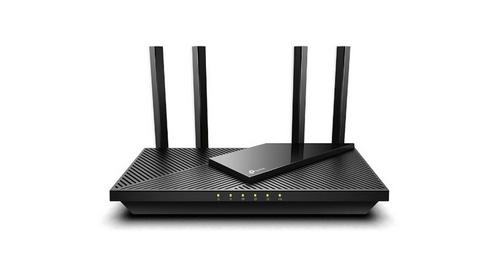
wis network WIS-AX3000 WiFi 6 Gigabit PoE Router User Guide

Cudy WR1500 WiFi 6 Trådløs Router Installation Guide

LINKSYS FGW5500 5G WiFi 6 Router User Guide

Cudy AX3000 Wi-Fi 6 Mesh Router Installation Guide

TELTONIKA RUTX12 Dual Cat 6 Cellular Router Owner’s Manual

Adtran SDG-8610 Service Delivery Gateway WiFi 6 Gigabit Router Instruction Manual

LINKSYS E1000 Wireless N Router Instruction Manual

D-Link DIR-822 AC1200 Wave 2 WiFi Router Instruction Manual