
ASUS WL500W Wireless Router Instructions


Journalling_Flash_File_System
#or other commands from /jffs
5. in the webinterface, enable CIFS with appropriate share/user/pass settings from step 2.
• Enter "startup.smb.sh" as the script
6. Apply Changes
7. reboot
Now you should have the share configured in the web interface mounted at /jffs and should also be able to run
'ipkg' !
• NOTE: If you are a Linux newbie, and you have problems with file permissions, look at this
• Script files must be saved in UNIX format, not DOS. Windows editors that can do this are UltraEdit.
EditPadPro and Crimson Editor, are free.
• WinSCP can be used to easily change the execute flags on the scripts.
Use Startup Script: Example 3
This method requires 2 shares available for DD-WRT, but allows you to have 2 different areas of storage for
the router. Some might find it useful. It is an amalgamation of the previous 2 methods.
Things you need:
• 2 writeable shares on an NAS or Server.
Procedure:
1. Enable CIFS
2. Create a shell script in the network share, as follows:
#!/bin/sh
nvram set sys_enable_jffs2=1 # fake-enable JFFS
umount /jffs # unmount /jffs if it exists
mount.cifs //<server's IP>/<jffs share name> /jffs -o username=<your username>,password=<your pas
3. Enter the name of the script in the CIFS-Samba startup script box in the Web Interface.
4. Apply changes.
5. Reboot
As an example network setup:
• /tmp/smbshare located in a shared folder on the NAS called ddwrt, which contains scripts (including
startup.sh containing the above commands), yet to be installed packages and other static data
• /jffs located in a shared folder called jffs, which contains program data for installed packages
Use Startup Scripts: Example 2
8

| General | Details |
|---|---|
| Name | ASUS WL500W Wireless Router Instructions |
| Make | Asus |
| Language | English |
| Filetype | PDF (Download) |
| File size | 0.07 MB |
 (1 votes, average: 5.00 out of 5)
 Loading...
If you have any questions regarding ASUS WL500W Wireless Router Instructions, please ask here and describe the problem in detail.

ASUS RT-AC86U AC2900 WiFi Gaming Router User Guide

ASUS AC1750 WiFi Dual Band Wireless Internet Router User Guide

ASUS TUF-AX5400 Dual Band WiFi 6 Router User Guide

ASUS ET12 ZenWiFi Pro AXE11000 Tri Band Router User Guide

ASUS RT-AX82U V2 AX5400 Dual Band WiFi Router User Guide

ASUS TUF-AX4200 Dual Band WiFi Router User Guide

ASUS RT-N10U 150 mbps Wireless Router Instructions

ASUS RT-BE96U Tri Band WiFi Router User Guide

ASUS GT-AX6000 Dual Band WiFi 6 Extendable Gaming Router User Guide

ASUS RT-BE88U Dual Band WiFi Router User Guide

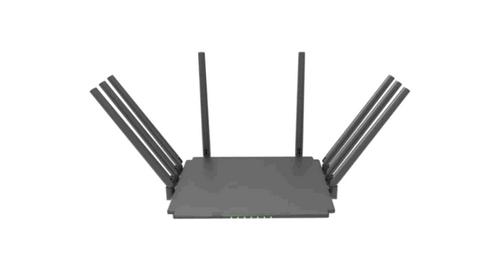
Guangdong Xintengda Communication Technology WR300N-XXX WiFi Router Instruction Manual

PREDATOR W6X Connect W6x Wi-Fi 6 Router Owner’s Manual

KMC CONTROLS Conquest BAC-5051AE BACnet Router Instruction Manual

WAVLINK AC1200 WiFi Router Instructions

FIRSTNUM C600C 4G LTE Broadband Router User Manual

TELRAN COMMUNICATION EX-5401-B1 SFP Fiber Router Wi-Fi 6 Support Mesh Instruction Manual

netis N4 Wireless Dual Band Router Installation Guide

TP-Link EX920 AXE7800 Tri Band Wi-Fi 6E Router Owner’s Manual

tp-Link BE6500 Dual Band Wi-Fi 7 Router Installation Guide

TCL HH40L1 Linkhub Router User Manual