
AT T 5G Mobile Router User Guide


What’s in the Box
Set Up Your Mobile Hotspot
M 6
N i g h t h a w k
•ꢀ Nighthawk® M6
®
You can use the mobile hotspot LCD screen
to change settings such as the WiFi password,
WiFi Manager login password, and WiFi
standby time.
with pre-installed SIM card
•ꢀ Battery cover
•ꢀ Battery
•ꢀ USB Type C cable
•ꢀ AC adapter
1 Press and hold the Power button for 2
seconds.
Get to Know Your Mobile Hotspot
Touch screen
Home
Back
To better safeguard your network, the first
time you turn on your mobile hotspot, you
are asked to set up your login credentials.
2 Follow the instructions to customize your
mobile hotspot settings.
Antenna port
Ethernet port
Antenna port
USB Type C port
d e t a s r t t e g s t ’ e L
Power button
Install the Battery
Home Screen
1 Insert the battery.
The Home screen displays the mobile
hotspot’s WiFi network name and password,
and the AT&T wireless network signal strength
and connection type.
2 Install the back cover.
Signal
strength
Network
connection type
Battery
WiFi network
name and
password
QR code
for quick
connect to
WiFi
AT&T Eco Rating 2.0 only applies to the NETGEAR
Nighthawk M6. For limited factors evaluated visit
att.com/EcoSpace. Wireless Emergency Alerts is
a registered Trademark and Service Mark of CTIA.
USB C port
SIM card
(preinstalled)
NETGEAR and Nighthawk are trademarks of
NETGEAR, Inc. 5G is a trademark of 3GPP. 5G not
available everywhere. Contains Lithium ion
battery-recycle or dispose of properly.
3 To charge the battery, connect the USB
cable to the USB port and the AC adapter,
and plug the AC adapter into a power outlet.
Use the battery or AC power
Rely on battery power when you’re away from
home or the office. The Power Manager lets
you optimize battery life.
© 2022 AT&T Intellectual Property. All rights
reserved. AT&T, the AT&T logo and all other
AT&T marks contained herein are trademarks
of AT&T Intellectual Property. All other marks are
the property of their respective owners.
Note:ꢀThe mobile hotspot comes with a preinstalled SIM card.
The SIM must be activated on a data plan with AT&T.
Your mobile hotspot can operate without the
battery. Remove the battery and plug the
provided AC adapter into a power outlet. Refer
to the user manual for more details.
Printed in USA
201-29107-01


| General | Details |
|---|---|
| Name | AT T 5G Mobile Router User Guide |
| Make | AT&T |
| Language | English |
| Filetype | PDF (Download) |
| File size | 0.34 MB |
 (1 votes, average: 5.00 out of 5)
 Loading...
If you have any questions regarding AT T 5G Mobile Router User Guide, please ask here and describe the problem in detail.
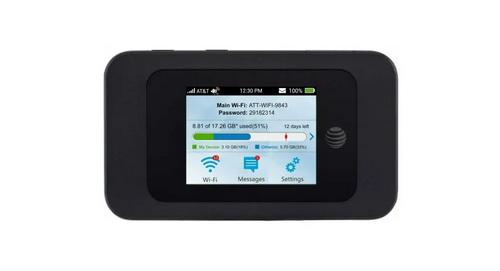
AT T MF985 Velocity 2 WiFi Hotspot Router Instruction Manual


NEXTIVITY Shield Megafi Wireless Wan Router User Guide

TELTONIKA RUT142 Router User Guide

ASUS XD4S AX1800 Dual Band WiFi Router User Guide

Cudy TR3000 AX3000 2.5G Wi-Fi 6 Mini VPN Router Installation Guide

ASUS GT-AX6000 Dual Band Gaming Router User Guide

FALCON MU5001 5G Router User Manual

D-Link EXO AX Smart AX1800 Wi-Fi Router User Guide

TP-Link ER707-M2 Omada Multi-Gigabit VPN Router Installation Guide

airlive W6-184QAX AX1800 Router Installation Guide

Thumbnail TN1000 Master Router Instruction Manual