
AT T MF985 Velocity 2 WiFi Hotspot Router Instruction Manual
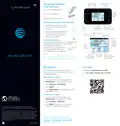


Power
WPS
External antenna
connector
Set Up Your Velocity 2
Install the Battery
button button
2
e l o c T i & t V y T A
®
1. Remove the back cover.
2. Insert the battery.
Status
indicator
light
3. Replace the back cover.
Insert a microSDXC™ Card (optional)
1. Insert the tip of the tray eject
tool into the hole next to the
card tray.
Nano-SIM/
Touch
screen
USB Type-C
microSDXC card slot
charging port
2. Pull out the card tray. Place the
microSDXC card on the tray,
as shown. Carefully slide the
tray back into place.
Network indicator
Signal strength
New message
Battery
Charge the Battery
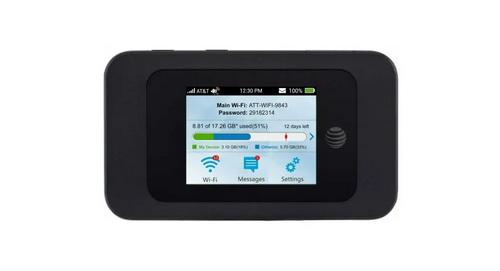
Main Wi-Fi
network
name and
password
The battery is precharged. To recharge, attach
the USB Type-C™ cable to your Velocity 2
and connect it to either:
Tap for
usage
details
• A wall socket, using the wall
charger (fastest option), or
• The USB port on your laptop.
Notes:
e t d
s g e e L t t ’ s t a r
Tap for WPS,
Guest Wi-Fi, and
other options
Tap to view Tap to change
• Supports up to a 128 GB microSDXC card.
• The SIM card is preinstalled in your Velocity 2.
messages
display and adjust
other settings
Get Help
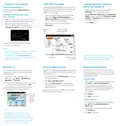
File Sharing
Email us at support@sim-usa.mobi
If a microSDXC card is inserted in your
Velocity 2, you can share files on it via Wi-Fi
or USB connection.
or online https://support.sim-usa.mobi
Share Files via Wi-Fi
1. From the AT&T Wi-Fi Manager, click
File Sharing in the navigation menu.
2. Click Settings > Wi-Fi Only.
3. Click Apply.
4. Click File Browser to access files on the
microSDXC card.
Share Files via USB
1. From the AT&T Wi-Fi Manager, click
File Sharing in the navigation menu.
2. Click Settings > USB Only.
3. Click Apply. You must connect your
Velocity 2 via USB to access files.
AT&T Eco Rating 2.0 only applies to this device.
For limited factors evaluated visit att.com/EcoSpace.
LTE is a trademark of ETSI. 4G LTE not avail. everywhere.
Contains Lithium ion battery - recycle or dispose of
properly. 2018 AT&T Intellectual Property. All rights
©
reserved. AT&T, the AT&T logo and all other AT&T marks
contained herein are trademarks of AT&T Intellectual
Property. All other marks are the property of their
respective owners.
Note: To change sharing mode from
the home screen of your Velocity 2, tap
Settings > File Sharing > Share Mode
and select an option.
081704100777


| General | Details |
|---|---|
| Name | AT T MF985 Velocity 2 WiFi Hotspot Router Instruction Manual |
| Make | AT&T |
| Language | English |
| Filetype | PDF (Download) |
| File size | 0.14 MB |
 (1 votes, average: 5.00 out of 5)
 Loading...
If you have any questions regarding AT T MF985 Velocity 2 WiFi Hotspot Router Instruction Manual, please ask here and describe the problem in detail.

AT T 5G Mobile Router User Guide

ZEBRA ZT510 Router User Manual

Tenda AC19 Dual Band Gigabit WiFi Router Installation Guide

OptConnect neo 4 Cellular Router User Manual

UBIQUITI AFi-HD Amplifi 4-Ports Home Wi-Fi System AFI HD Wireless Router User Guide

MMB NETWORKS MMB Thread Border Router User Guide

TP-Link AX1800 Gigabit Dual Band Wi-Fi 6 Router User Manual

Cisco RV160 Router User Guide

sunhans eSunFi SHFiEL40 eSIM 4G Portable Router User Manual

TELTONIKA Networks RUT906 E-Mark 4G Router Owner’s Manual

Ruijie 2AX5J-EG105GWX All-in-One Wireless Router User Manual