
BOSSPAC EA000405 Border Router Instruction Manual




EA000405 – BOARDER ROUTER
1. Commission/Joining Border Router to a network
1 Installation
The EA000405 Border Router must be installed by a professional or certified technician
conversant with the certification requirements of the installation site.
The EA000405 Border Router requires a voltage between 10 VDC and 24 VDC capable of
supplying up to 2A.
Unless otherwise specified the EA000405 Border Router ships with a 3 dBi antenna
(EA002058). The EA000405 Border Router is compatible with the following antennas.
BossPac PN
EH002058 (Standard)
EH002059
Gain
3 dBi
1.2 dBi
8 dBi
11 dBi
EH002060
EH000625
2 Commissioning
2.1 Set-up & Power On
-
-
Connect one end of the Ethernet cable to your ethernet router.
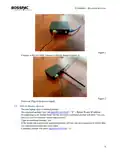
Connect the other end of the Ethernet cable to the border router (Figure 1)
Figure 1
Connect the Power Supply corresponding wires to Border Router power port (Figure 2)
-
4

| General | Details |
|---|---|
| Name | BOSSPAC EA000405 Border Router Instruction Manual |
| Make | BOSSPAC |
| Language | English |
| Filetype | PDF (Download) |
| File size | 0.22 MB |
 (1 votes, average: 5.00 out of 5)
 Loading...
If you have any questions regarding BOSSPAC EA000405 Border Router Instruction Manual, please ask here and describe the problem in detail.


ASUS BE30000 Quad Band WiFi Router User Guide

ASUS RT-AC86U AC2900 WiFi Gaming Router User Guide

Qolsys IQ WiFi 6 Router Instruction Manual

TP-Link M7000 Portable Travel WiFi 4G Router Installation Guide

prolink DL-7302 LTE CAT4 Wi-Fi Home Router Installation Guide

Wi-Tek WI-R3 1200Mbps Dual-Band Wireless Mesh Router with PoE Passthrough Installation Guide

HFCL Weave Home Mesh Router User Guide

cimetrics B3075 BACnet-IP to BACnet-IP Router User Guide

LOGIC ML8 4G MiFi Router User Manual

FALCON MU5001 5G Router User Manual